Have a question or need assistance?
Call Medicomp’s Patient Support: 877-996-5553
Step 6 - Procedure Set Up
After identifying Electrode Patch site, preparing the skin, applying the Electrode Patch and,
turning on the Pendant, turning on the Handset, the patient is now ready for 'Procedure Setup'
with the Tele
Patch System. The steps are described below.
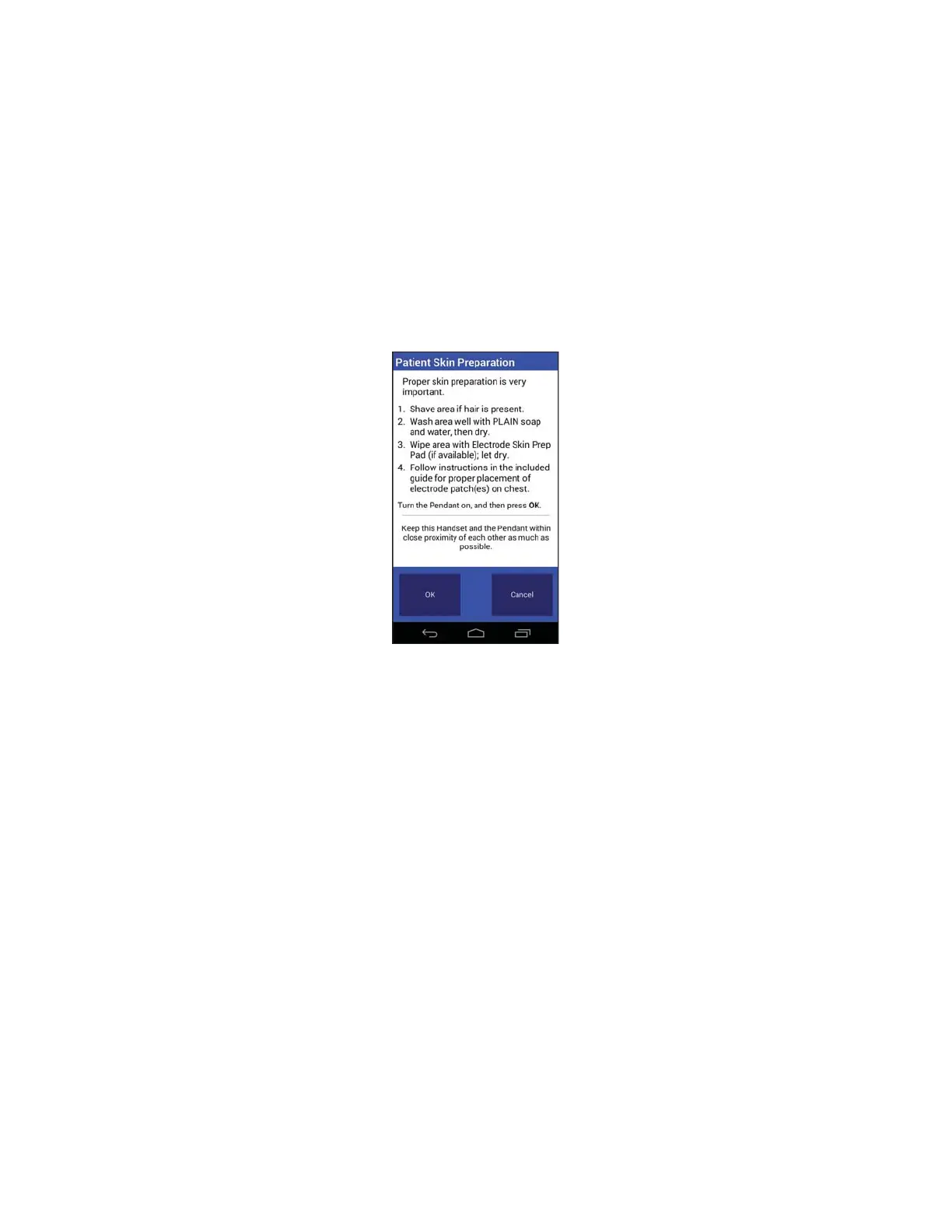
After following the instructions on the patient preparation screen, which may have already
been completed, the next step is to select the correct settings before starting a procedure.
Medicomp Tele
Patch Handset
Patient Preparation Screen
● Tap “OK”
Step 7 - Procedure Settings
After following the instructions on the patient preparation screen, the next step is to select the
correct settings before starting a procedure. Follow the instructions below on how to select the
necessary procedure settings from the Tele
Patch System.
The Procedure Setup screen will display the default settings, which are:
Patient has Pacemaker = No
Protocol = Standard
Setup = Normal
Tele
Patch™ Cardiac Monitor PM750
USER MANUAL - UTM0000701-05E
| APRIL 4, 2019
39



 To Next Page