Have a question or need assistance?
Call Medicomp’s Patient Support: 877-996-5553
SAMPLE SCREEN WARNINGS
Screen Warnings
There are a number of screen warnings that may appear on the Handset
screen. Below is a sampling of some of the most common screen
warnings.
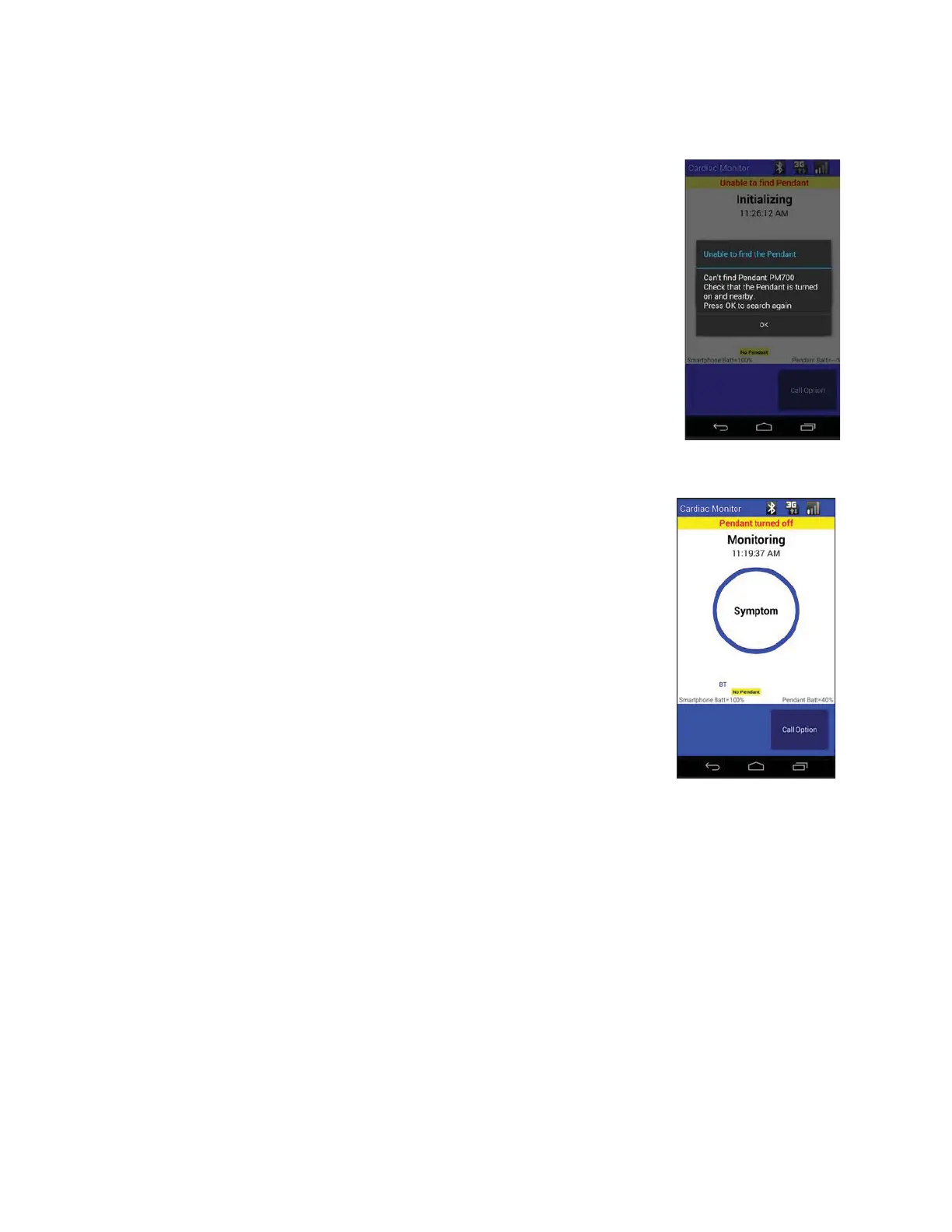
Unable to find Pendant
At the very start of a new procedure, if the Handset IS turned on and the
Pendant is NOT turned on, the following warning or alert will be
displayed. Turn on the Pendant to proceed. While continuing a
procedure, if the Pendant is NOT turned on when the Handset IS turned
on, the following warning or alert will be displayed. Turn on the Pendant
to proceed.
Pendant is Turned Off
If the Pendant is turned off while in the middle of monitoring, the
following warning or alert will be displayed. Turn on the Pendant to
proceed.
Procedure Has Ended
When the procedure ends, an alert will be displayed. Users should
return the unit to the Medicomp address provided in the Patient Guide.
Every Tele
Patch Kit has a postage paid return envelope. Include all
components in the zippered kit and mail from any mailbox.
• For additional troubleshooting instructions, call Medicomp’s Patient Support: 877-996-5553.
Start Procedure Exceptions
Selecting a Pendant
If more than one Pendant is identified after pressing 'Start Procedure,' the patient will be
prompted to 'Select a Pendant to Use.' The instructions below provide detail steps to select a
Pendant before starting a procedure.
Select a Pendant to Use
● User chooses from the list of Pendants on the screen
● Select the Pendant with the unique serial number listed inside the well of the Pendant.
Tele
Patch™ Cardiac Monitor PM750
USER MANUAL - UTM0000701-05E
| APRIL 4, 2019
69



 To Next Page