Have a question or need assistance?
Call Medicomp’s Patient Support: 877-996-5553
The above skin prep procedure is only required at the beginning of the procedure, during
Handset initialization. Users will not be required to perform this type of preparation each time
they relocate electrodes. It is best for users to have freshly showered with plain soap each time
they apply new electrodes. When the Pendant is reconnected to the patient cable, the unit
performs a less restrictive setup.
● If electrodes have connectivity issues the skin can be lightly abraded each electrode site
with a rough washcloth, or an abrasive pad
ALLOW 15 MINUTES FOR SKIN TO ABSORB THE ELECTRODE GEL, WHICH MAY HELP
PROCEDURE INITIATION ERRORS FROM OCCURRING.
CONDUCTIVE PARTS OF ELECTRODES AND ASSOCIATED CONNECTORS FOR TYPE BF OR
CF APPLIED PARTS, INCLUDING NEUTRAL ELECTRODE, SHOULD NOT CONTACT OTHER
CONDUCTIVE PARTS, INCLUDING EARTH.
Step 3 - Snap on Electrodes and Set Up Cable Cradle
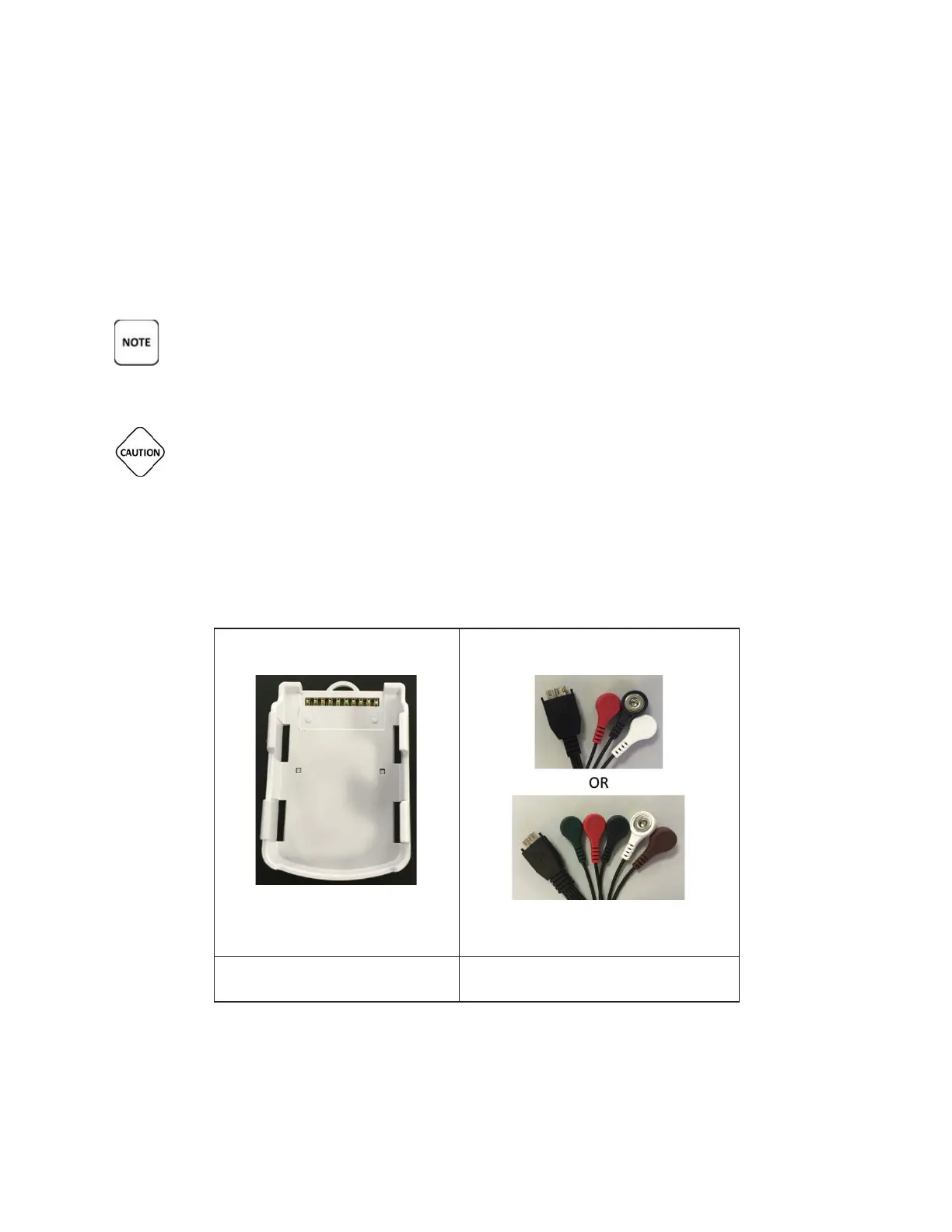
Locate the Cable Cradle, one battery, lead wires, envelope of electrodes and lanyard (optional).
Tele
Patch™ Cardiac Monitor PM750
USER MANUAL - UTM0000701-05E
| APRIL 4, 2019
50



 To Next Page