Have a question or need assistance?
Call Medicomp’s Patient Support: 877-996-5553
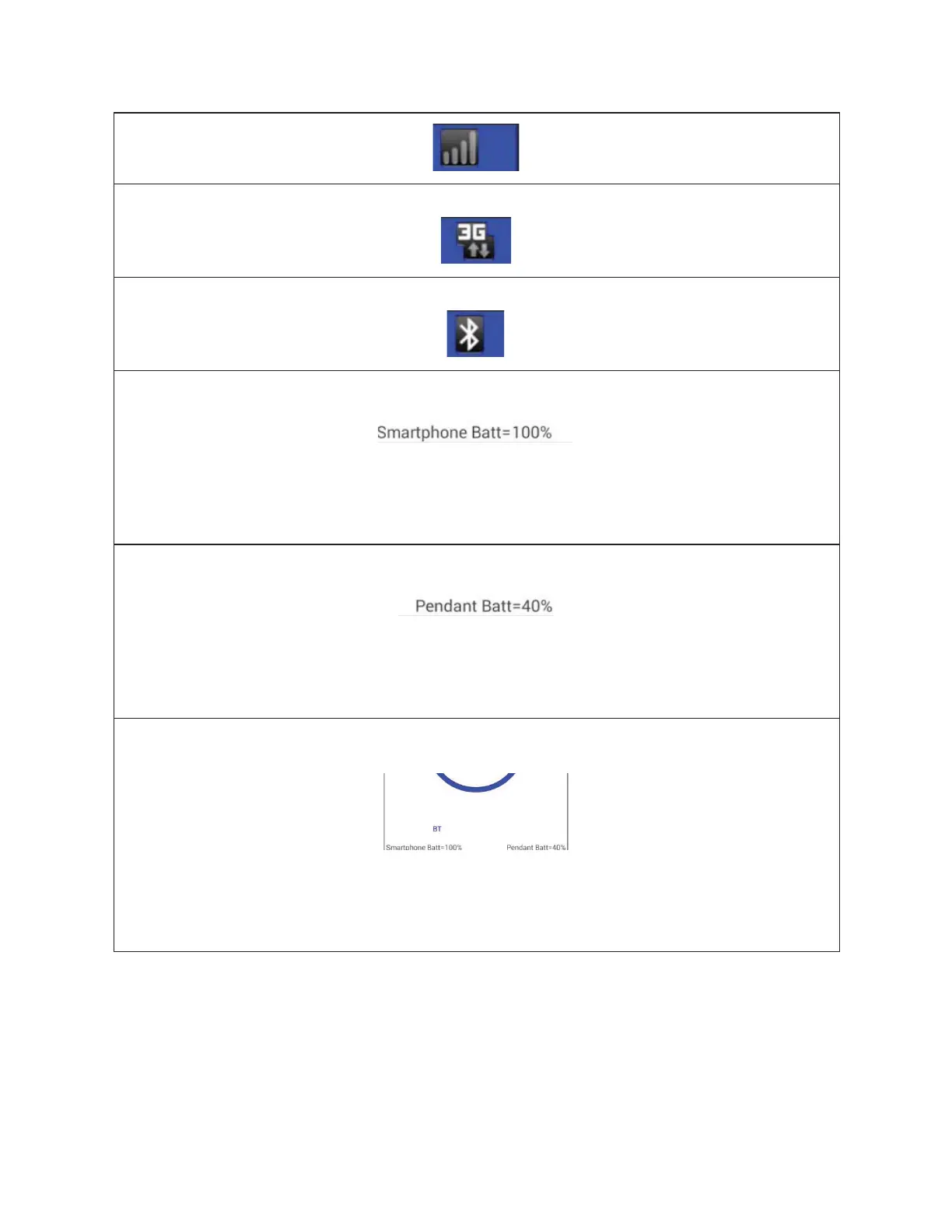
3G Connectivity Icon
Bluetooth Connectivity Icon
The Handset Battery Strength Indicator
This is the Handset Battery Strength Indicator in percentages. This is located in the lower left
corner of the Handset screen once Bluetooth communication has been set up. In this
example, the Handset battery strength is 100 percent.
Pendant Battery Strength Indicator
This is the Pendant Battery Strength Indicator in percentages. This is located in the lower
right corner of the Handset screen once Bluetooth communication has been set up. In this
example, the Pendant battery strength is 40 percent.
The Bluetooth Communication Indicator
This is the Bluetooth communication Indicator. Once Procedure Setup has been completed
and communication with the Pendant has been established, ' BT' will appear in the bottom
left side of the Handset screen.
TELE
PATCH SYSTEM OVERVIEW
Tele
Patch™ Cardiac Monitor PM750
USER MANUAL - UTM0000701-05E
| APRIL 4, 2019
15



 To Next Page