Have a question or need assistance?
Call Medicomp’s Patient Support: 877-996-5553
●
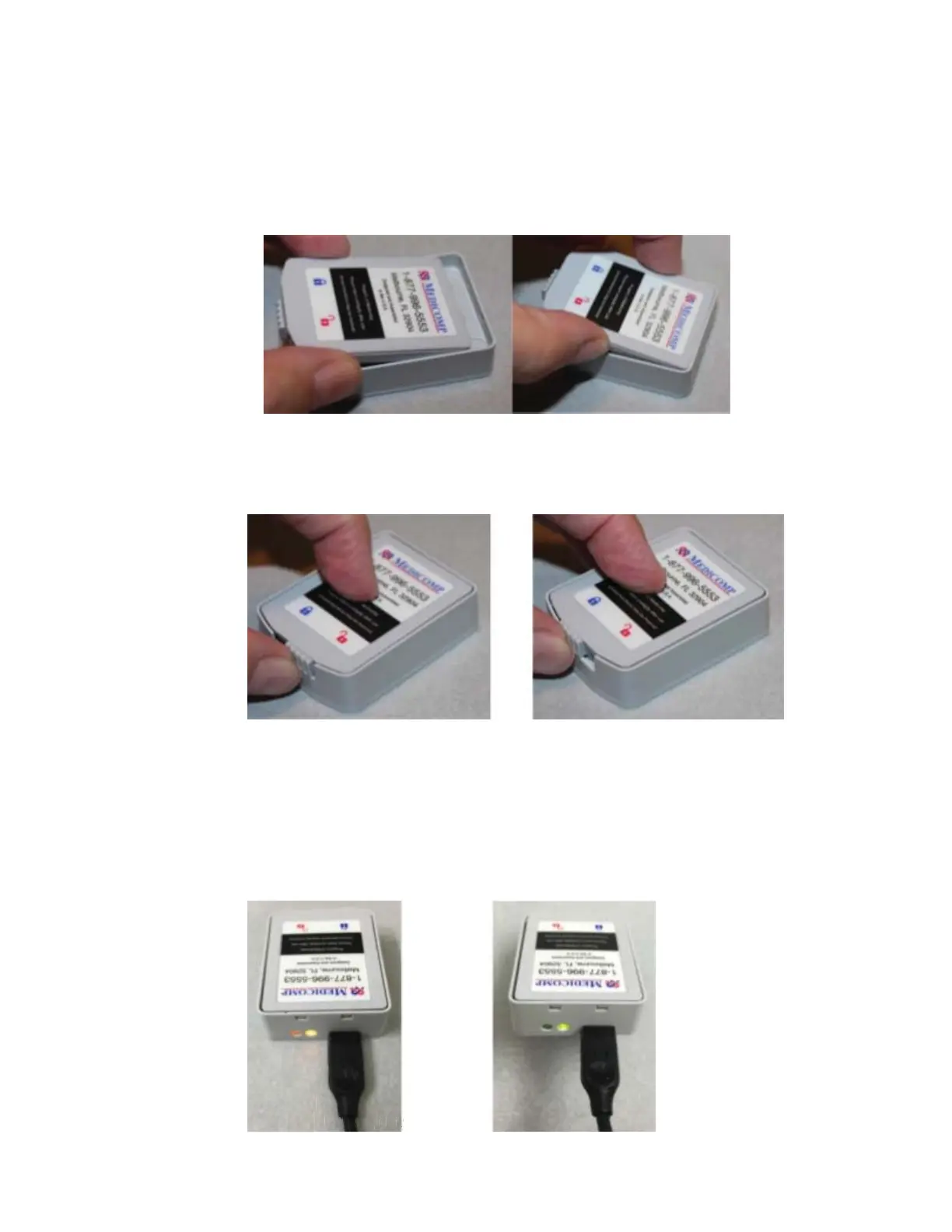
Place a Battery from the Tele
Patch Kit into the Battery Charger, with the Medicomp
label facing up and the two small tabs into the notches.
● Slide the latch at the back of the Battery to the left, securing the battery in place. The
Battery is locked in place when the latch is below the BLUE lock icon.
Battery IS NOT locked in the charger Battery IS correctly locked into charger
● A light at the end of the Battery Charger, next to the Charger Cord, will turn green when
the battery is fully charged.
Tele
Patch™ Cardiac Monitor PM750
USER MANUAL - UTM0000701-05E
| APRIL 4, 2019
28
9



 To Next Page