HELIOS LED Processing Platform - USER GUIDE 91
SFP+ Types
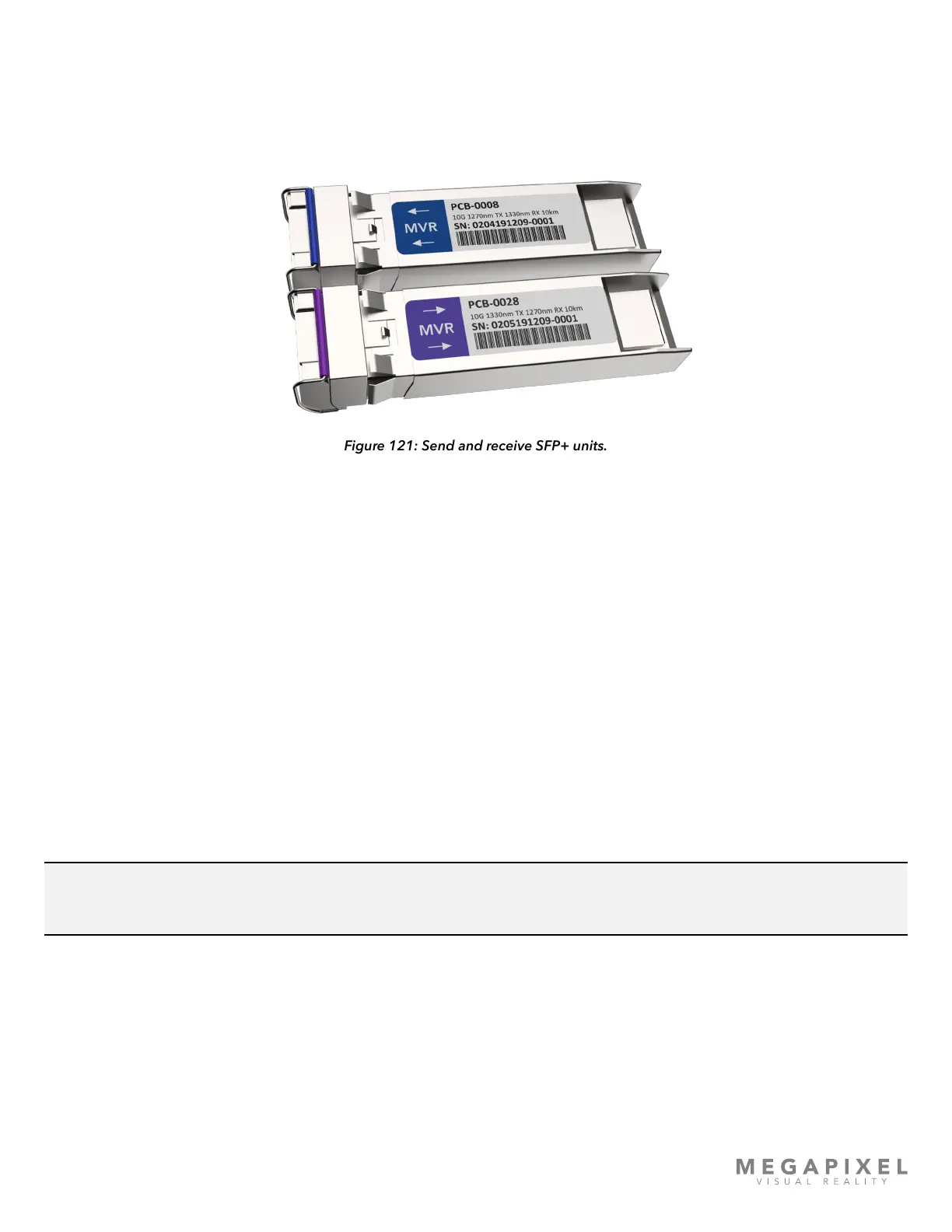
Sending SFP+ - Blue bale clasp, labeled with arrows pointed away from the HELIOS (top example).
Receiving SFP+ - Purple bale clasp, labeled with arrows pointed towards the network switch (bottom example).
Figure 121: Send and receive SFP+ units.
Testing SFP+ units
These three strategies below can help diagnose a cable or SFP+ issue.
1. Setup the network switch near HELIOS, and connect a known good, short ber cable, and test the link
2. Remove the purple SFP+ from a network switch and move it to an available HELIOS SFP+ output slot. Use a known
good, short ber cable to link the purple SFP+ with the blue SFP+. If the SFP+ units link successfully, they are good*.
The issue is likely related to the ber cable itself.
3. Remove a blue SFP+ from a HELIOS output slot and move it to an available SFP slot on a network switch. Connect a
known good, short ber cable between the two SFP+ units and check for link. If the SFP+ units link successfully, the
issue is likely related to the ber cable itself.
4. If an SFP+ fails this test, it will need to be returned for replacement. Please contact your MVR representative for further
instructions.
NOTE: The above can only be done using different models of SFP+ (purple and blue). Fiber systems cannot link two
sending units or two receiving units.



 To Next Page