HELIOS LED Processing Platform - USER GUIDE 23
Mapping Pane
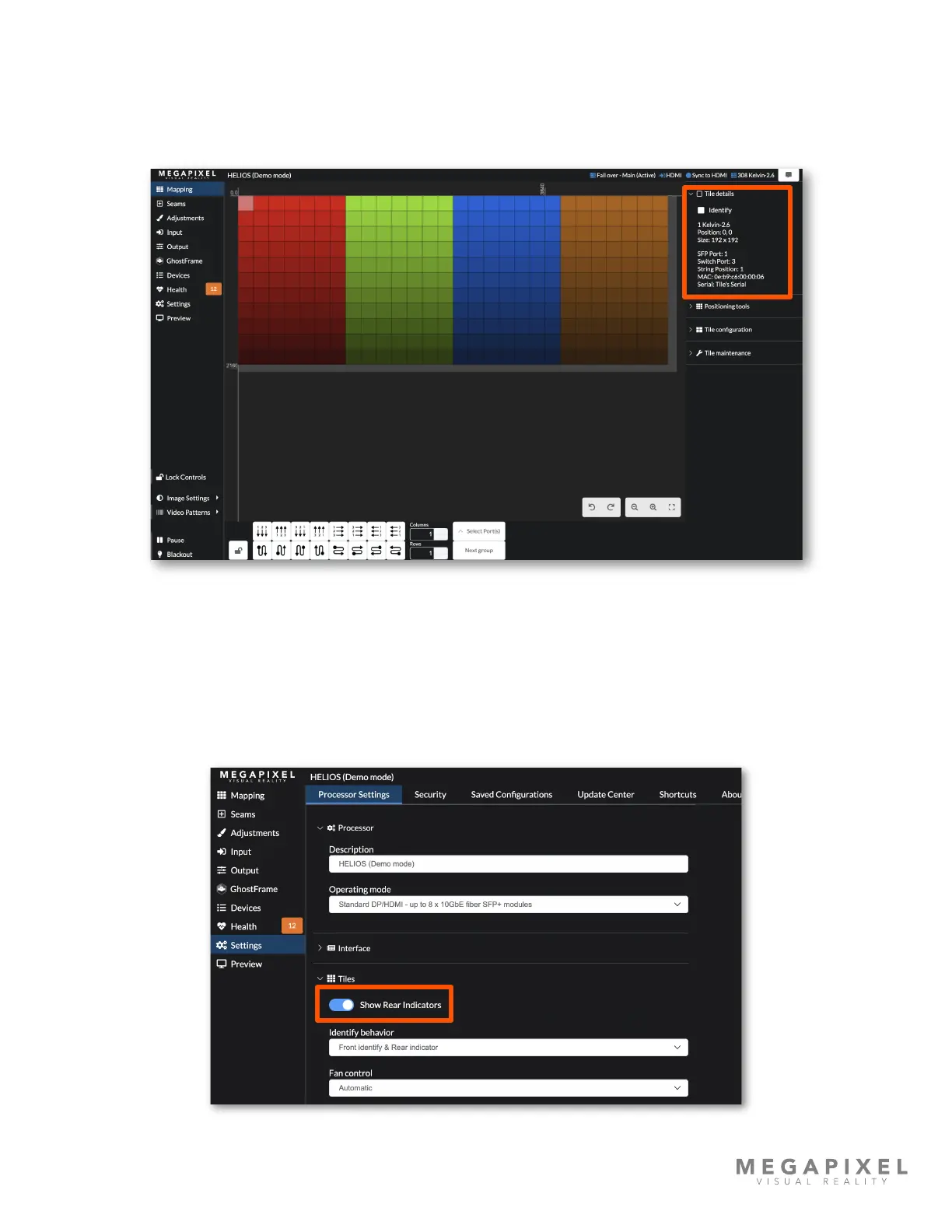
The right side of the mapping pane has accordion menus with tools to manage tiles. Select at least one tile to see
information about it.
Tile details
Figure 26: Tile details
Directly below, is an Identify checkbox. When this is checked ON, selected tiles will be highlighted in the system (blue dot
on tile in the user interface). The Identify behavior has two modes (1) Rear indicators only or (2) Front identify & Rear
indicator. On the Processor Settings tab in the Tiles accordion, a drop down menu offers these two choices.
The Show Indicators toggle on the Settings → Processor Settings pane, enables/disables the rear tile run time indicators
(i.e solid blue, red, etc.). The Identify function operates independently, it will be available even when this setting is
disabled.
Figure 27: Tile Identify behavior



 To Next Page