HELIOS LED Processing Platform - USER GUIDE
102
Redundancy Settings
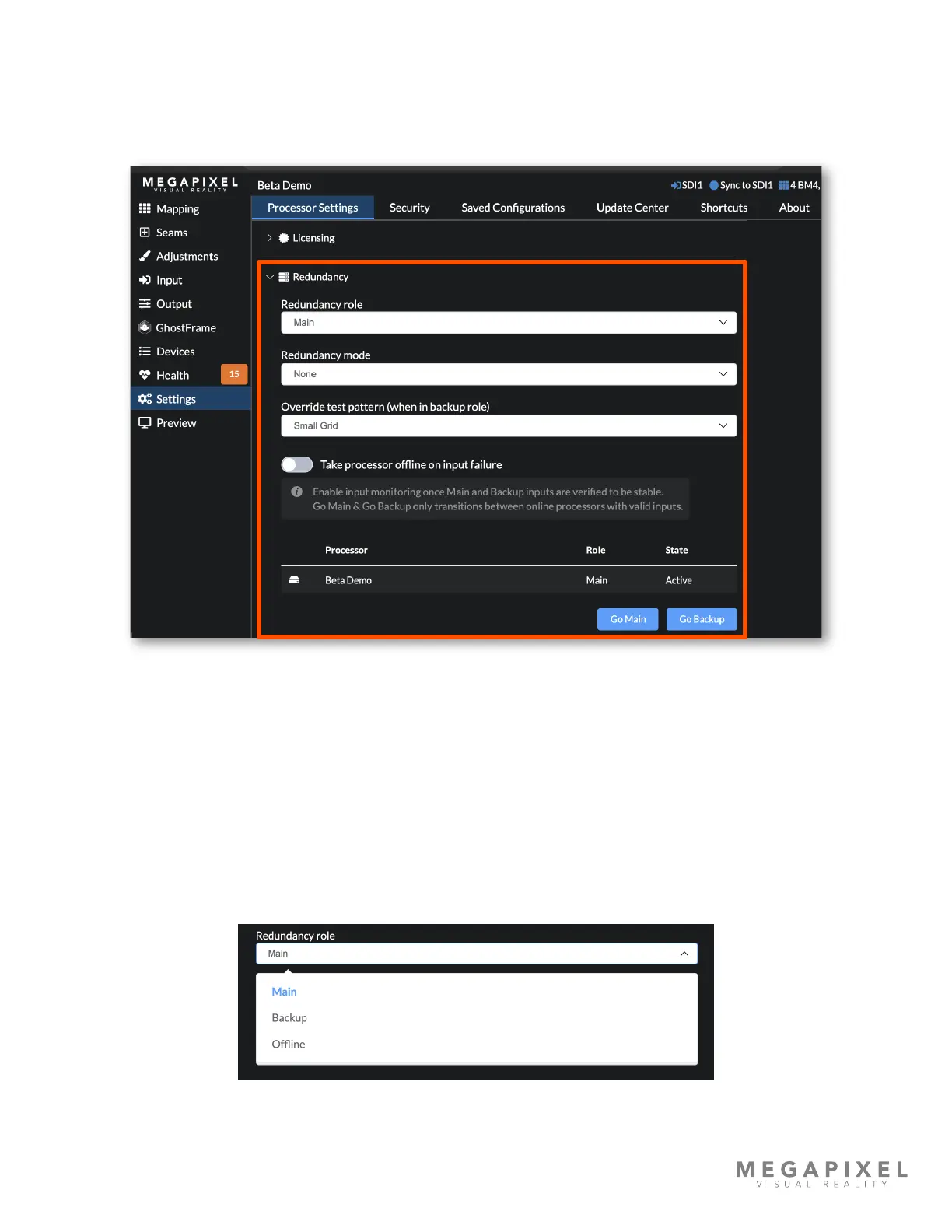
Redundancy is enabled by physically conguring the system as illustrated by the previous gure. In the user interface,
ensure the Advanced mode is ON (Settings → Processor Settings → Advanced). The redundancy controls are located
under Settings → Processor Settings just under the Licensing section.
Figure 135: Redundancy settings
Processor Role
The role selection lets the system know how the particular processor should be prioritized in the system. HELIOS has three
options for role:
Main (default) - Selecting this role identies the processor as the primary processor in the system.
Backup - Identies the processor as the redundant unit to be used in case of an issue with the Main processor.
Ofine - Identies the processor as not available to the system. This is the role to use when a known issue has occurred
with a processor. The HELIOS system will ignore a processor in this role.
Figure 136: Role options



 To Next Page