HELIOS LED Processing Platform - USER GUIDE
14
IP Addressing
The IP address of the HELIOS Processor is reported on the front screen of the HELIOS Processor. Regardless of what the
nal network settings for the HELIOS system will be, the web UI client must initially be congured to the network that the
HELIOS Processor is on so that the web UI is accessible. Each device and operating system has slightly different ways to
make these settings, please refer to the instructions of the particular device being used.
A HELIOS Processor that has been factory reset will be set to DHCP/Auto IP by default. This is the mode that should be
used when operating the HELIOS Processor with a wireless router attached to the control port. If the HELIOS Processor has
discovered a DHCP server, the HELIOS Processor will likely have a 192.168.XX.YY address. If it has not been served an IP
address by DHCP, the HELIOS Processor will default to an automatic private address (169.254.XX.YY). If DHCP/Auto IP is
the chosen mode, the web UI host device must also be set to DHCP in order to join the same network.
The HELIOS Processor can be congured to a xed IP as well. If this is the desired mode, ensure both the IP and the
subnet mask for the web UI host have been set to the correct range.
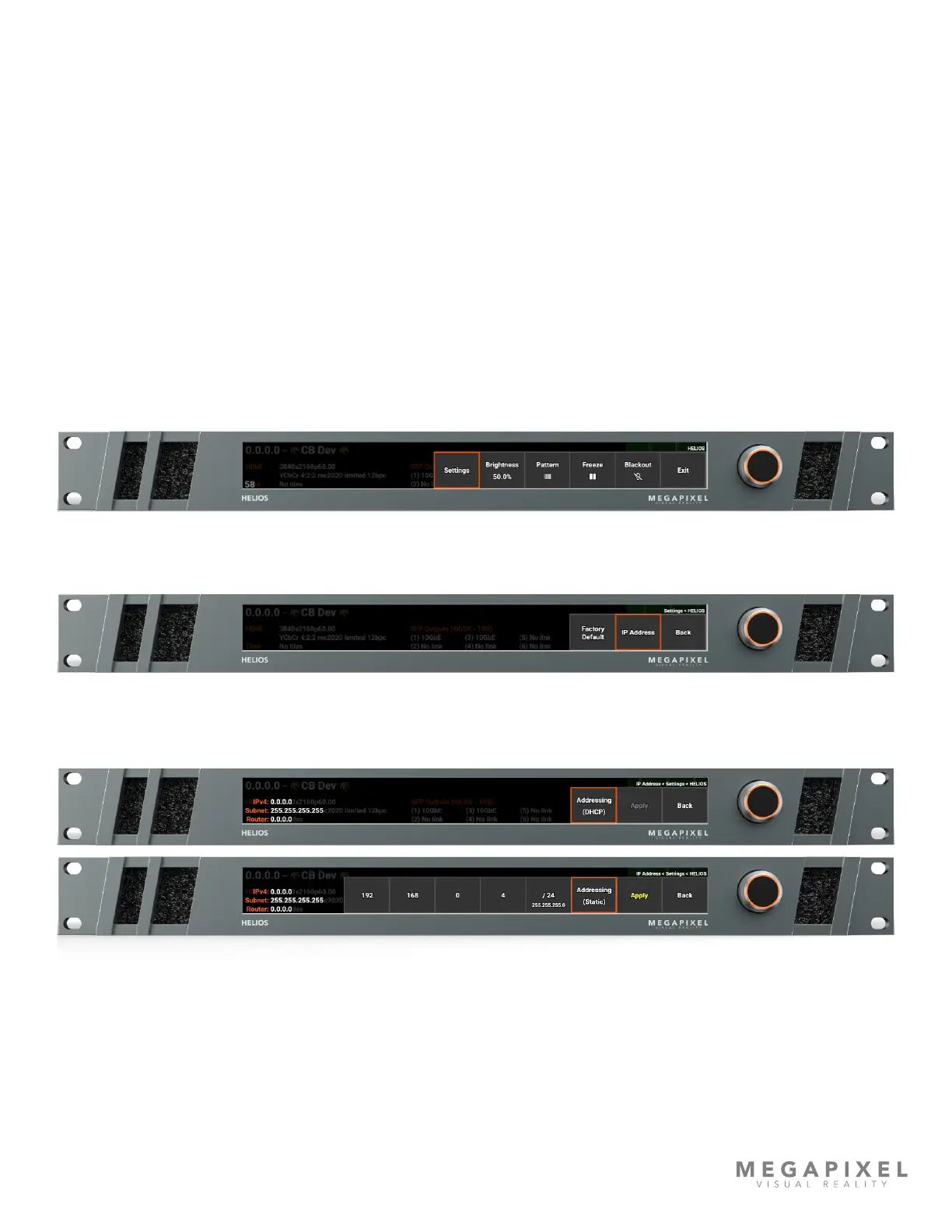
The IP address of the HELIOS can be set using the front panel interface.
1. Press the encoder on the front of the HELIOS unit, then turn the encoder to select Settings.
2. Select IP Address.
3. Choose between DHCP or Static IP, depending on the network that the HELIOS needs to join.
4. Once the settings have been made press Apply.



 To Next Page