HELIOS LED Processing Platform - USER GUIDE
68
Security (Advanced)
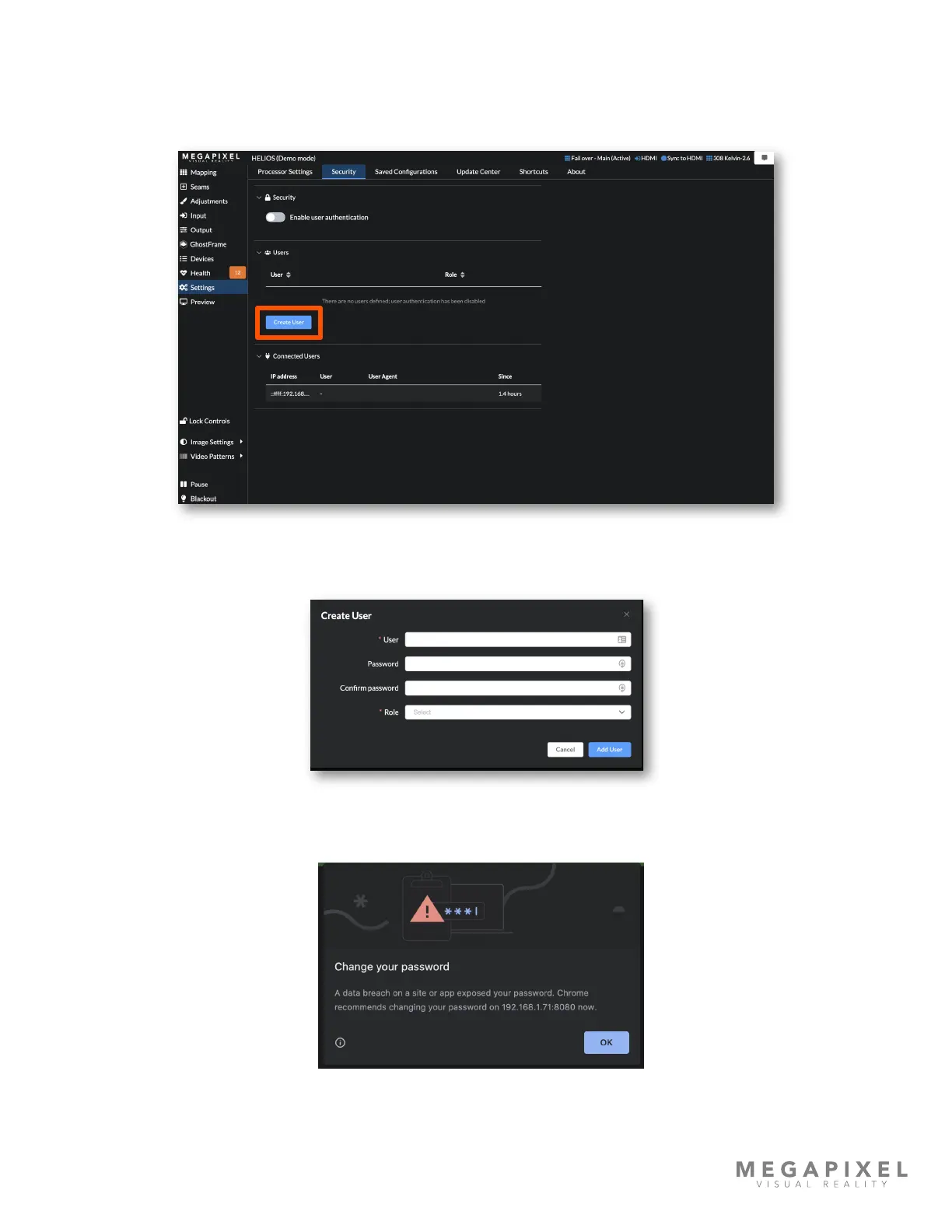
In the Security tab, HELIOS can be congured to require a user and password for access. Press the Create User button to
enter the user info. It is good practice to create an Admin account rst. Once security is enabled when standard users are
logged in the security tab will only show who is logged in.
Figure 94: Security pane
Complete the elds, then press Add User to create the account.
Figure 95: Create user
Google maintains a list of compromised passwords. If a user is created with a simple password such as ‘test’ or ‘password’
expect a Chrome warning.
Figure 96: Password warning



 To Next Page