HELIOS LED Processing Platform - USER GUIDE
72
Saved Congurations
The Saved Congurations is used to export a collection of settings. This is useful for conguring a spare unit or to save a
progress state while building a new system. It is also the recommended method for documenting and storing full
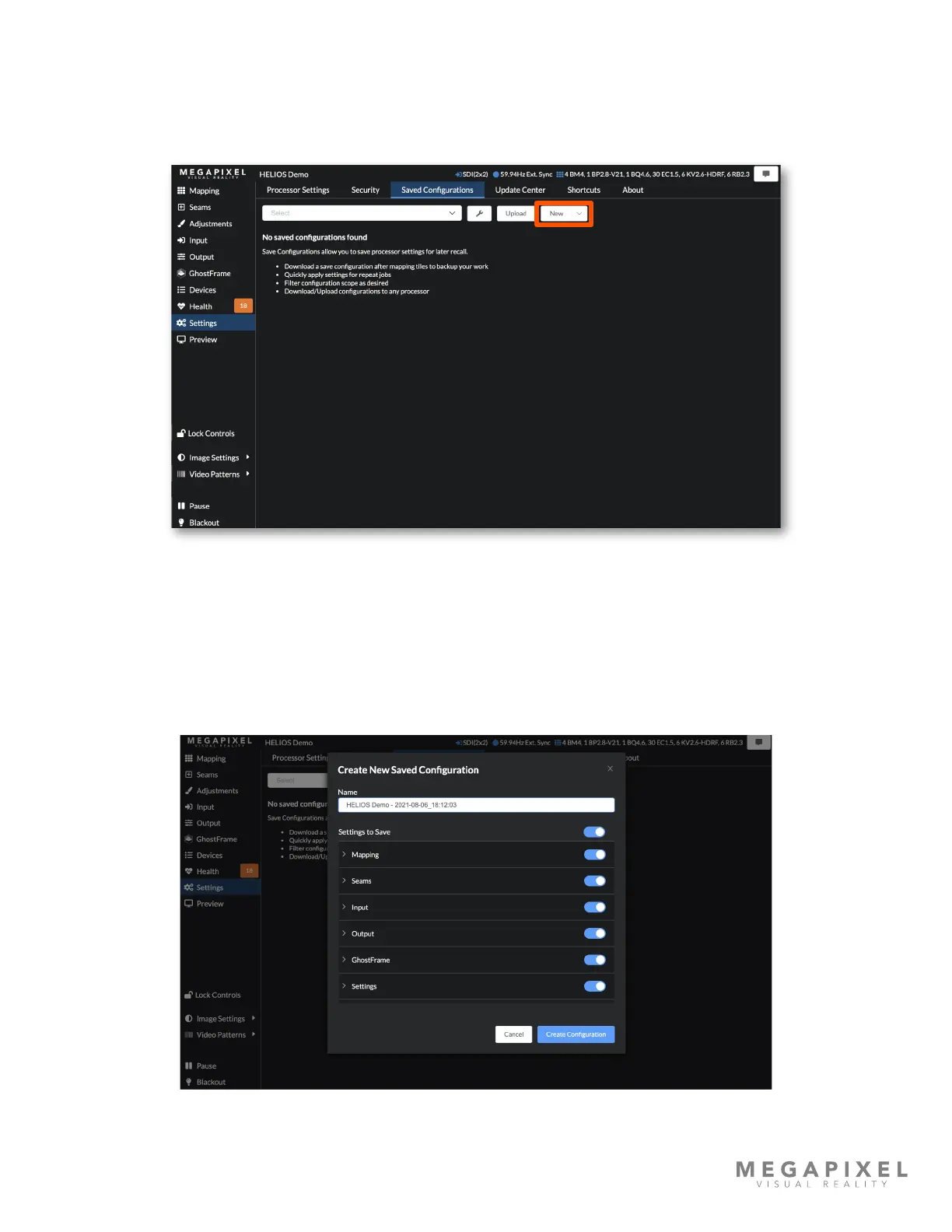
congurations. Select New to create a saved conguration.
Figure 104: Blank ‘Saved Congurations’ pane
The system automatically assigns a title based on system time and date, which can be customized by editing the eld.
Below the name of the conguration is a list of system parameter lters. If certain parameters are not desired, use the
toggle to remove that particular parameter. For example, inputs often have similar color settings across processors in a
multi processor system. Rather than manually entering the same input color adjustments to all processors, create a New
Saved Conguration with specic input settings enabled and upload to each processor.
Figure 105: Default conguration name



 To Next Page