HELIOS LED Processing Platform - USER GUIDE 71
Security (Advanced) - (continued)
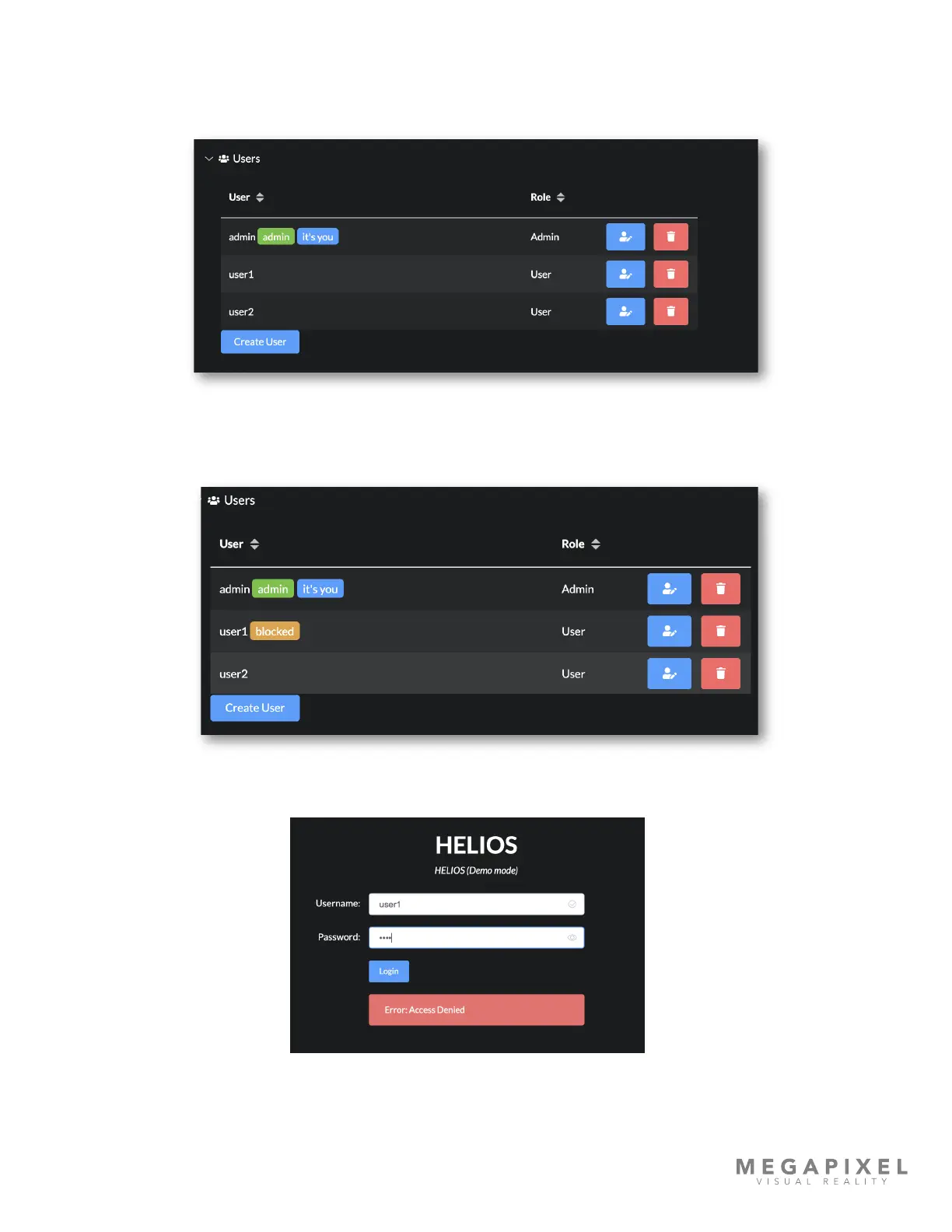
Manage users with the edit and delete buttons. Use the edit icon button to change the password for a user or to block a
user. If a name change is required, it must be created as a new user.
Figure 101: User list
If a user has been blocked, an amber notication will appear next to the user name in the user list. Blocked user are not
allowed to login.
Figure 102: Blocked user
Figure 103: Access denied



 To Next Page