HELIOS LED Processing Platform - USER GUIDE
90
C
Troubleshooting Fiber
Overview
The root causes of ber connectivity issues are typically related to the ber cable or the SFP+ units (sending or receiving).
Troubleshooting checklist:
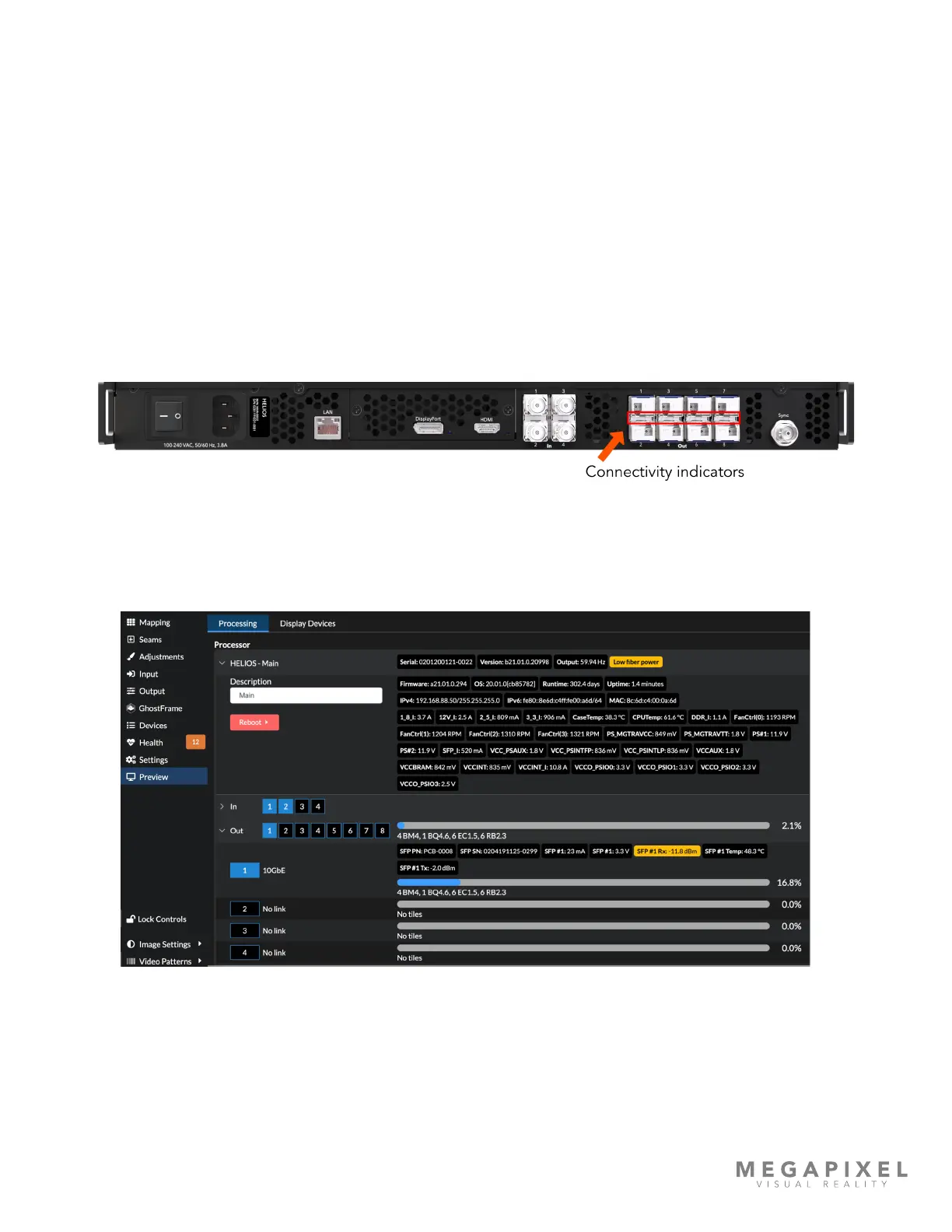
1. Check for ber link activity lights. HELIOS units have a row of ber connectivity indicators across the middle of the
sending SFP+ group. If there is activity on these indicators, the ber is connected.
2. Check the HELIOS UI for reported signal loss. The SFP TX value must be greater than -9 dbm. The example below
shows a -11.8 dBm transmit signal. This is below the minimum -9 dbm required. Also check for any network related
error messages on the Health pane.
3. Swap the connection for a different ber strand or cable.
4. Verify ber type is correct. It should be single mode ber, 'OS1' or 'OS2'.
5. Conrm correct SFP+ units are being used on each end. Fiber connectivity between the HELIOS and the network
switches require unique MVR branded SFP+ units. HELIOS units have sending SFP+ units, network switches have
receiving SFP+ units.



 To Next Page