HELIOS LED Processing Platform - USER GUIDE
24
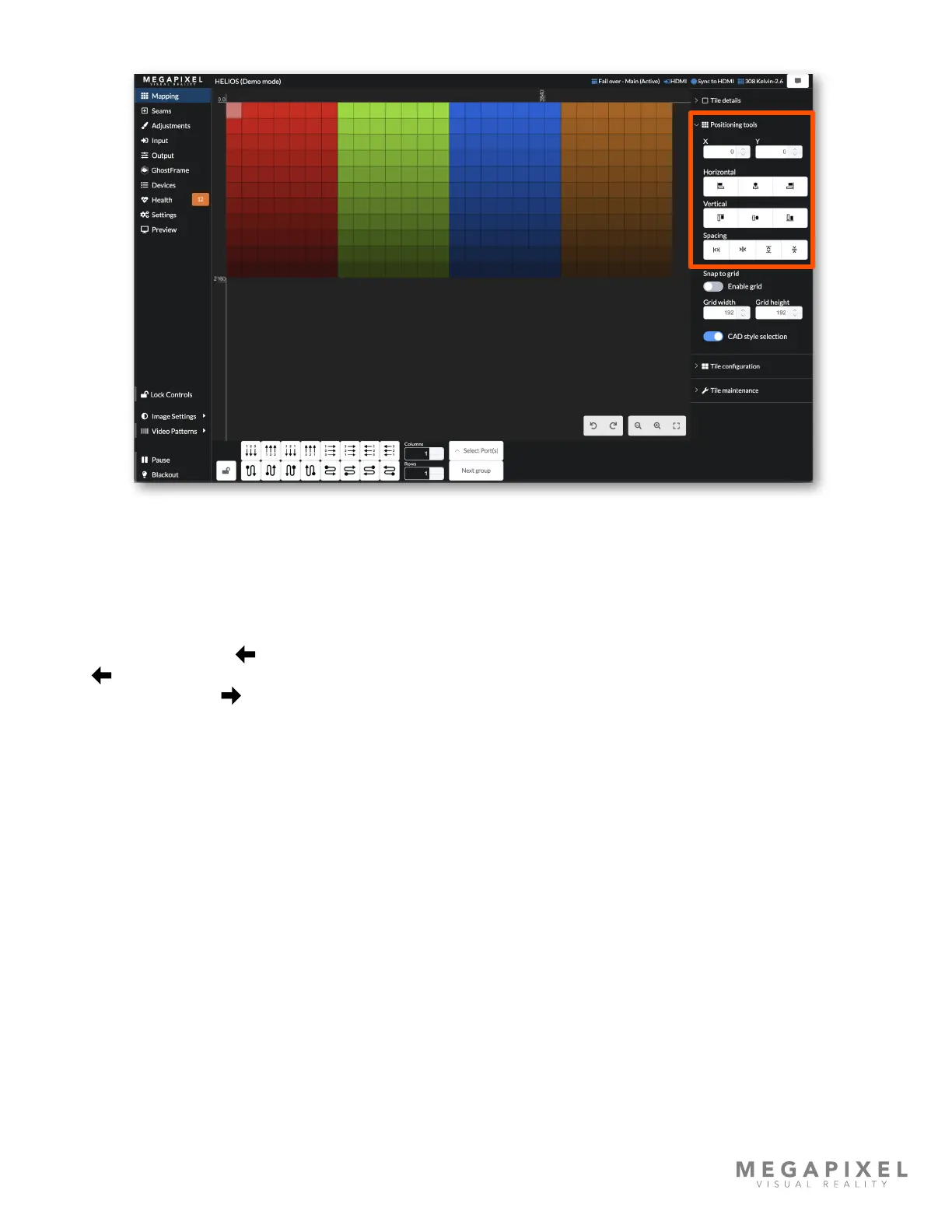
Positioning Tools
Figure 28: Positioning tools
The mapping tools section contains alignment and spacing tools to aid in manual positioning tiles on the map. A grid with
a Snap to grid function is available. Set the grid to the pixel size of the tiles being mapped to ensure accurate positioning
of all tiles.
The CAD style selection toggle can help make the selection style behave in a more familiar way. When this mode is ON
dragging from right to left ( ) only selects the tiles inside the drag boundary zone. When this mode is OFF the drag right
to left ( ) action selects all tiles that the drag boundary touches. Regardless of how CAD style selection is set, dragging
from left to right always ( ) selects everything that is touched by the selection box.



 To Next Page