HELIOS LED Processing Platform - USER GUIDE
104
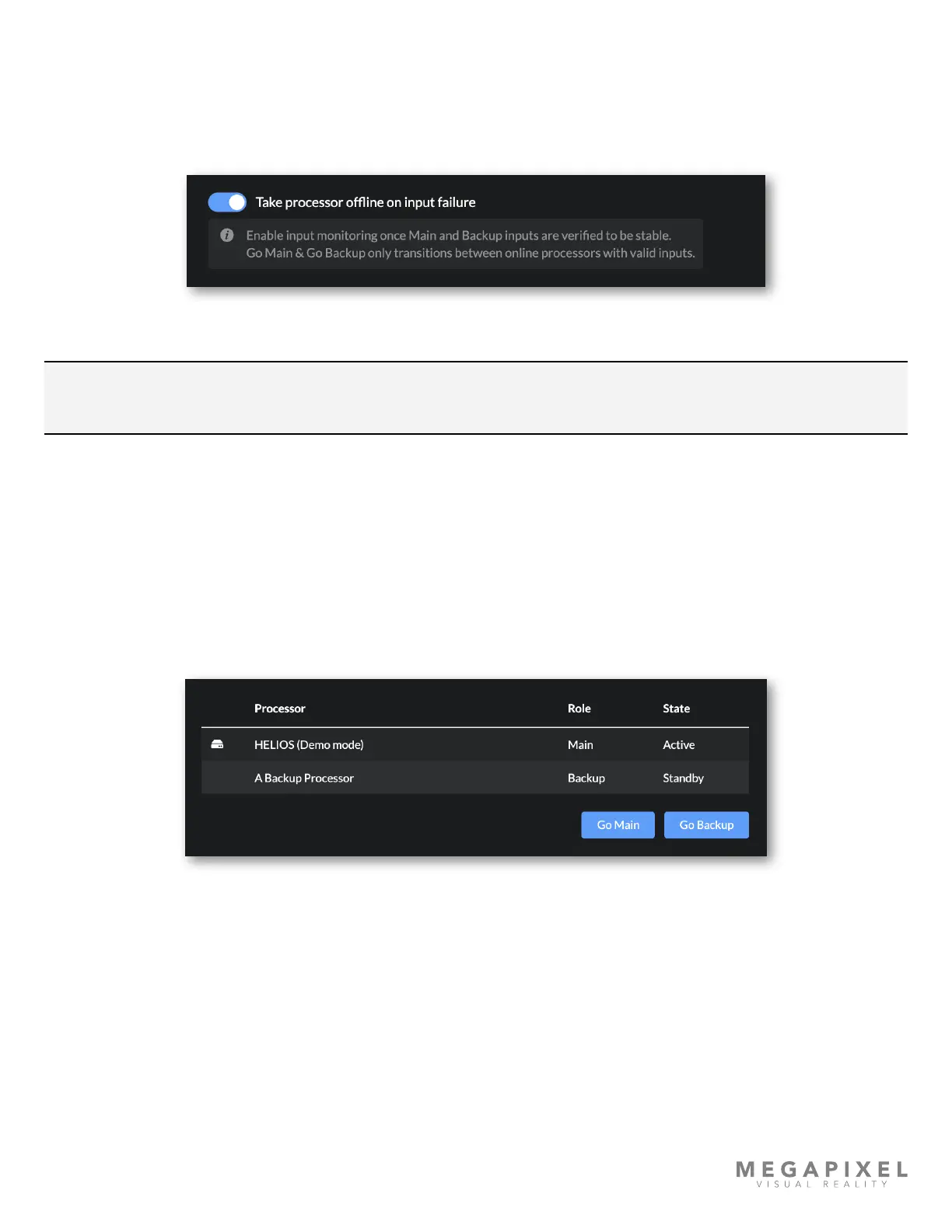
Take processor ofine on input failure
Should the input on the main processor fail to receive frames, the system will switch to a processor with a functional input.
In the case of stitched inputs (dual DP/HDMI and quad SDI) losing one of the input links will make that entire input be
considered invalid and will trigger a switch. If this toggle is left off, input failure is not used as a criteria to switch
processors. Displays will show black until incoming frames are restored to the processor.
Figure 139: ‘Take processor ofine…’ toggle
NOTE: When Take processor ofine on input failure is toggled ON HELIOS will not allow the user to Go Main a
processor with no input.
Redundancy States
Active - Processors are Active when panels are connected to only that processor.
Mixed - Processors are Mixed when panels are connected to both the main + backup processors.
Standby - Processors are Standby when no panels are connected.
Ofine - A Processor is considered Ofine, either via explicit role selection or through input failure
Figure 140: Processor Roles and States
Manual Overrides
If both processors have equal priority on startup, tiles will associate with the rst processor they see. If the results of the
automatic tile to processor association are not what the display operator needs, a manual Go Main or Go Backup
command can be sent to re-associate the tiles to the desired processor.
Go Main - A manual override command to tiles. When this command is issued, tiles will associate to the main processor.
Go Backup - A manual override command to tiles. When this command is issued, tiles associate to the backup processor.



 To Next Page