HELIOS LED Processing Platform - USER GUIDE
38
Display Gamut (continued)
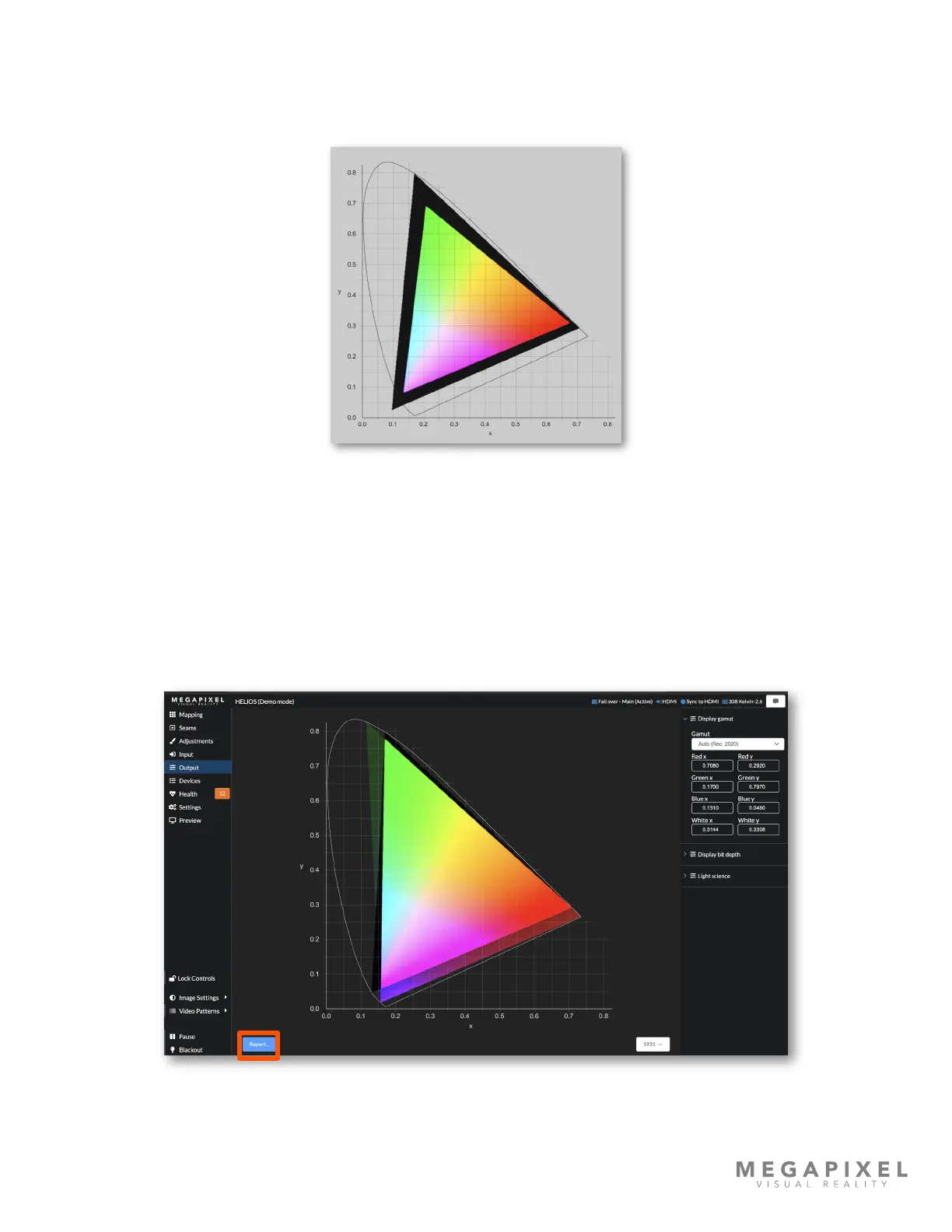
Tiles can only show colors within their capabilities, regardless of gamut settings. In the example below, the color targets
were set extremely wide, placing them outside the display’s range. Therefore, HELIOS shows a wide black perimeter
region.
Figure 47: Targets out of bounds
Each tile type has its own color capabilities. When a system is made up of mixed tile types HELIOS is set to widest gamut.
Widest will determine the widest possible gamut from all connected tiles. This can result in a lowest common denominator
color target selection; tiles with wider gamut capabilities will be restricted to the more narrow gamut setting to match all
tile capabilities.
Report
HELIOS can generate a Tile Calibration Report for a system. Press the blue Report… button to open the report in a new
tab.
Figure 48: Color report button



 To Next Page