HELIOS LED Processing Platform - USER GUIDE
74
Saved Congurations (continued)
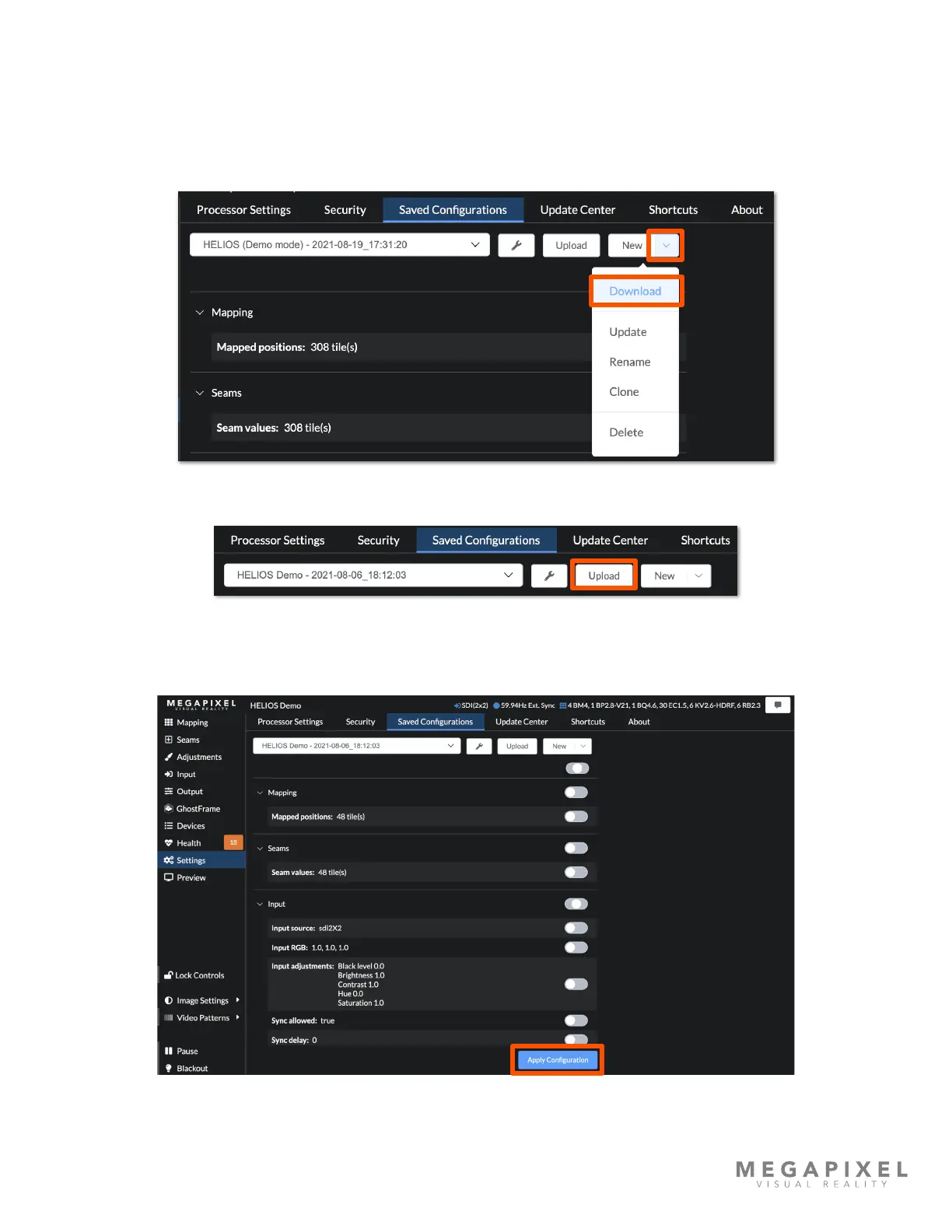
The following steps detail how to move a conguration le from one processor to another.
1. After the conguration le has been created, select the le with the drop down menu. Then use the disclosure triangle
on right side of the New button to select Download from the options.
2. Connect to the target processor, navigate back to the Saved Congurations tab and Upload the conguration le.
3. Apply Conguration to activate the le.



 To Next Page