HELIOS LED Processing Platform - USER GUIDE
84
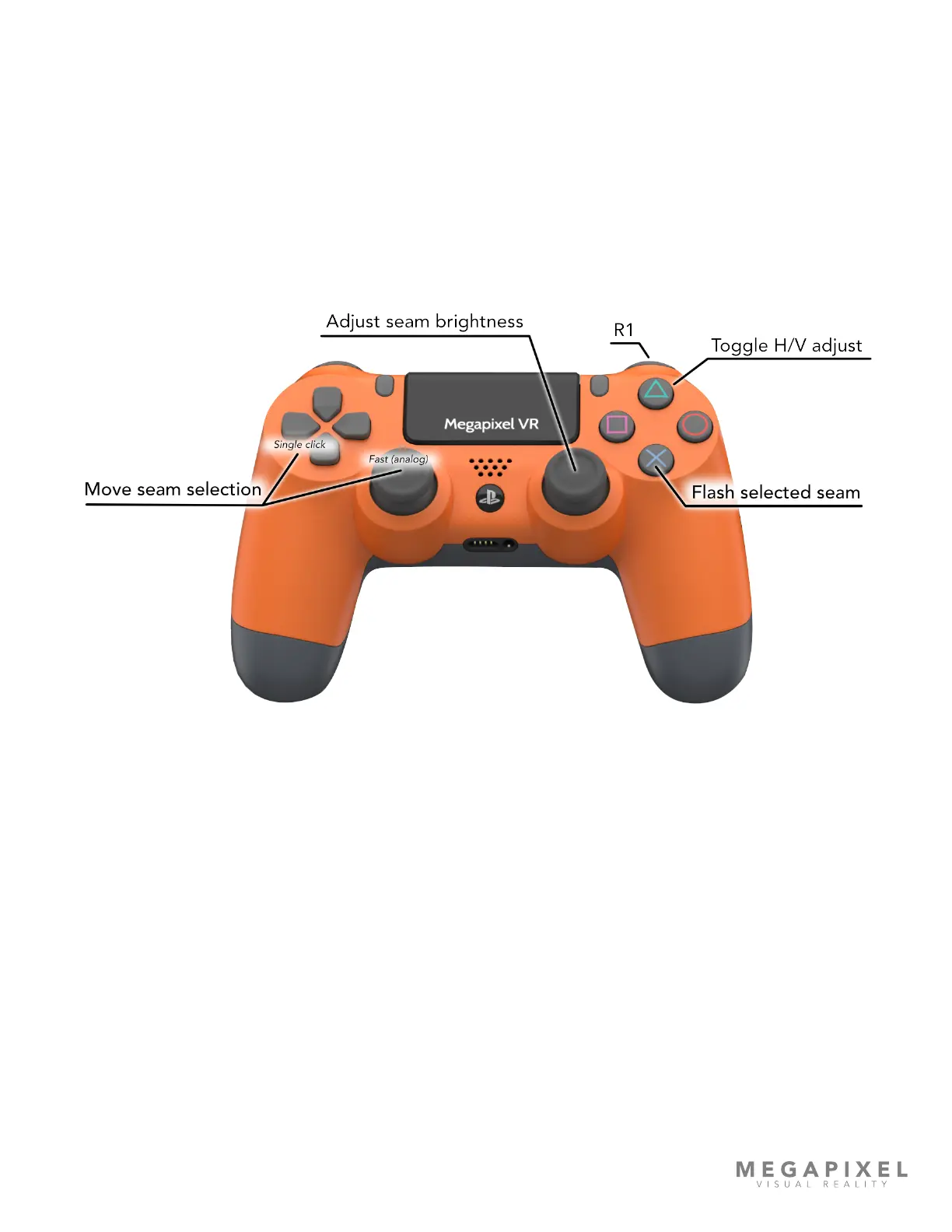
Seam selection - Both the D-pad and the left stick control seam selection. However, there is a key difference between the
two. The D-pad moves the selection one seam per click, whereas the left stick is an analog control. The further the stick is
pushed, the faster the selector moves across seams.
Adjust seam - analog control of brightness for the selected seam.
Toggle H/V adjust - Toggles between Horizontal or Vertical seams.
X button - Flashes the selected seam. Since the seam will not remain highlighted while adjusting, it is easy to lose track of
which seam is currently selected. This function helps identify the currently selected seam.
R1 - For ne control, press and hold the R1 button while using the analog stick.
Figure 116: Control assignment
Tips:
• Start on one side and work across the screen systematically.
• If multiple users are working, assign regions to each user.
• Check the screen from several view points and distances.



 To Next Page