SECTION 6
MAINTENANCE
165
Lubricate Service Station Guide
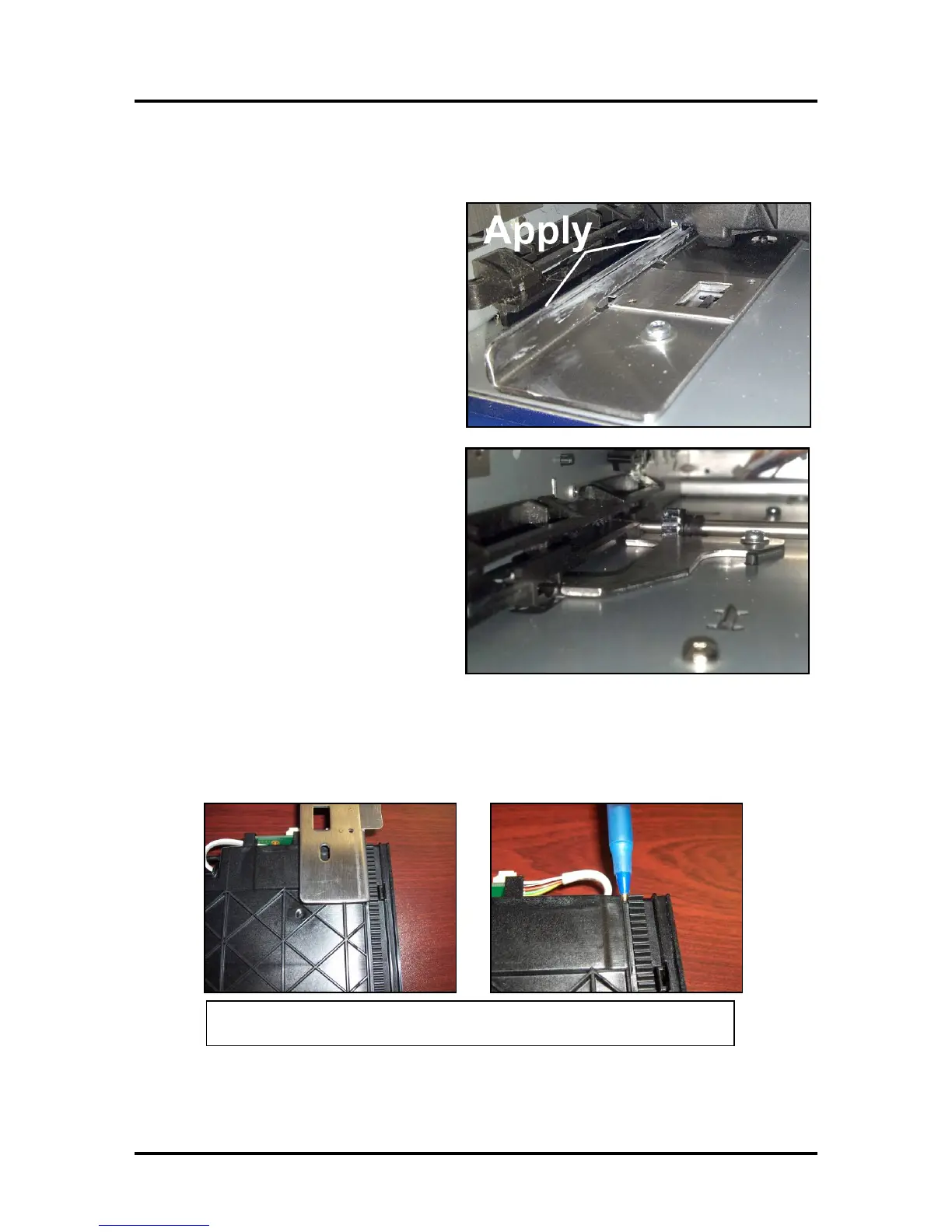
1. Apply lubricant to the Service Station
Guide (42-900-25) as shown. (If your
printer is equipped with this type of
Guide).
Newer Print Engines will have a
different type of guide (42-900-26)
installed; as shown.
This guide is to be used in conjunction
with RevC Service Stations. These
newer Service Stations have shortened
drive tracks; allowing them to be
inserted further, before the Service
Station engages with the Service Station
drive shaft/gears.
NOTE: The RevC Service Station is
also backwards compatible with the old-
style guide (42-900-25).
2. Apply lubricant (Super Lube 21030 or equivalent) to the grove that the Service Station Guide
(42-900-25) will ride in.
Tip: If your print engine has the guide (42-900-26), shown above you do not need to apply
lubrication to this grove.
Images shown with Service Station turned up-side-down



 To Next Page