46
Trim
Trim the level of an entire Source, apply a trim by turning the Anubis Rotary Knob.
Range: -12dB to 12dB
Note: Trim is after the initial analog gain stage, so if the channel input is clipping, Trim cannot fix it.
Channels
Number: Channel numbering of the Source
Type: The channel type is predefined in accordance with the selected Source Type
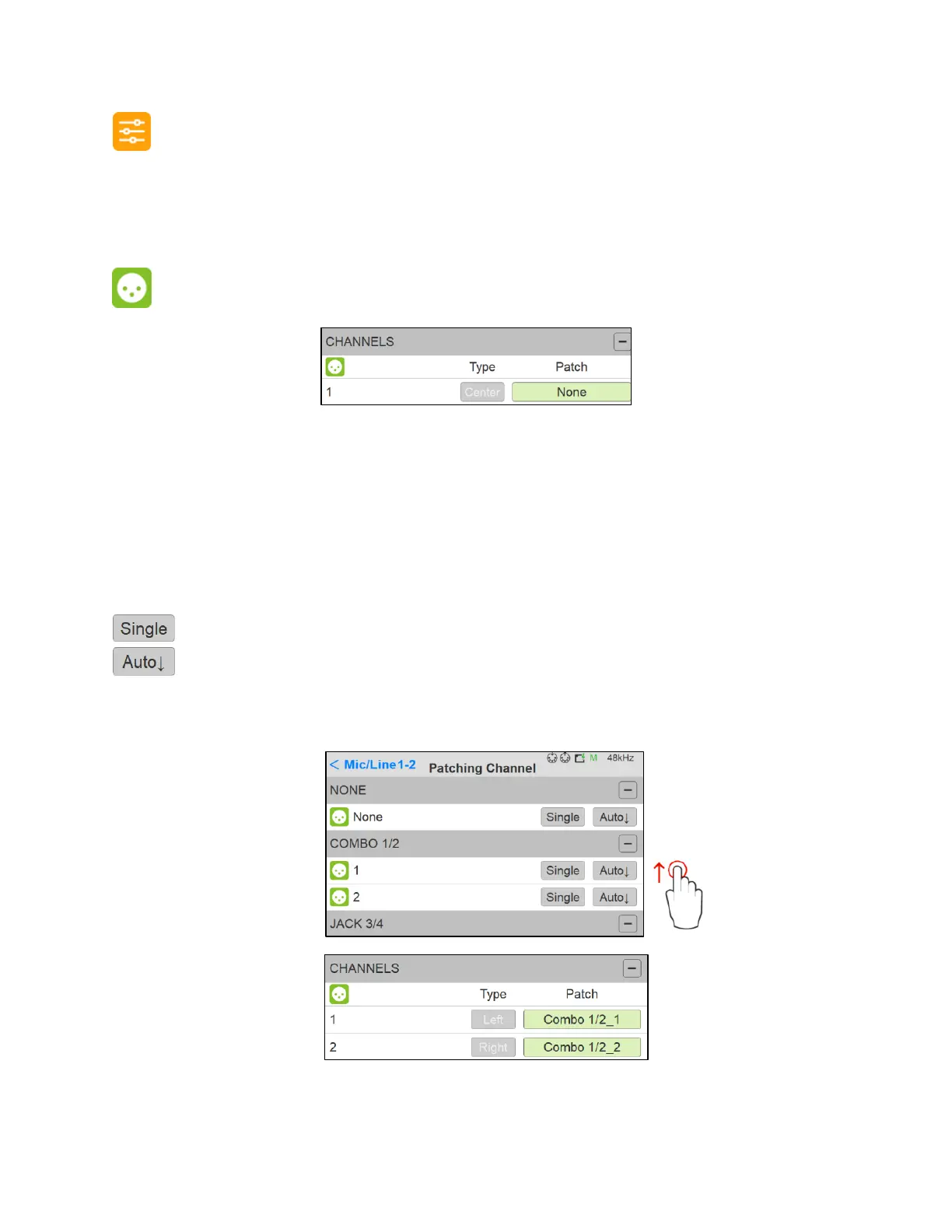
Patch: Configure the Source routing by patching each of the source channels. The Patch
numbering in the Patching dialog starts with the Anubis Hardware Input sources followed by the
external sources Streams, such as paired device streams from another Anubis, Horus or Hapi,
ASIO, VAD or MassCore streams. Scroll to view the entire listing.
Patches a single channel at a time.
Patches automatically the channels following the selected one (downwards). Quick way
of patching multichannel Sources or Monitors.
Note: can be applied to None, to un-patch all channels.
Figure 5 Example: Patched Source



 To Next Page