77
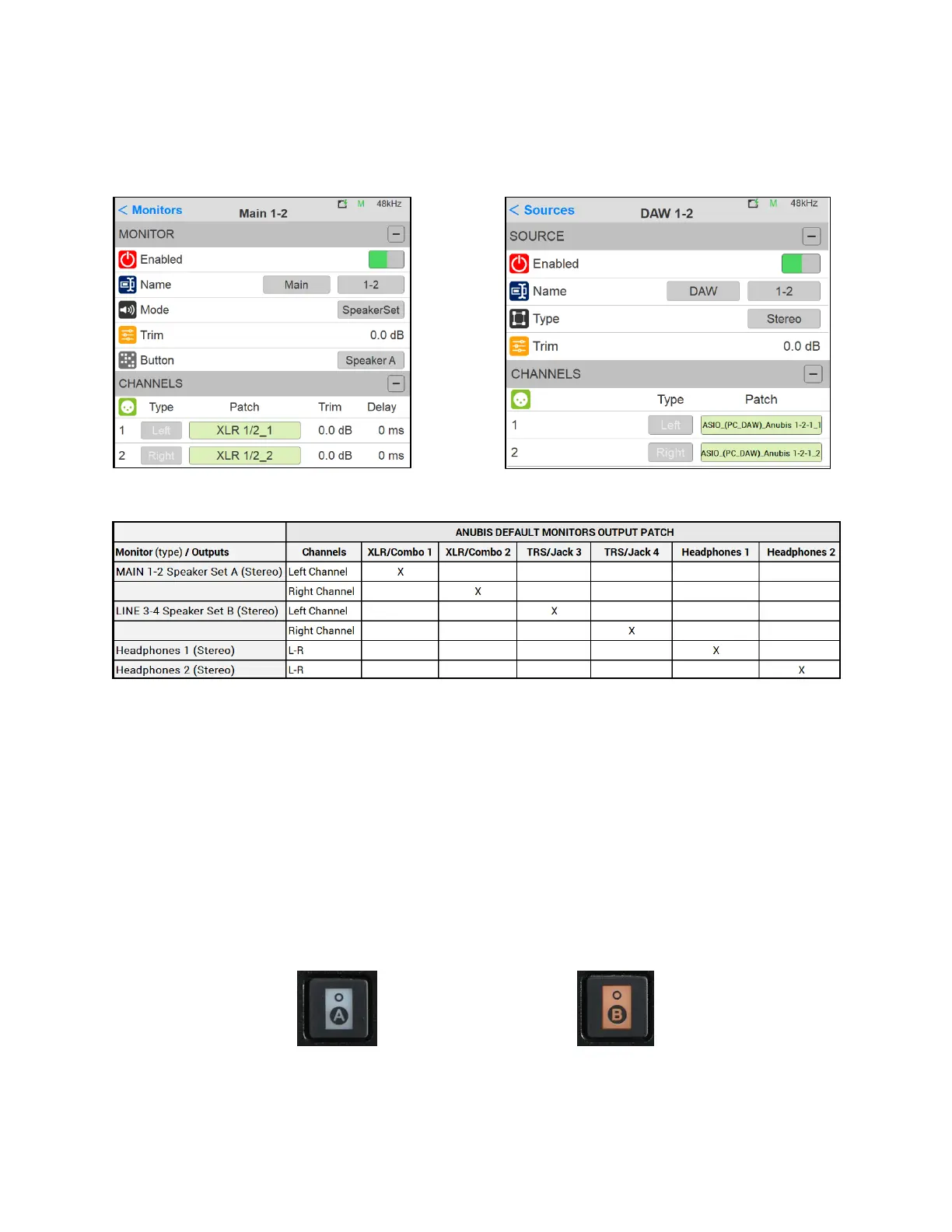
Default Patching under the respective Sources and Monitors settings
Settings>Sources DAW 1-2 Patch Settings>Monitor Main 1-2 Speaker A Patch
Note: Settings>Monitor Line 3-4 Speaker B should be patched to Patch to Jack 3/4_3 and Jack 3/4_4
Figure 14 Monitors Default factory output patching
Note: The operator is free to change the default patch in order to suit his Monitoring setup
5. Return to the Main Anubis Source page in order select which source and from which Monitor
set you will monitor. First select the Monitor Set (e.g. Anubis A or B button), then select the DAW
1-2 Source to monitor it.
Monitor Speaker Set A Monitor Speaker Set B



 To Next Page