89
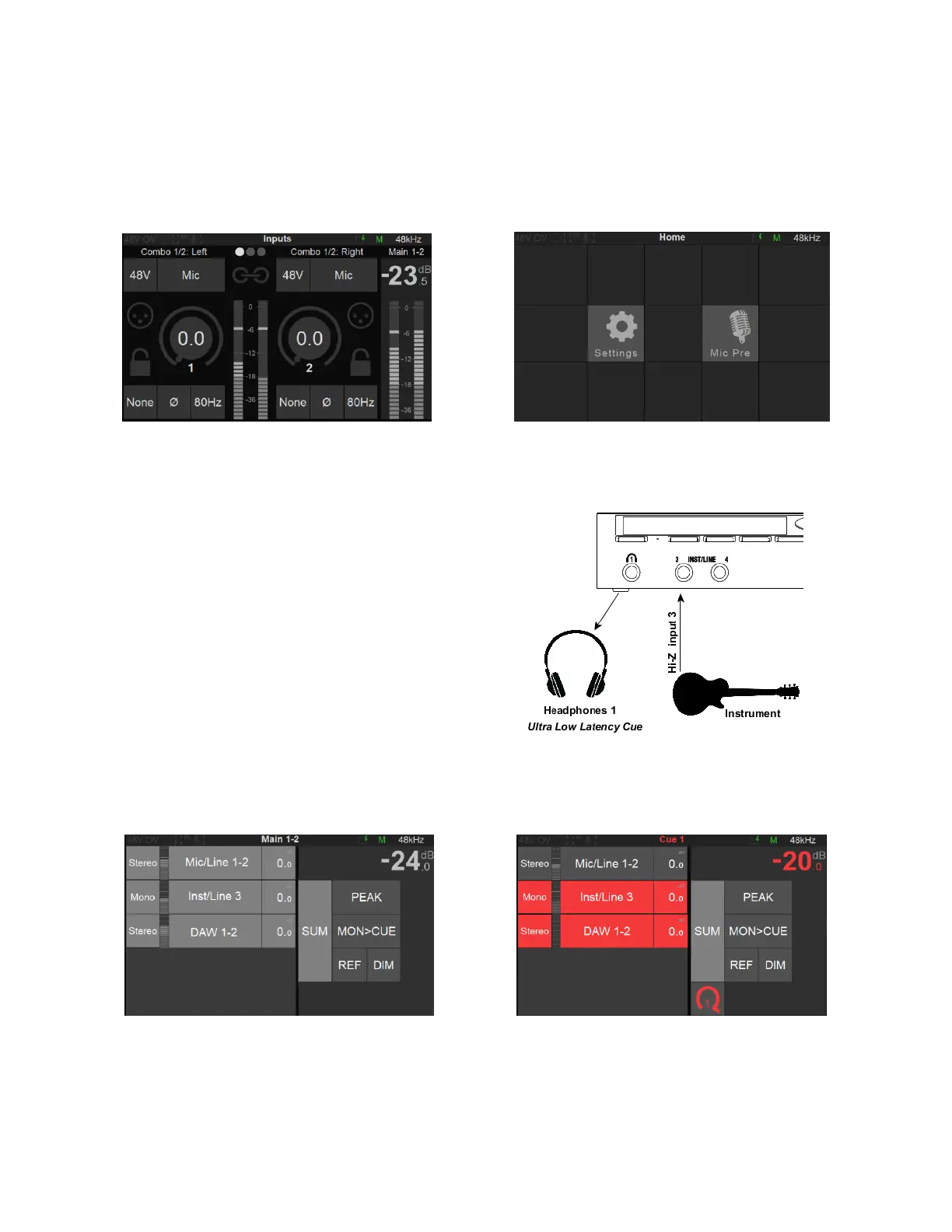
5. Access the Preamps control page. Now that you can Monitor your inputs open the Preamps
page by pressing the Anubis Home button for a second. This will open the Home page where you
can select the Mic Pre page.
Home Page Mic Pre page
Refer to the Preamps chapter for all details on the Preamps controls.
Creating an Ultra-Low Latency Cue
In this example we will setup a Cue for the
performer foldback on the Headphones 1 Monitor
set.
Note: Cues can monitor a different set of Sources than
a Speaker Set or Headphone set, it can be used so
that a chosen Monitor set listens to a different sum of
Sources, that is then exclusive to the Cue.
Speakers Type monitors selection Cue Type monitors selection & level are different



 To Next Page