Witty User Manual - EN - v1.5 P. 133 / 171
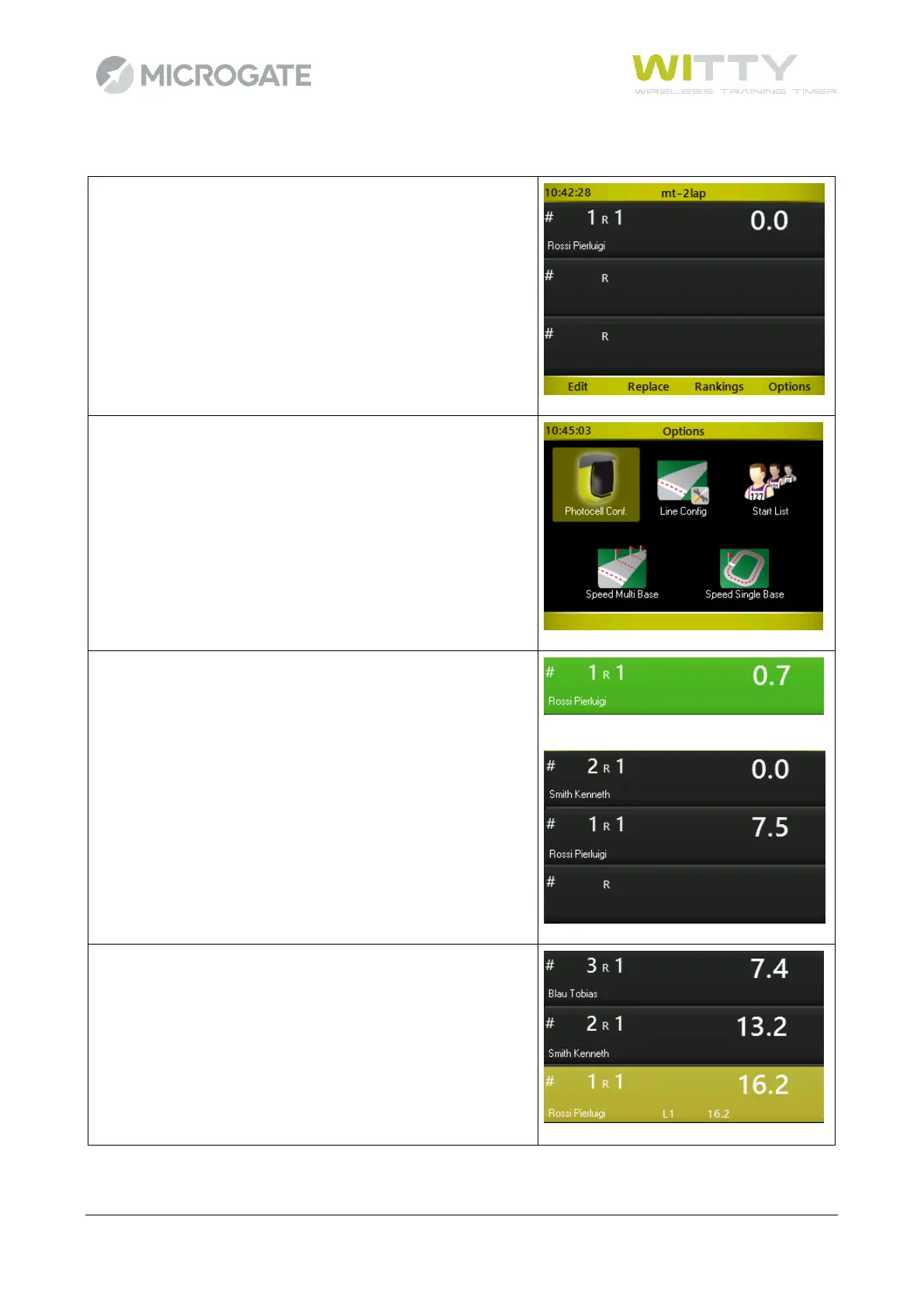
At the beginning of the test, athlete #1 is ready to start (or the
first of the Start List, if one has been set).
If you want to force another bib number, just type it using the
numerical keypad and confirm by pressing <OK>.
If the photocells have not been configured in the test
definition (see chap. 5.1.4), it must be done now. Press <F4>
to access this option or other available options.
Athlete #1 starts, his sector becomes green for 5 seconds and
then scrolls down to get ready for the next athlete.
Similarly, when number #3 starts, the first two athletes scroll
down. If a LAP impulse is received, the sector of the athlete
generating it turns yellow.



 To Next Page