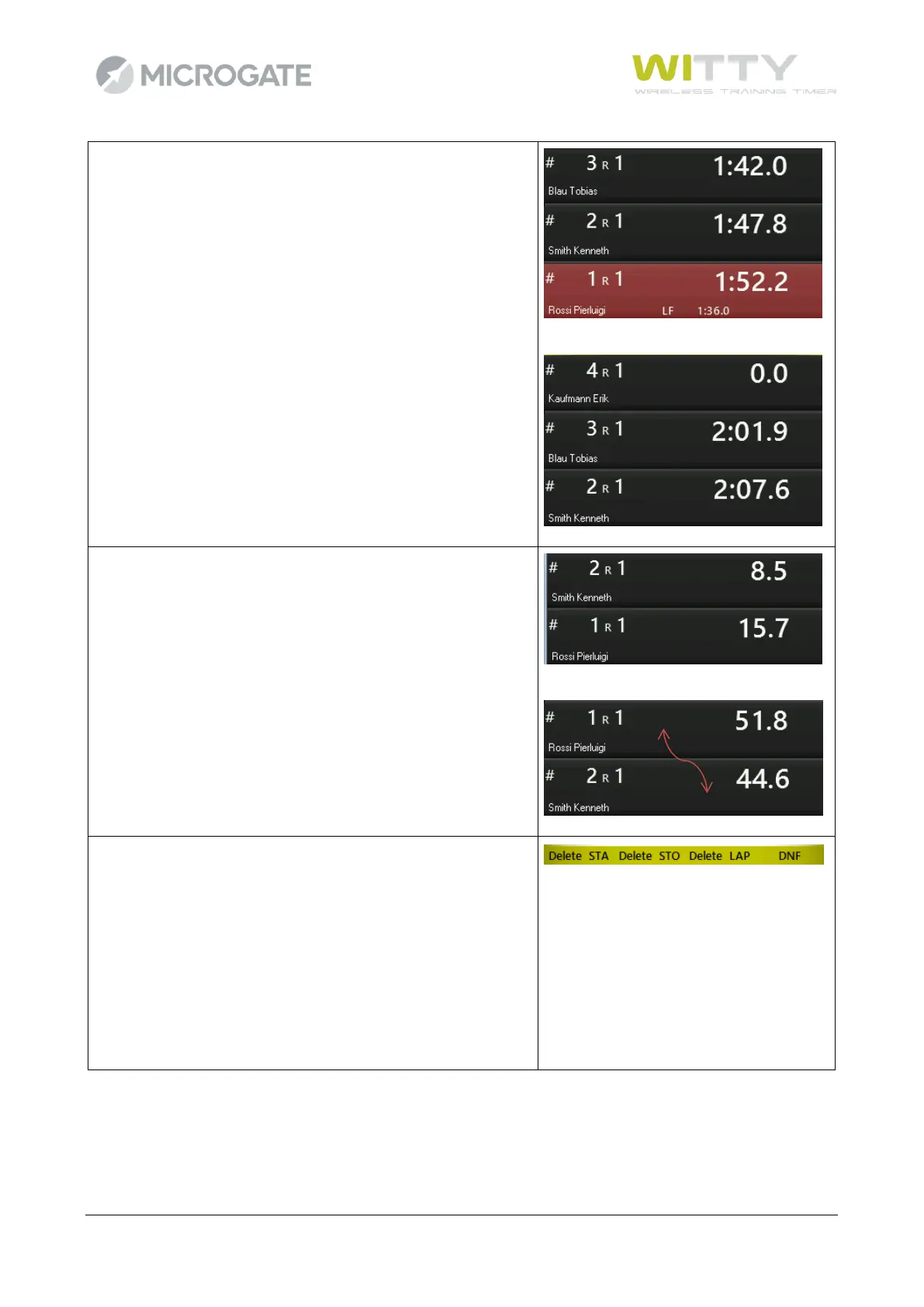
When the athletes cross the finish line (stop impulse), the final
time is showed in red for 5 seconds and then disappears to
show the next athlete starting.
If an athlete passes the athlete in front of him, the athletes
can be changed on the fly, while they are running, using the
<up> and <down> arrow keys.
For example, athlete #1 started before #2... after approx. 40
seconds, passing takes place and the impulses must be
assigned to #2. Just press <down> to replace the athletes
(press <up> to replace them again).
It is also possible to delete undesired events or consider an
athlete as 'Not Arrived'; press <F1> Edit to access the following
options:
<F1> Delete STArt
<F2> Delete STOp
<F3> Delete LAP
<F4> NA (Not Arrived)



 To Next Page