Witty User Manual - EN - v1.5 P. 65 / 171
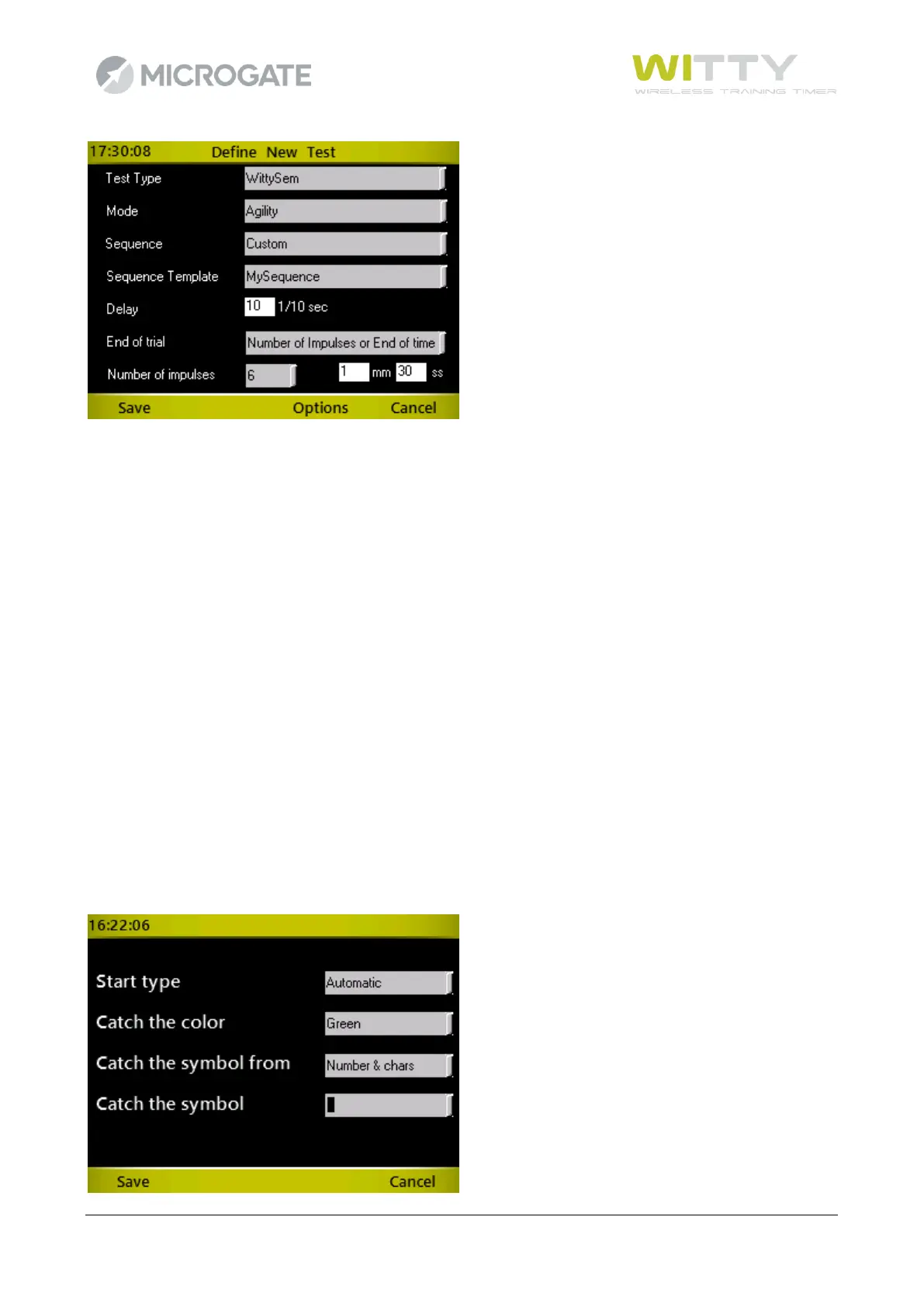
The following fields are the same for all types of sequences:
Sequence template: Select one of the customised templates created with Witty Manager
Delay: Delay in tenths of a second between the turning off of a traffic light and the
turning on of the next one
End of test This indicates the way the test ends, it can be
Number of Impulses: Choosing a finite number of impulses (e.g. 5) the test will be completed
when the timer receives a number of events (traffic light "off" operations)
equal to the set parameter. The parameter is calculated automatically in
the case of customised sequences.
End of Time Setting a time in minutes:seconds, the test will finish when the set
amount of time is reached.
No. of Impulses or End of Time Setting both parameters, the test ends when the first of the two
conditions is reached.
Pressing the key <F3> Options and selecting the Witty·SEM icon makes it possible to select the start type, the
colour, type of symbol and the symbol/character/number to follow. The default setting is always the green
block (rectangle), but it is possible to have an athlete follow a letter (lower case or upper case) or a number
with one of the three available colours



 To Next Page