LVS-95XX Series Barcode Quality Station Operations Manual
LVS-95XX Series Barcode Quality Station Operations Manual - English Page 59 of 94
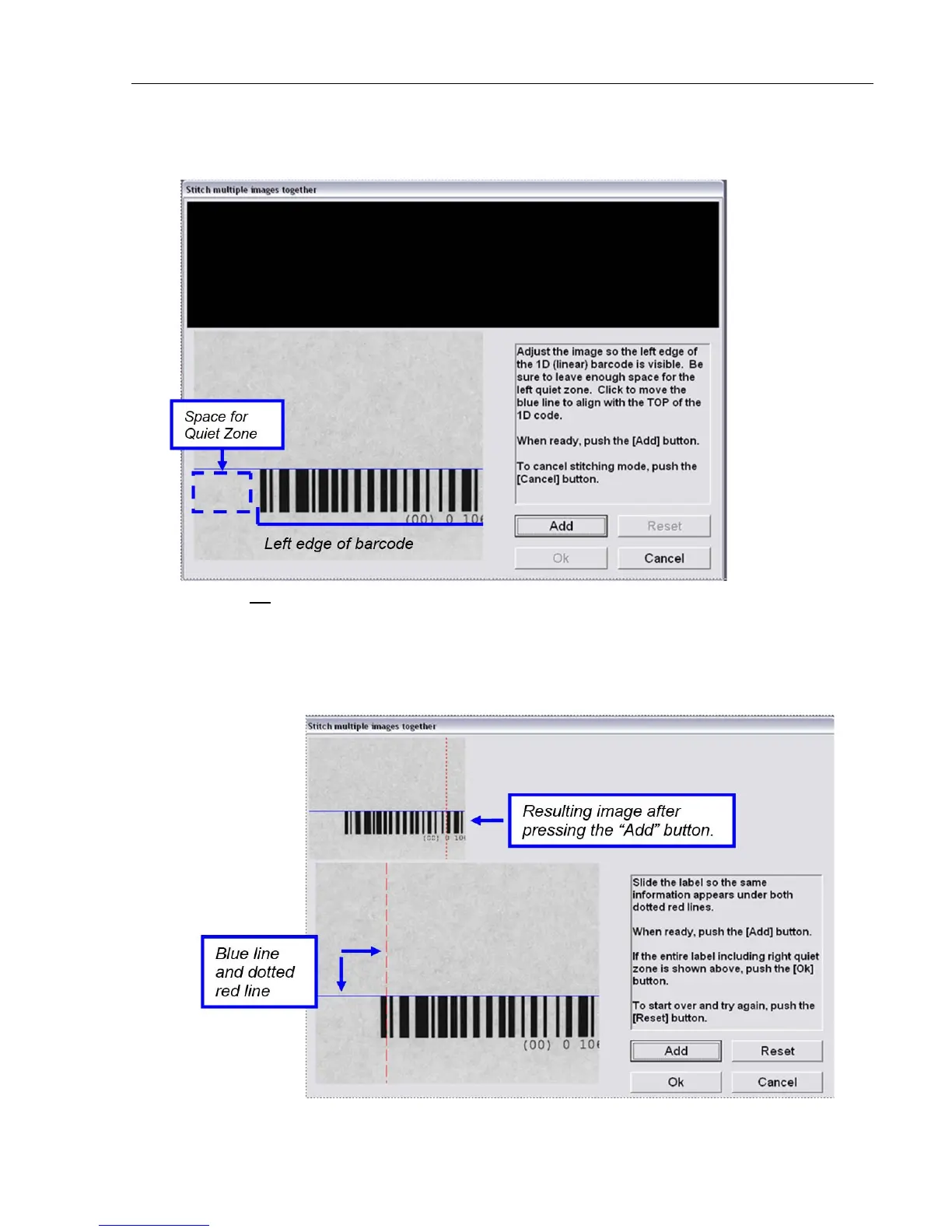
2. Adjust the image so the left edge of the linear barcode is visible and leave enough space for the left quiet
zone.
3. Line up the top of the barcode to the blue line; this can be done by positioning the barcode itself or by
clicking on the blue line with your mouse.
4. Press the “Add” button; the resulting image appears in the top, left corner of the screen.
You will also notice a blue line and a dotted red line; these lines are tools used for barcode alignment
purposes. The goal is to keep the barcode image perfectly straight. Always keep the bars perpendicular
to the blue line and keep the top of the barcode aligned to the same blue line.



 To Next Page