LVS-95XX Series Barcode Quality Station Operations Manual
LVS-95XX Series Barcode Quality Station Operations Manual - English Page 60 of 94
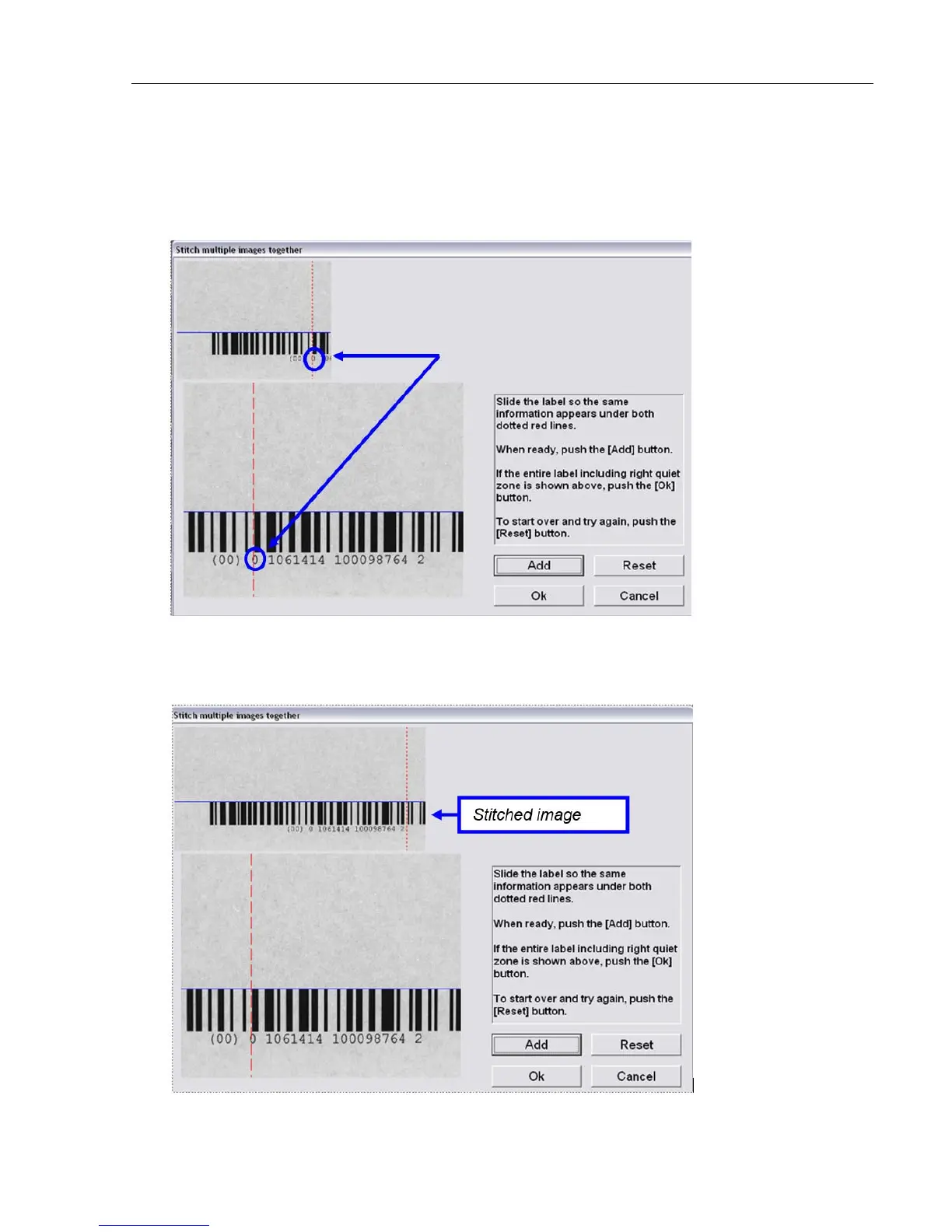
5. The onscreen instructions prompt you to slide the label so that the same information appears under both
dotted red lines; this is where the label is to be spliced.
Notice in the screenshot below that the “0” (which is part of the human readable characters) is positioned
over the red line on the top image as well as on the bottom image. Also notice that the top of the barcode
is still perfectly aligned to the blue line. When done, click the “Add” button.
6. The stitched image appears at the top of the screen. The red line shifts over to a new position and you
are now prompted to move the label over to its new stitching position.
The screenshot below shows that the new position is located after the number “2” human readable
character.



 To Next Page