Operation
62
Selecting a programme ...
... using the
short-cut buttons
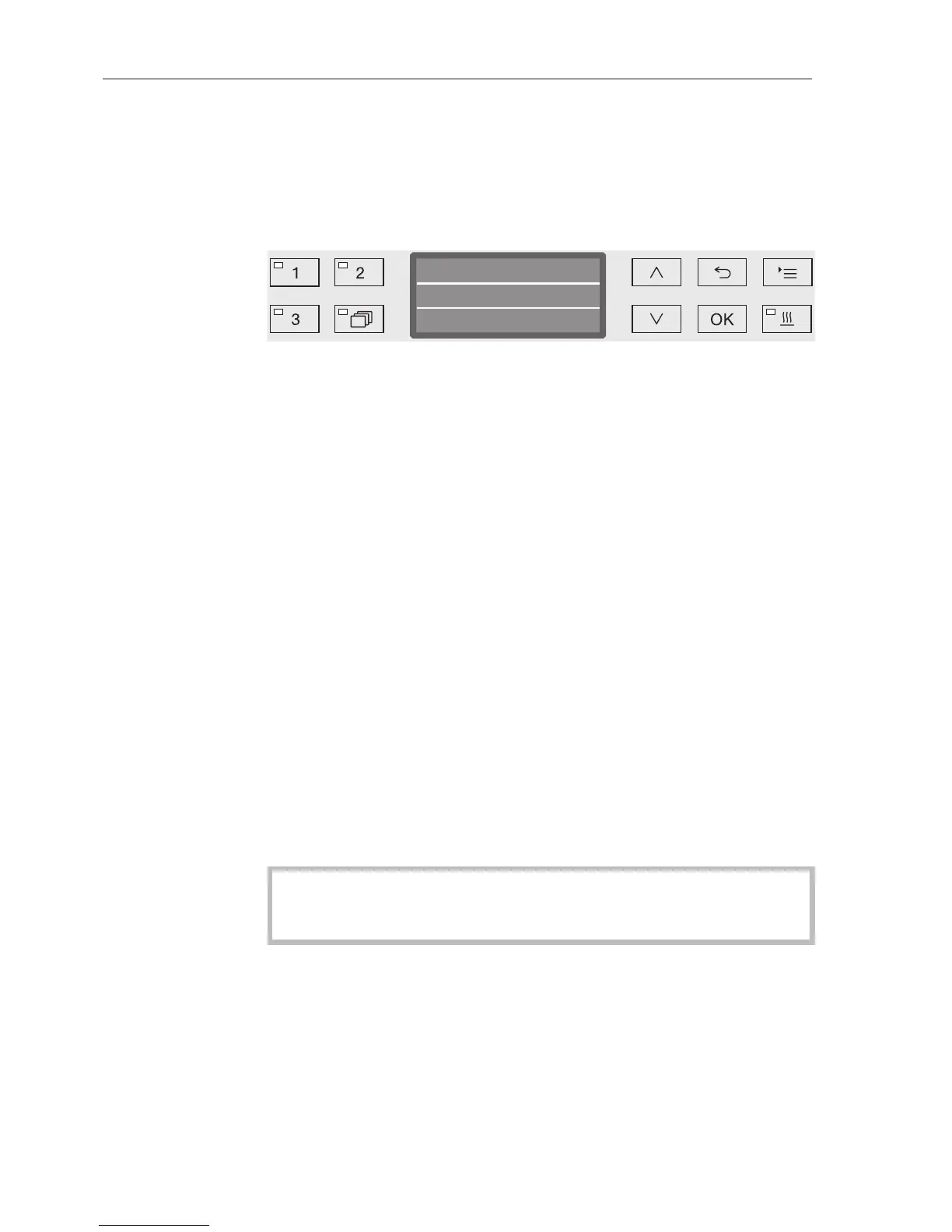
Select a programme using short-cut buttons , or .
... from the
programme list
Press the button and
use the and arrow buttons to highlight a programme and
confirm your selection with OK.
The LED in the button selected will light up and the relevant
programme will appear in the display. The LED in the Start/Stop
button also starts to flash.
Another programme can be selected at any time before a programme
has started. Once it has started, programme selection is locked.
Always select the programme depending on the type of load and
degree and type of soiling, or on infection prevention issues.
The programmes and their areas of application are described in the
Programme chart at the end of these operating instructions.
Starting a programme
Close the door.
When the door is closed, the LED in the button will light up.
Press the Start/Stop button.
The LED in the Start/Stop button will light up constantly and the
LED in the button will go out.
Starting a
programme using
delay start
The start of a programme can be delayed, for example, to benefit
from economy rates of electricity at night. Starting from the
programmed time, a delay start time between 1 minute and 24 hours
can be selected in one minute increments (see "Settings /Time of
day").
Delay start must be switched on (see "Settings /Delay start").
If soiling is left to dry on the load for longer, the processing result
can be adversely affected. There is also a risk of corrosion for
stainless steel items.


 To Next Page