EasyManua.ls Logo

Miele PG8582 CD - Display Brightness and Contrast

Miele PG8582 CD
164 pages
Print Icon
To Next Page IconTo Next Page
To Previous Page IconTo Previous Page
Loading...
Further settings
95
Display brightness and contrast
You can use this menu to adjust the brightness and contrast of the
display.
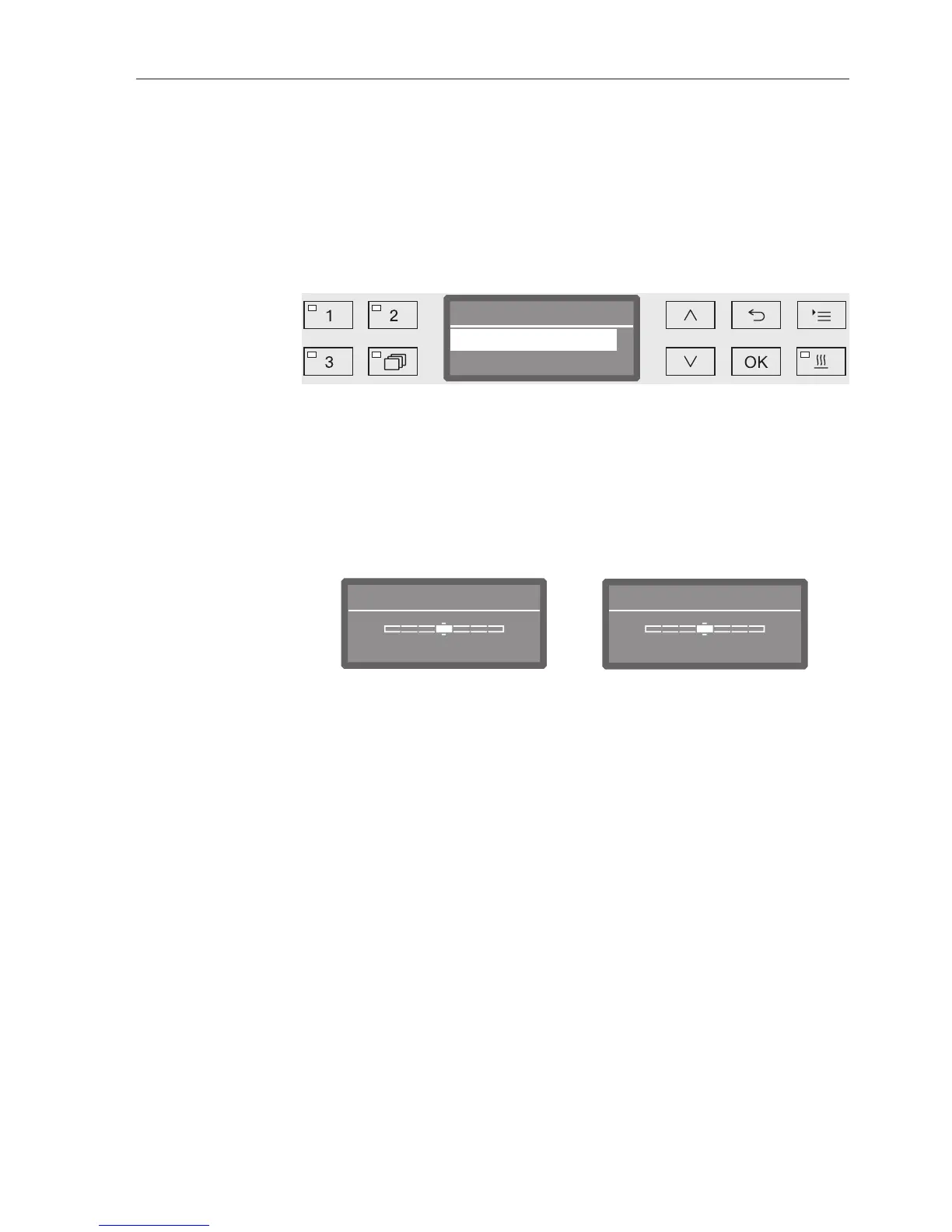
Open the menu as follows:
button
Further settings
Display
Display
Brightness
Contrast
Contrast
Set the contrast.
Brightness
Set the brightness.
Select an option using the and arrow buttons.
Confirm your selection with OK.
Brightness
BrighterDarker
Contrast
Lower Higher
Contrast and brightness are shown as a bar chart in the display.
Use the arrow buttons (Higher/Brighter) and (Lower/Darker) to
set the brightness and contrast you want.
Press OK to save the setting.

Table of Contents

Related product manuals