Further settings
83
Change code
The code consists of a four digit number and is set by the user. Each
digit can be programmed freely between 0 and 9.
When a new code is entered the old code is overwritten and is
permanently deleted. Therefore it cannot be reinstated.
If a code is lost, a new code must be issued by Miele Service.
Open the menu as follows:
button
Further settings
Code
Change code
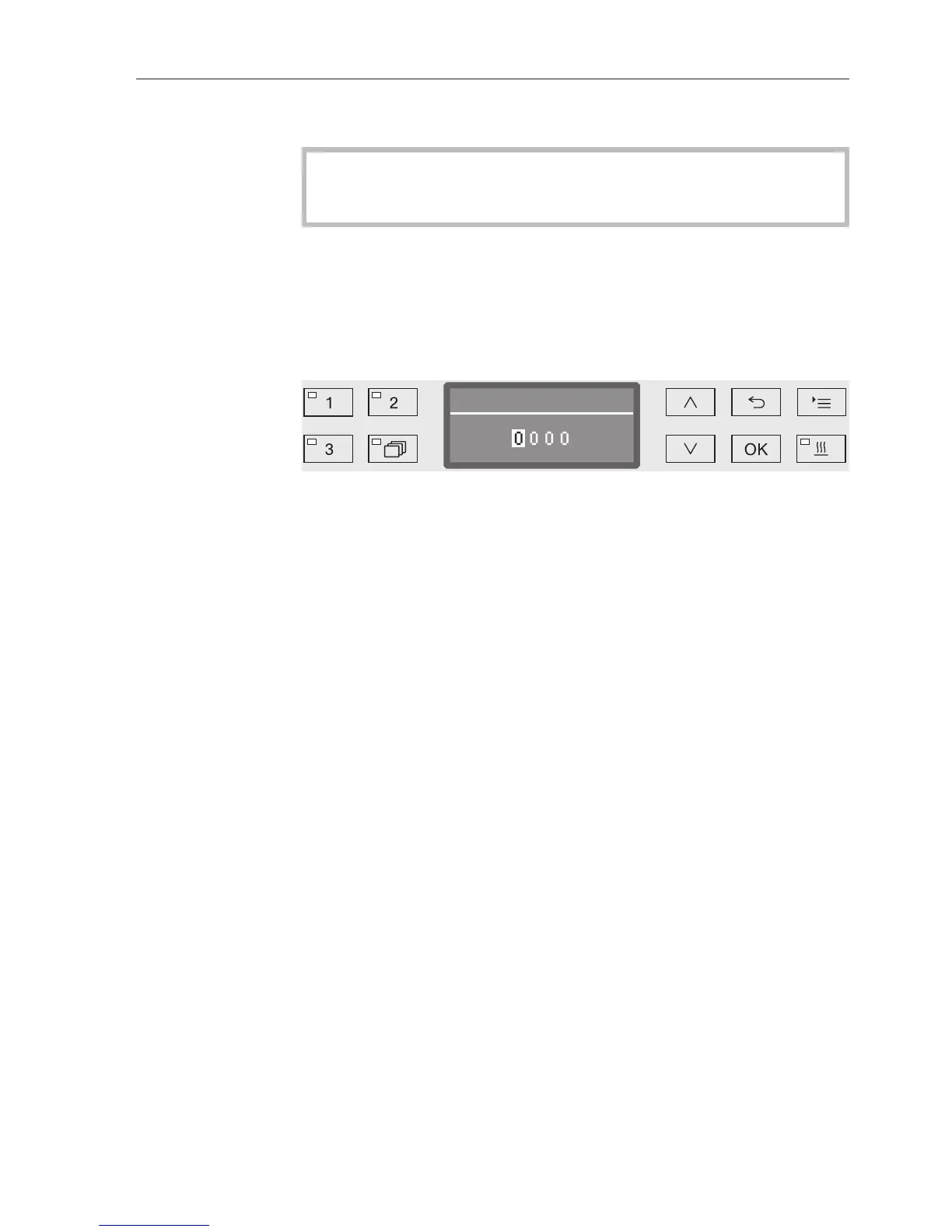
Use the arrow buttons (higher) and (lower) to enter the relevant
digits.
Confirm each digit individually with the OK button.
When the OK button is pressed, the display jumps automatically to
the next input position. You cannot go back to the previous entry. If a
mistake is made, the process must be cancelled using the button
and repeated. Entered digits are replaced by a * symbol.
The code is saved to memory once you have confirmed the last digit.


 To Next Page