Using the Calibration Programs
9-10
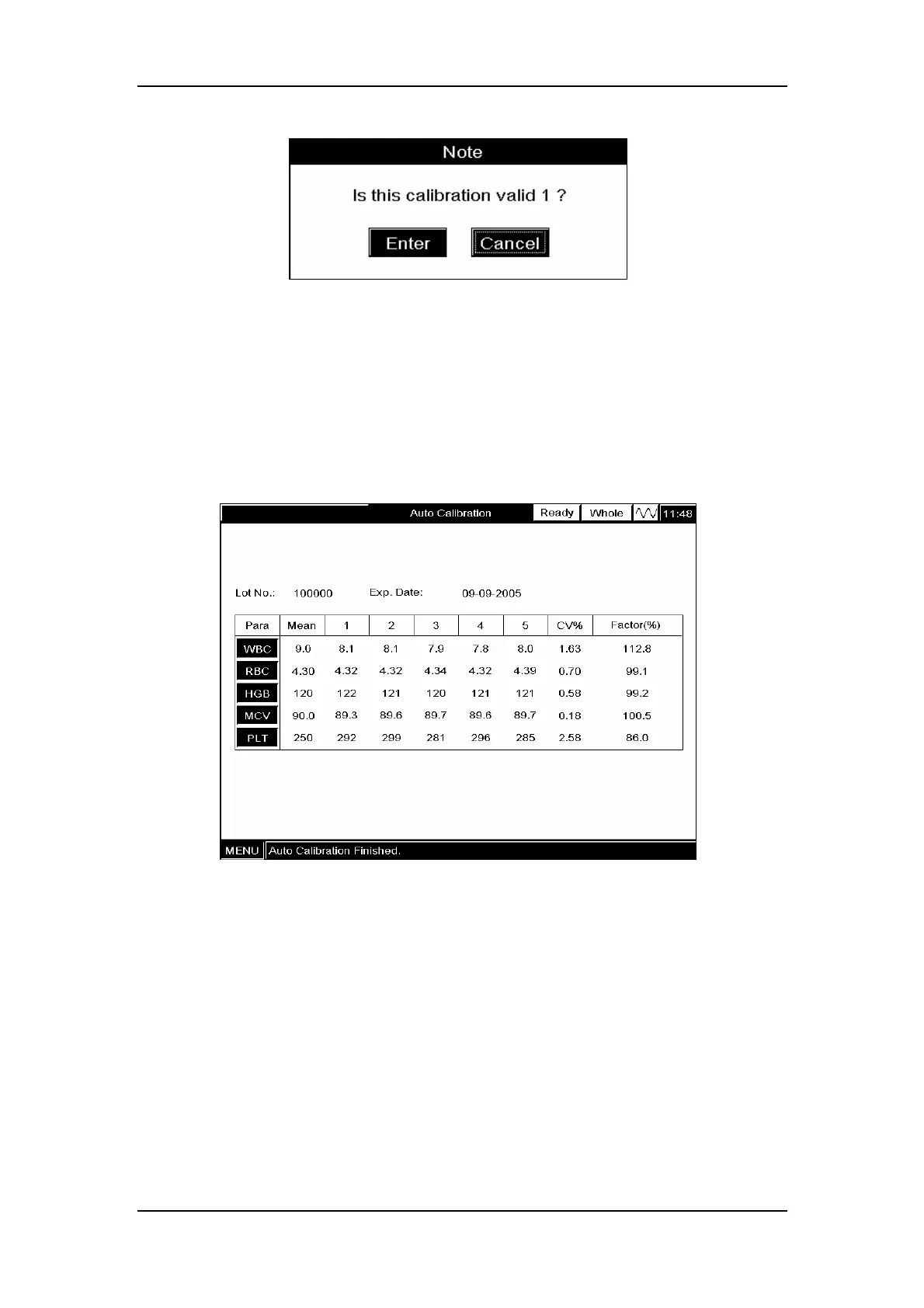
Figure 9-6 A message box to confirm the validity
CLICK “Enter” to save the results; CLICK “Cancel” to abort the result. The saved results will
be displayed on the screen.
Repeat the above steps to run the calibrator 3 – 5 times (5 is recommended) and the analyzer
will automatically calculate the CVs and calibration factors, as Figure 9-7 shows. Be sure the
CVs meet the requirements of Table 9-1.
Figure 9-7 Results of the auto calibration
The calculated calibration factor should be within the 75% - 125%. Any calculated value that
falls between 0%-75% or 125%-9999% will be flagged with a “*”. Other values will not be
displayed. In case of an empty calibration factor, try to find out the reason and if necessary,
contact Mindray customer service department or your local distributor for assistance.
Verifying new calibration factors
Press [MAIN] to enter the “Count” screen, a message box will pop up to confirm the new
calibration factors, as Figure 9-8 shows.



 To Next Page