Using the Calibration Programs
9-14
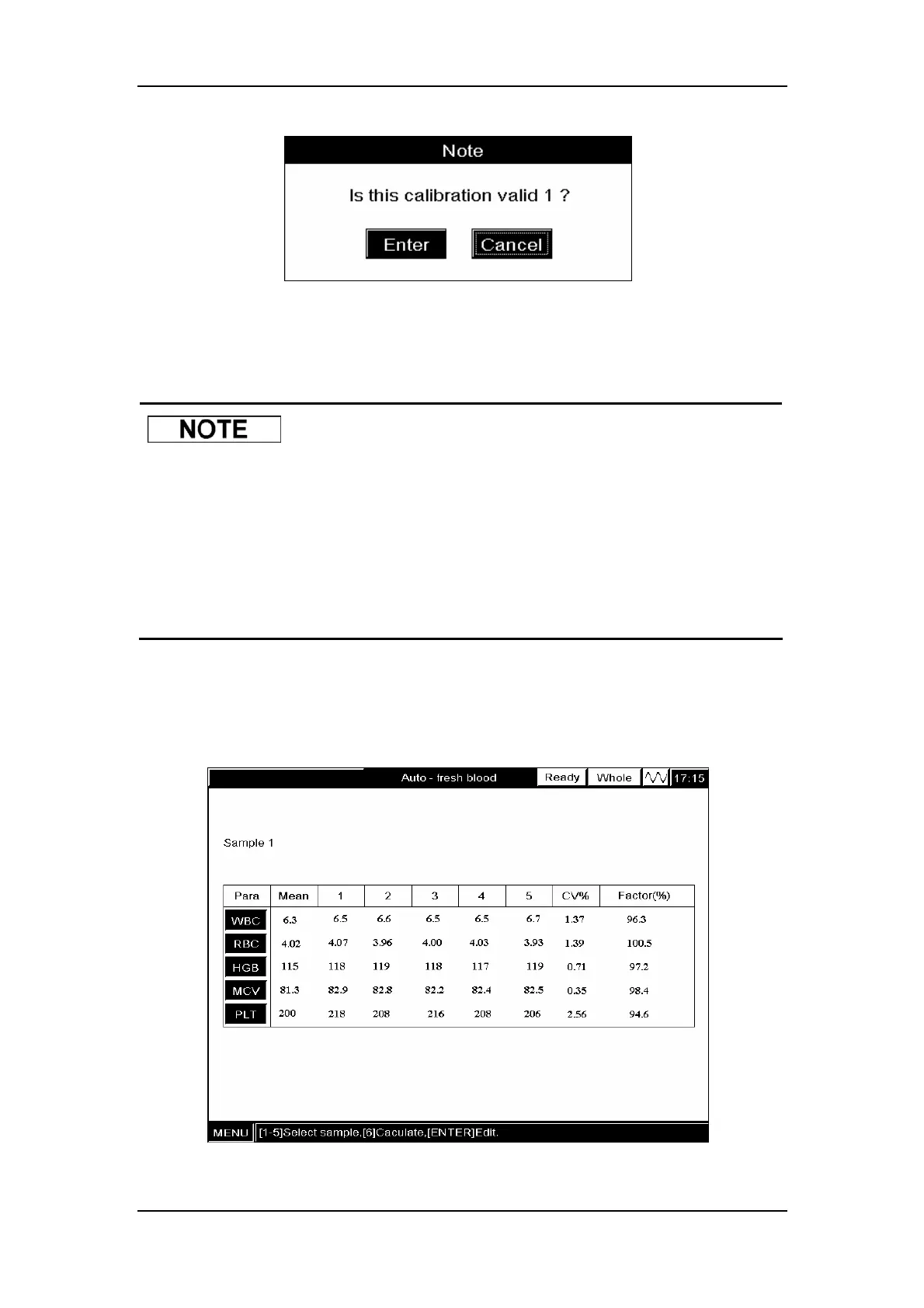
Figure9-12 A message box to confirm the validity
CLICK “Enter” to save the results to the “Auto – fresh blood” screen; CLICK “Cancel” to
abort the result.
z If you press [MENU] to enter the system menu before the average is
obtained at the “Calculate” screen, the next time you enter the “Auto-fresh
blood” screen a message box will pop up to ask you whether to clear the
data of the last calibration; If you press [MAIN] to exit to the “Count”screen
before the average is obtained at the “Calculate” screen, the next time you
enter the “Auto-fresh blood” screen a message box will pop up to ask you
whether to clear the data of the last calibration
Repeat the above steps to run the sample 3 – 5 times (5 is recommended) and the analyzer
will automatically calculate the CV and calibration factor, as Figure9-13 shows. Be sure the
CVs meet the requirements of Table 9-1.
Figure9-13 “Fresh Blood” screen



 To Next Page