9-6 Structure and Assembly/Disassembly
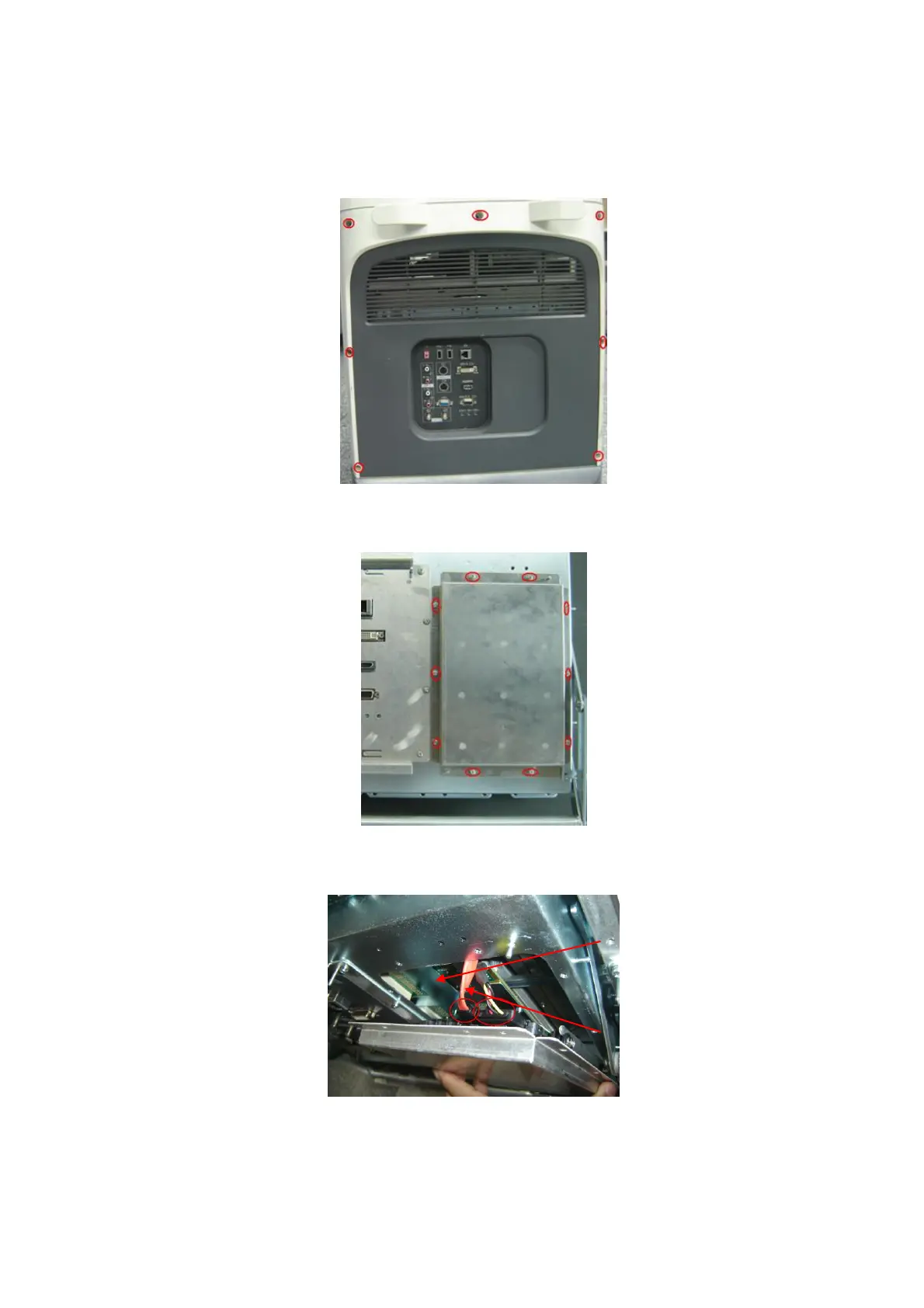
1. Pull out the plugs (three at each side) that are filled in the left and right lateral sides and one in
the middle, and then remove the M4X8 screws (three at each side and one in the middle).
2. Hold the bottom of the rear cover to remove it outwards.
3. Remove ten M3X8 screws, and take off the hard disk assembly.
4. As shown in the figure, disconnect the data wire and power wire of hard disk from the hard
disk connecting board to remove the hard disk assembly.



 To Next Page