Software Installation &Maintenance 6-5
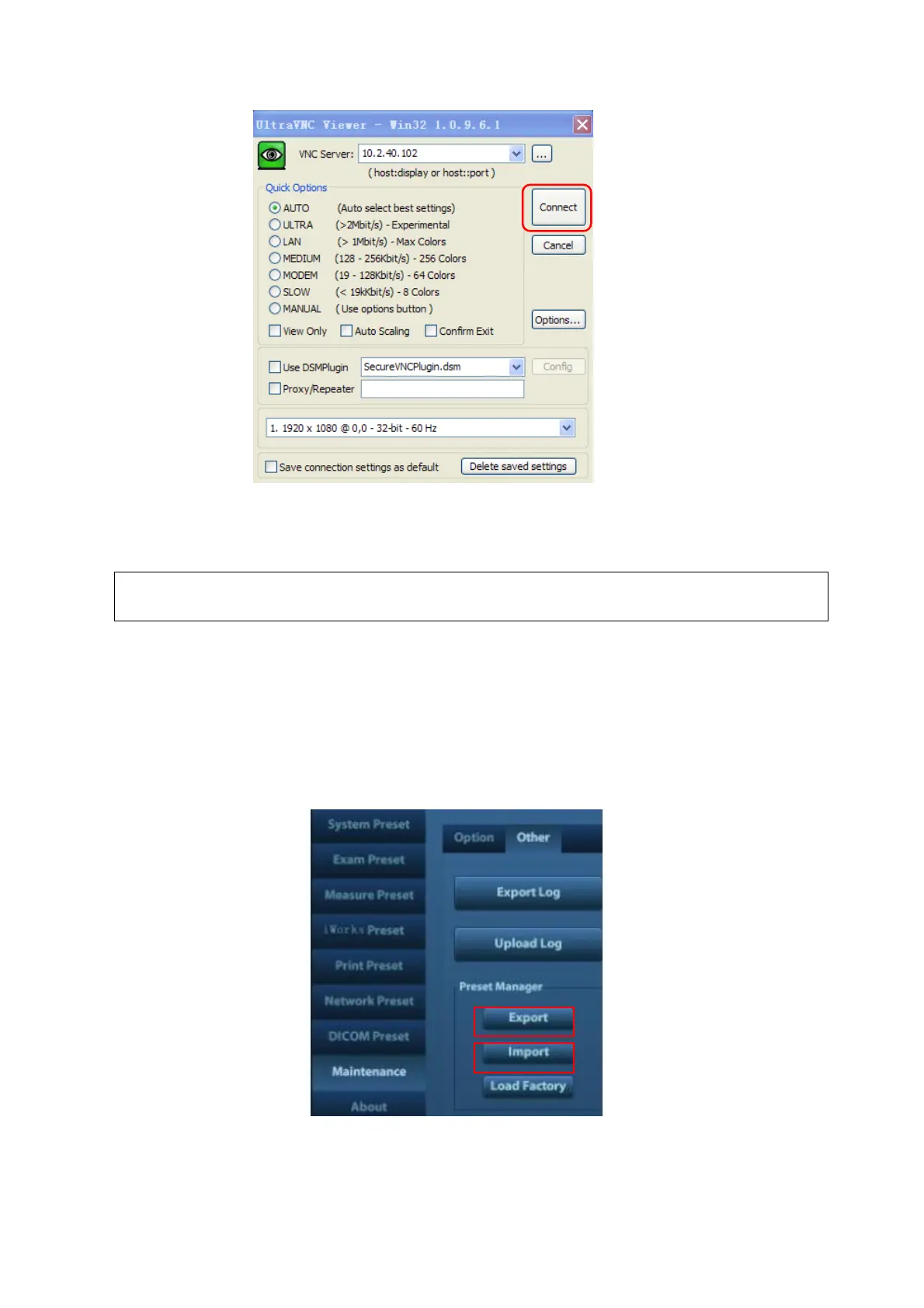
4. After a successful connection, input the password to enter into Doppler system, now the
remote user can operate the Doppler system.
During remote desktop, the ultrasound system should be connected to network, and
is authorized to use public IP.
6.5 Data Backup and Storage
6.5.1 Manage Settings
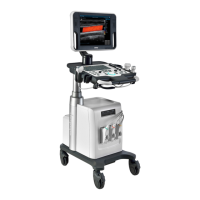
Press <Setup> to open the Setup menu, click [Other] to open the Manage Setting interface. System
preset can be performed here. Image parameters can be exported, imported or restored to factory.



 To Next Page