Optional Installation/Assembly 10-1
10 Optional
Installation/Assembly
10.1 Installing Optional Software
1. Copy optional key file into U disk and connect it to USB port.
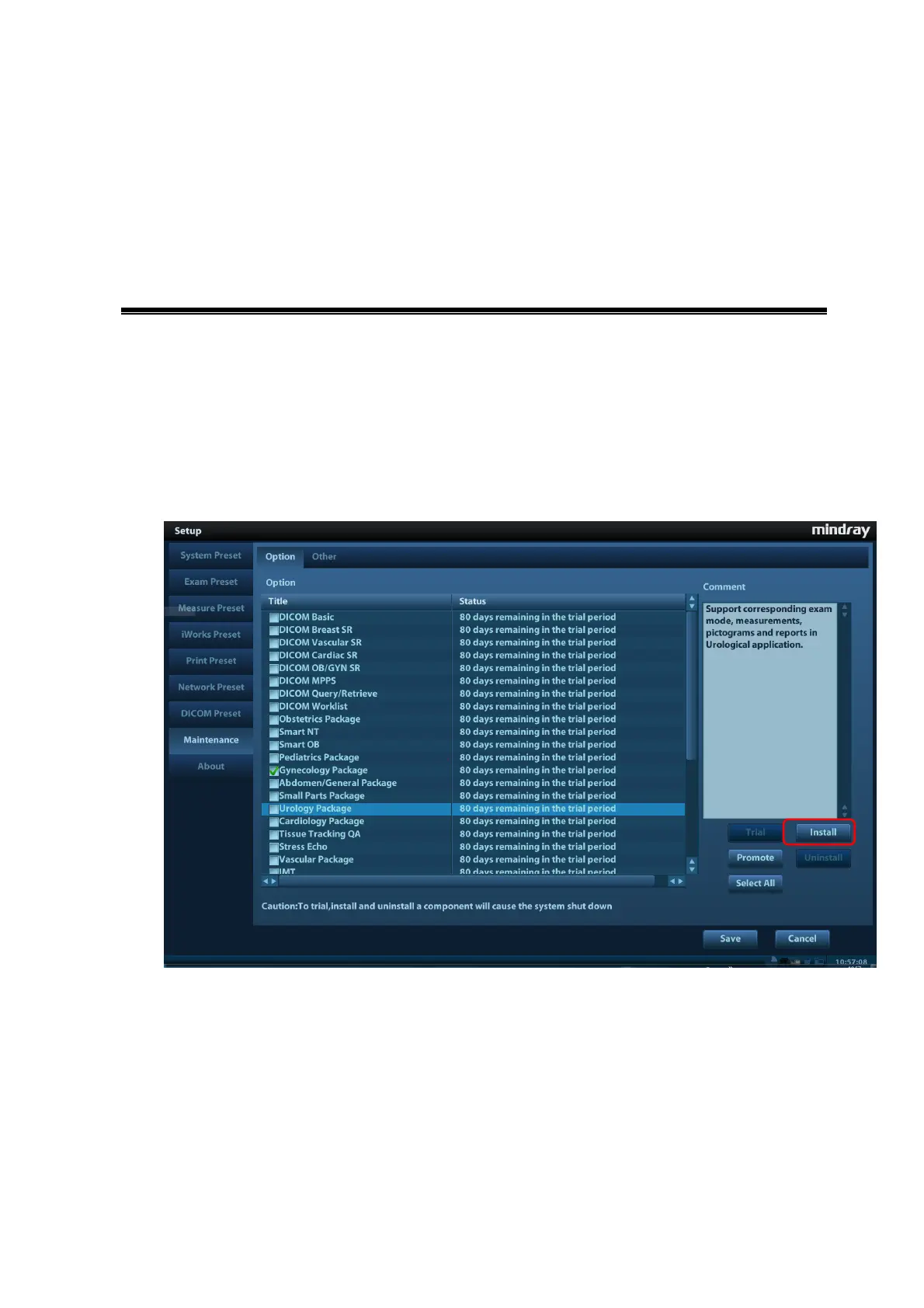
2. Open Preset menu and click [Maintenance] into [Option] in which select desired software
function.
3. Click [Install] to pop up the dialog box and select requiring Key file and click [OK].
4. Return from preset after successful installation to find optional status is installed. After
returning from preset, the requiring function can be used.
Trial: Select desired software, and then click the [Trial] and [OK] to use the software for 90
dyas.
Promote: select desired software, and then click [Promote] to see two selections: select
[OK] to trial the selected software for 180 days; select [Cancel] to get a 365 days promotion
for the software by the key provided by Mindray using MAC address.



 To Next Page