2 System Overview
Operator’s Manual 2 - 11
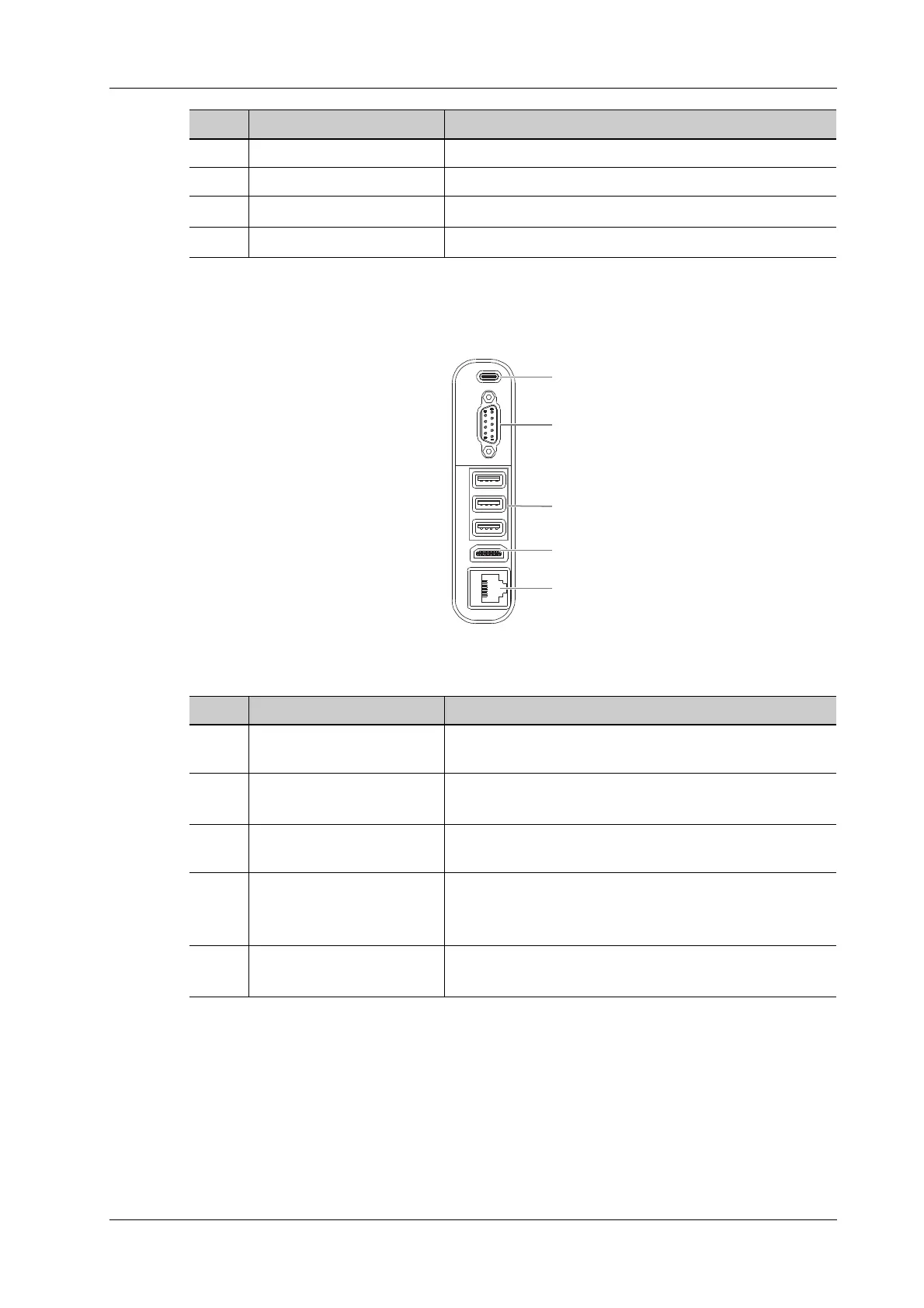
2.7.2 I/O Module
Figure 2-2 I/O interface
9. Save static image button Save images in a preset way.
10. Gain control Adjust the gain of the image in various modes.
11. Depth adjustment button
Adjust the depth parameter when the indicator is on.
12. Freeze button
Press to freeze or unfreeze the image.
No. Name Description
No. Name Description
1. USB port (Type-C) Used for connecting storage device such as USB disk, bar
code reader, printer, footswitch, DVD recorder, etc.
2. Serial connector
Connects to the serial port for connecting to ECG of the
system.
3. USB port (Type-A) Used for connecting storage device such as USB disk, bar
code reader, printer, footswitch, DVD recorder, etc.
4. HDMI
High definition multimedia interface. Used for connecting
TV, projector, ultrasound workstation video capture card,
etc.
5. Network port
Used for connecting router, ultrasound workstation, server,
etc.
1
2
3
4
5



 To Next Page