V Series Operating Instructions 4 - 15
Mechanical Functions V 21
4.4 V 21
4.4.1 V 21 Docking
NOTE: Mount the V Dock to the wall mount before attempting to mount the
V 21. Refer to "V Dock" on page 4-12 for additional information.
CAUTION: The V 21 is intended for mounting only.
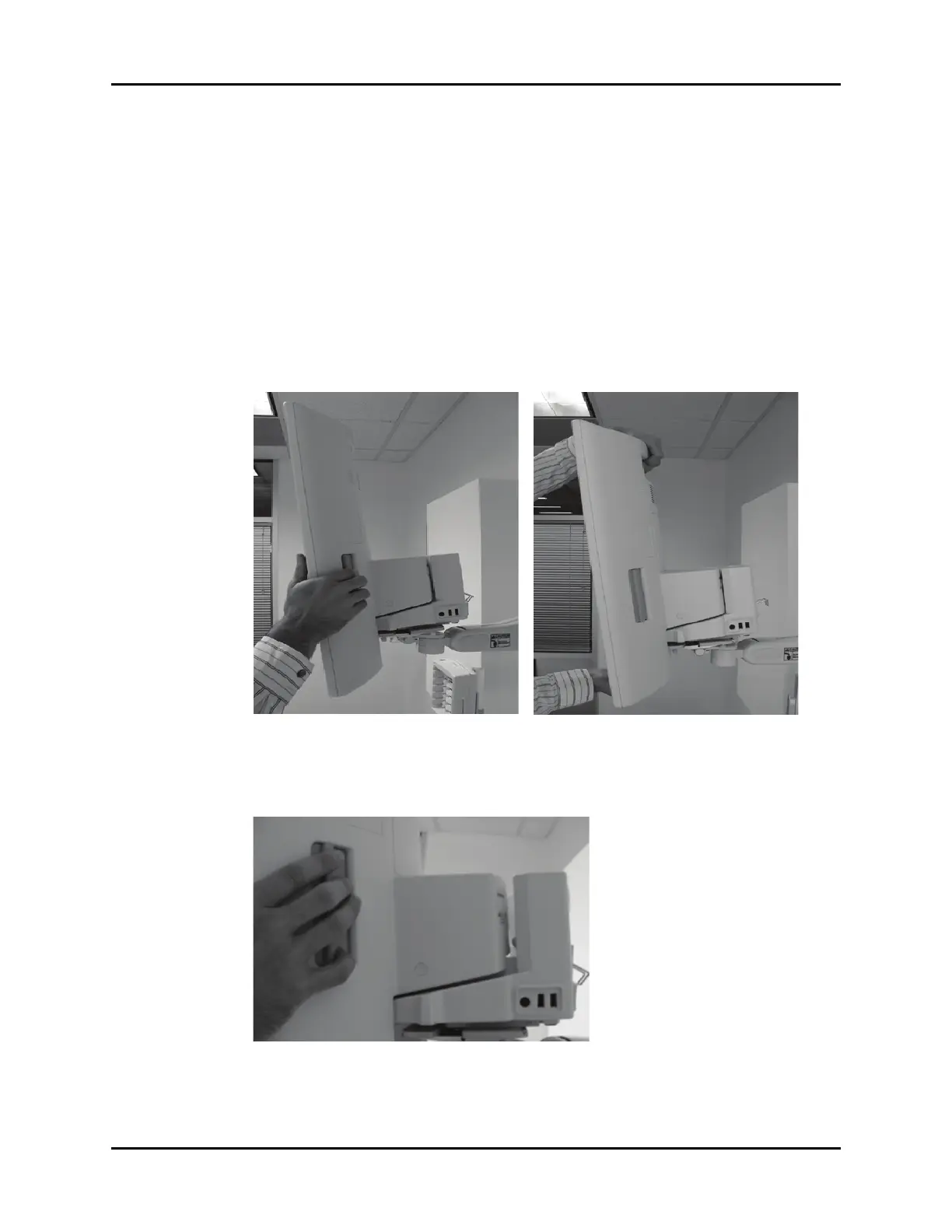
1. Hold the V 21 by the side grips, or top handle, and vertically lower it onto the top of the V Dock,
so that the alignment pins on the bottom of the V 21 engage with the alignment channel on
the top of the V Dock.
2. Push the V 21 backward onto the V Dock, until the latch engages, with a corresponding audible
click (shown in FIGURE 4-25).
FIGURE 4-25
FIGURE 4-23 FIGURE 4-24









 To Next Page