Preliminary
miniDSP Ltd, Hong Kong / www.minidsp.com / Features and specifications subject to change without prior notice 23
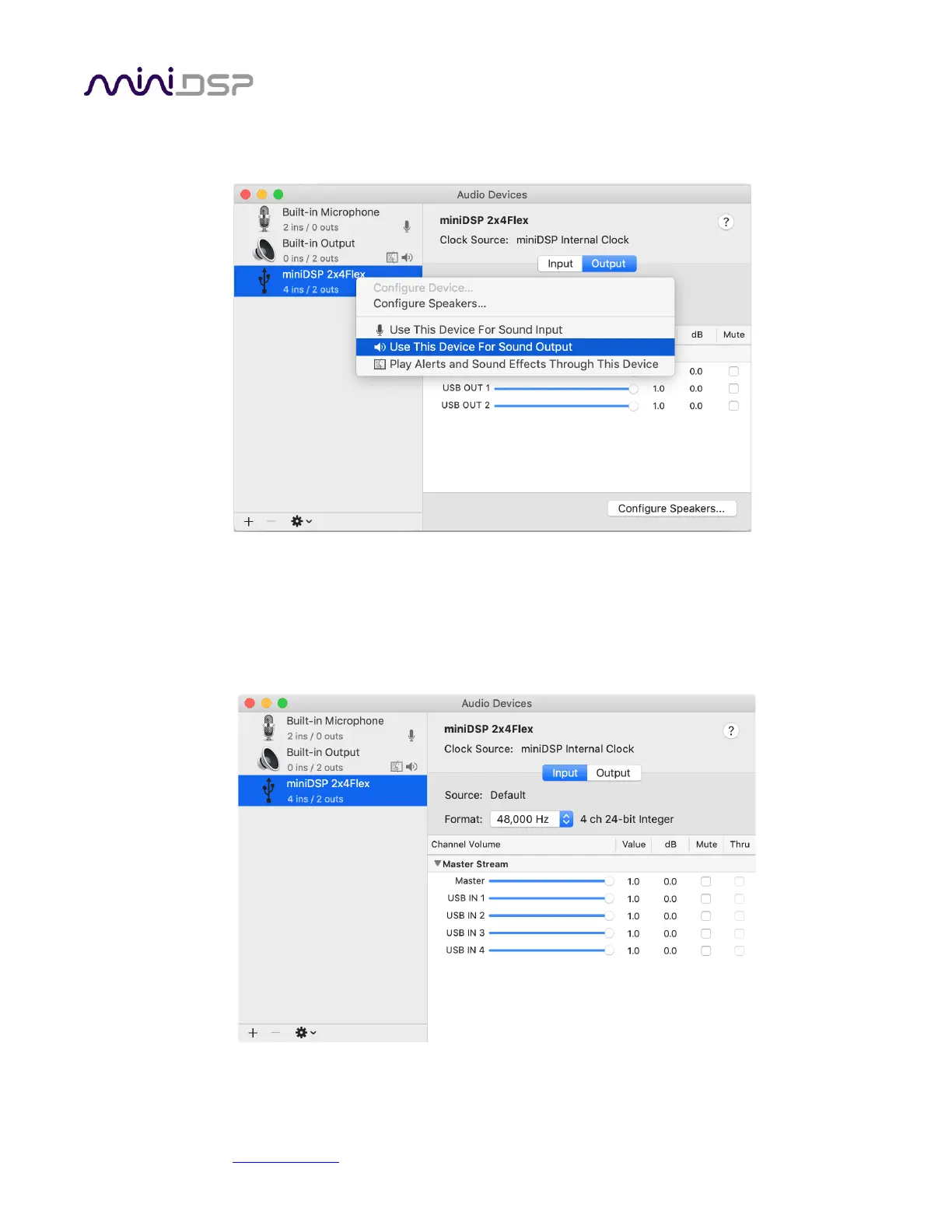
To set the miniDSP Flex as the default audio output device, right-click and select “Use this device for sound
output”:
Note that individual audio playback apps may allow the miniDSP Flex to be selected for audio output
independently of the system default. They may also control sample rate automatically.
The miniDSP Flex sends its four output channels to the computer over USB. Click on the Input button in Audio
MIDI Setup to see them. These can be used to monitor or record the output channels of the processor.



 To Next Page