Preliminary
miniDSP Ltd, Hong Kong / www.minidsp.com / Features and specifications subject to change without prior notice 24
4.4.2 Windows
Note: to play USB audio from Windows, the miniDSP UAC2 driver package must be installed first.
4.4.2.1 Default audio device
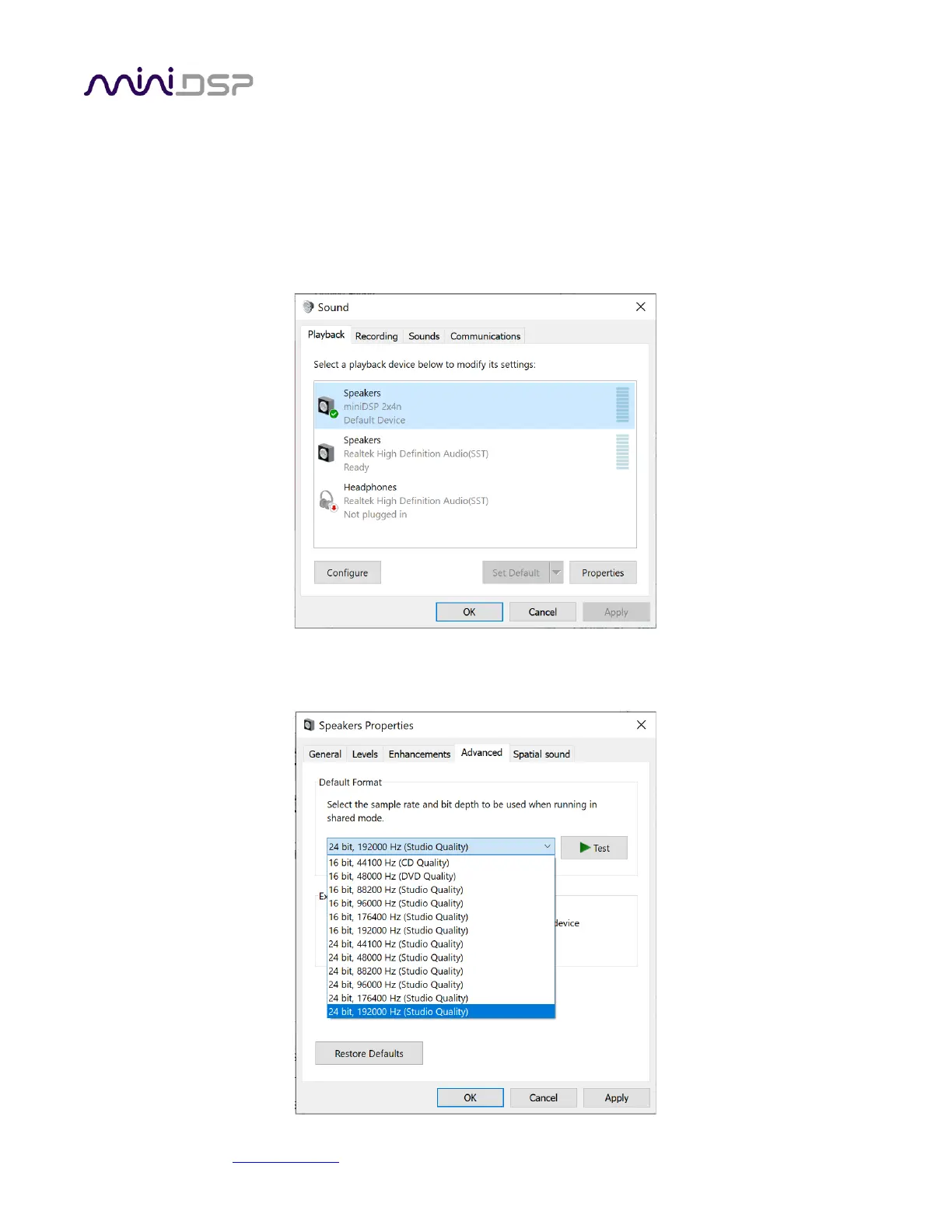
To set the miniDSP Flex as the default audio output device, open the Windows Control Panel and navigate to the
Audio Devices section. On the Playback tab, select the device named “miniDSP 2x4n” and click on the “Set
Default” button.
To change the bit depth and sample rate, click on the Properties button and select the Advanced tab. Drop down
the selection menu, choose the desired value and click OK. Sample rates up to 192 kHz can be selected:



 To Next Page