Preliminary
miniDSP Ltd, Hong Kong / www.minidsp.com / Features and specifications subject to change without prior notice 50
8.3 OUTPUT TAB
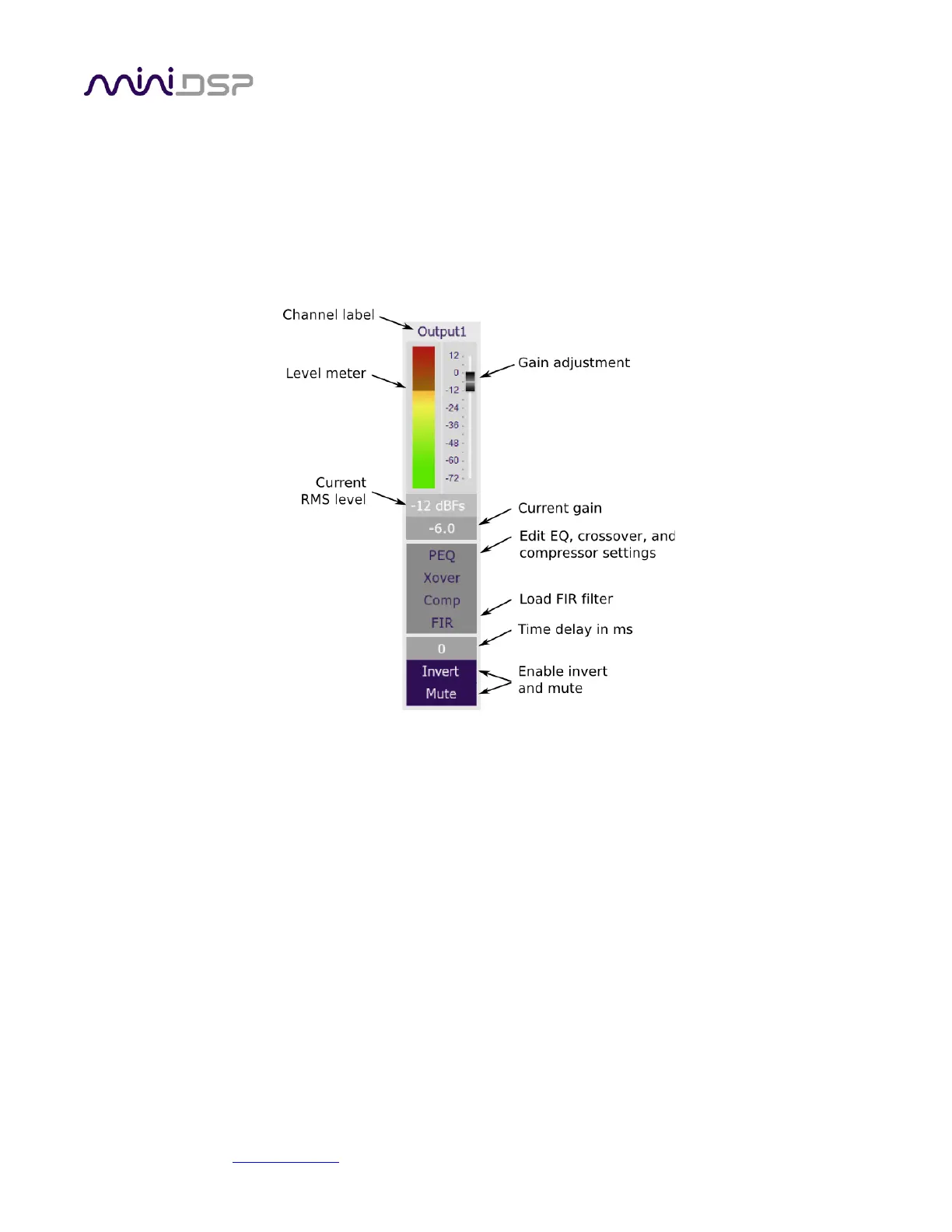
The Output tab displays a row of four output channel control strips. All output channels are identical.
8.3.1 Channel strip layout
Each output channel has a complete "strip" of controls. Both plugins are the same, except that the DDRC-24
plugin does not have the FIR button.
8.3.2 Channel label
Each output channel has a customizable label, which is shown at the top of the channel strip. This label also
appears on the routing matrix. To change the label, click on it, type a new label (up to eight characters), and
press the Return key.
8.3.3 Level meter and gain control
Level meter, current RMS level
Displays the current signal level in real time. (The plugin must be connected to display signal levels.)
Gain adjustment
The gain of each channel can be adjusted by moving the Gain Adjustment slider, or by typing the desired
gain into the Current Gain text box. The maximum gain setting is 12 dB, and the minimum gain setting is –
72 dB. (0 dB, the default, is unity gain or no change in level.)



 To Next Page