Preliminary
miniDSP Ltd, Hong Kong / www.minidsp.com / Features and specifications subject to change without prior notice 36
6.4.3 Stereo playback
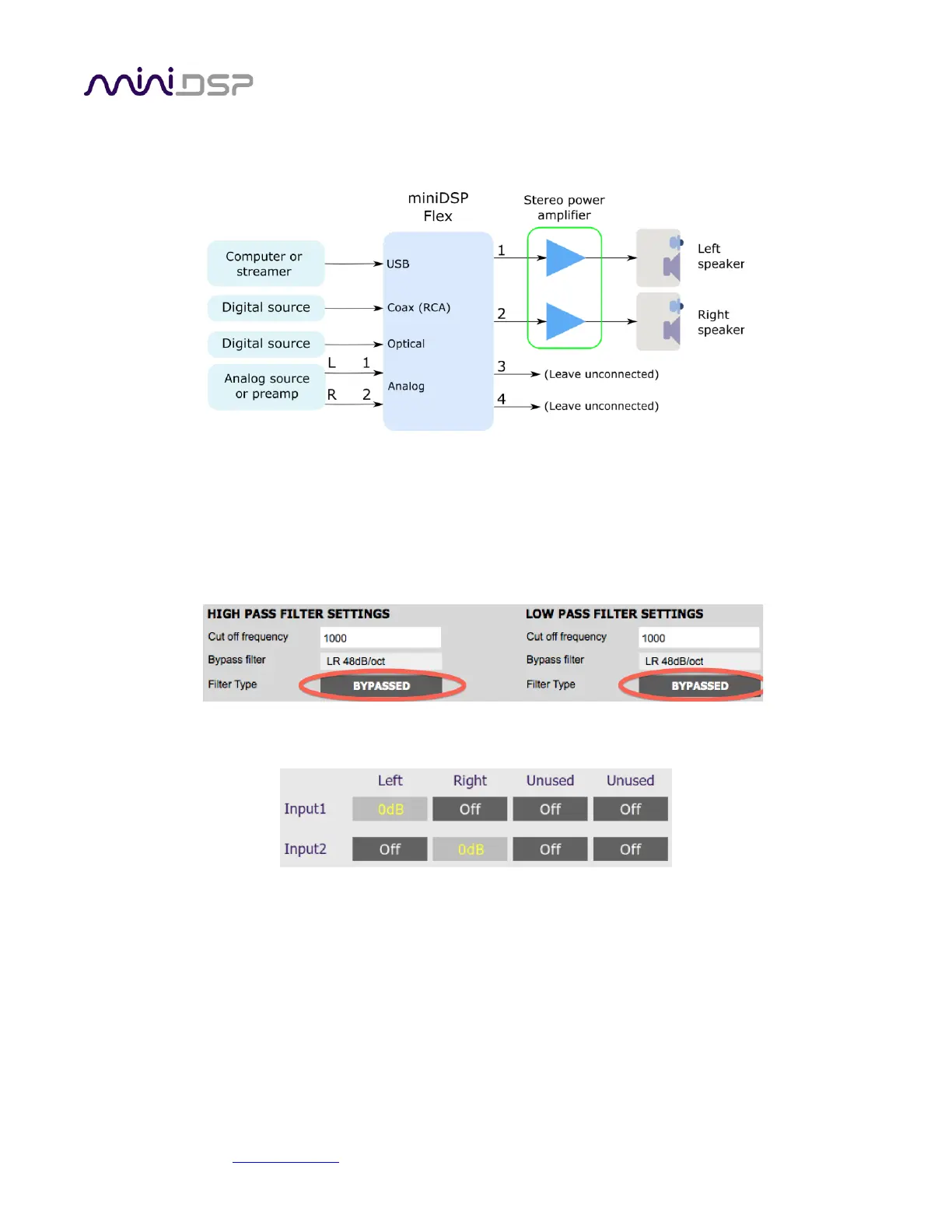
By default, the miniDSP Flex is set up in a simple 2-in, 2-out configuration. This illustrates the connections:
While the default configuration is ready to go for this application, for the purposes of learning how the plugin
works we suggest making the following changes in the plugin. On the Outputs tab:
• Rename the output channels (from left to right) to “Left”, “Right”, “Unused” and “Unused”.
• Mute channels 3 and 4 (labeled “Unused”).
• Check that the crossover filters of channels 1 and 2 (“Left” and “Right”) are bypassed:
On the Routing tab, check that the matrix is set like this:
After you have set up the configuration in the plugin, save your configuration to a file.



 To Next Page