Preliminary
miniDSP Ltd, Hong Kong / www.minidsp.com / Features and specifications subject to change without prior notice 35
6.4.2 Signal flow – DDRC-24 plugin
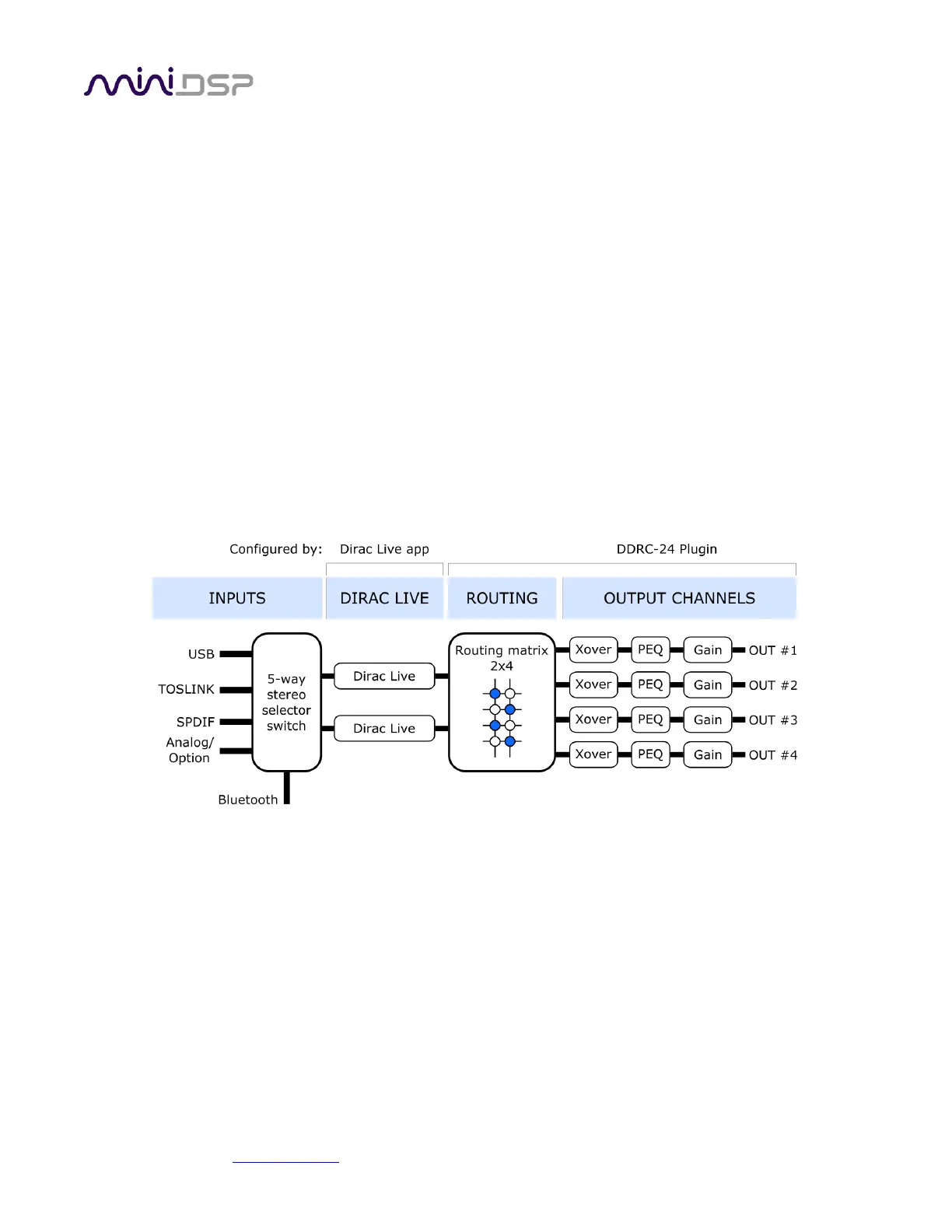
If Dirac Live is activated, you will use the DDRC-24 plugin instead. Figure 5 shows a simplified view of the signal
flow through the Flex when using this plugin. As can be seen by comparing with Figure 4, the routing matrix and
the output channel processing – with the exception of the FIR filter blocks – is the same in both plugins. The
DDRC-24 plugin can therefore be used to configure the same types of system, so the descriptions on following
pages applies to the DDRC-24 plugin as well as the miniDSP-2x4-HD plugin.
The key difference in this plugin is the presence of the Dirac Live processing on the input channels. This
processes the selected stereo input signal before it is routed to the output channels.
To set up a system configuration with Dirac Live, it is important to first configure the routing matrix and the
outputs channel using the plugin. In most cases, you will need to use Room EQ Wizard or a similar measurement
program to tune your settings, so it is important to do this on a preset that does not have any Dirac Live filters
loaded.
Once you have set up the routing and output channels, click on the Start Dirac Live Software button to run the
Dirac Live application. Follow the instructions in the miniDSP Dirac Live User Manual to run your Dirac Live
calibration. This must be done using the same preset that you previously set up, as that Dirac Live “sees” the
right processed signal.
Note: once Dirac Live is activated, you can switch between the miniDSP-2x4-HD and DDRC-24 plugins as
described on page 46. However, the signal processing parameters set up in the plugin are not maintained
between the two plugins. You will need to configure the parameters in each plugin separately.



 To Next Page