Preliminary
miniDSP Ltd, Hong Kong / www.minidsp.com / Features and specifications subject to change without prior notice 34
6.4 PLUGIN CONFIGURATION GUIDE
The miniDSP Flex is highly adaptable. This section gives examples of several common uses and shows how to
configure the miniDSP Flex for each. For full details of the referenced signal processing blocks, see Section 8.
If you are simply using Dirac Live stereo room correction with a pair of speakers, you don’t need
to read the rest of this section. In that case, proceed to set up Dirac Live as described in Section 7.
6.4.1 Signal flow – miniDSP-2x4-HD plugin
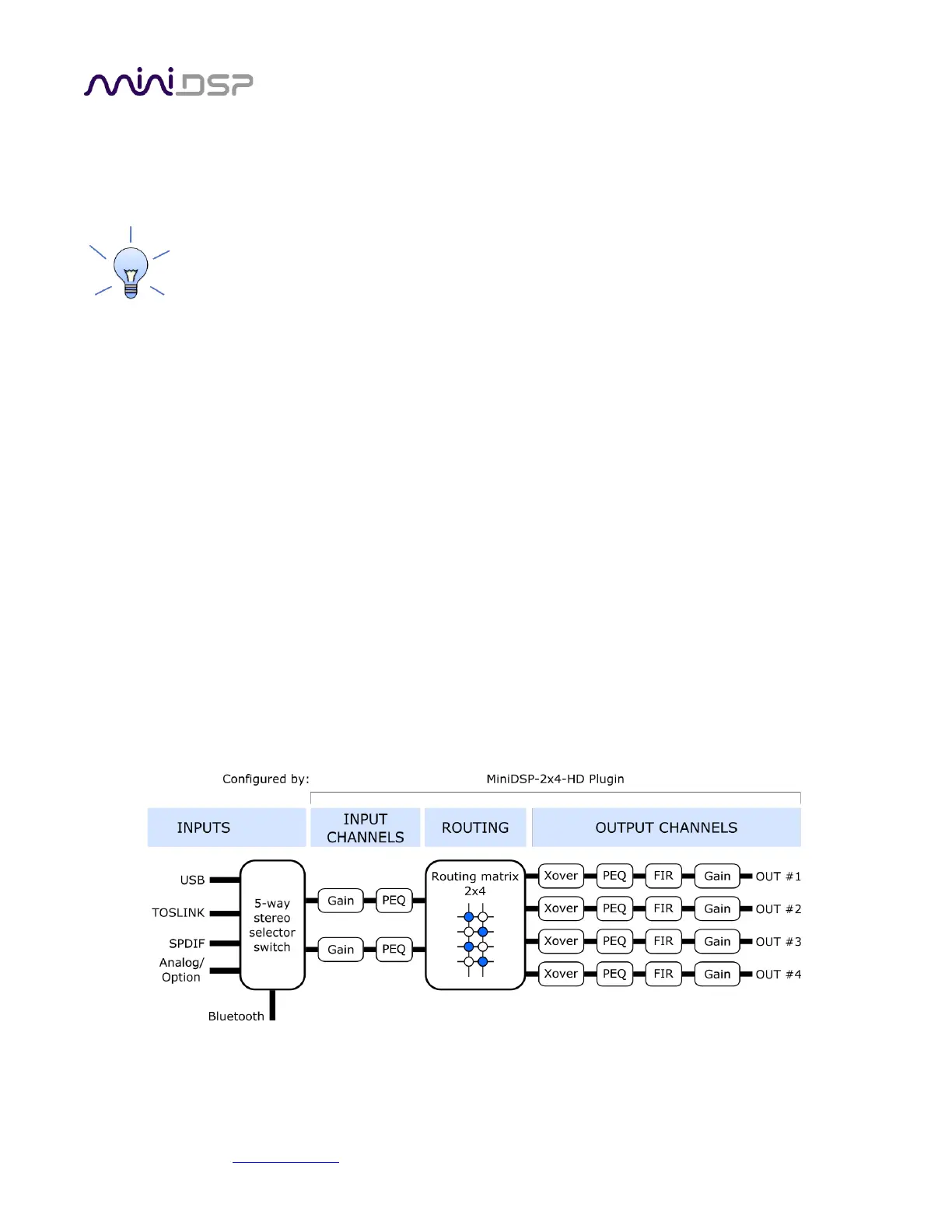
Figure 4 is a slightly simplified representation of the signal flow through the Flex when using the miniDSP-2x4-
HD plugin:
1. One of the five stereo input sources is selected by the user
2. The selected stereo signal is passed through the input channel processing blocks: input gain, level metering,
and parametric EQ.
3. The processed input channels are fed into a 2-in 4-out routing matrix that routes/mixes the two processed
input channels to the four output channels.
4. The outputs from the routing matrix are processed through a comprehensive set of DSP functions:
crossover filters (high pass and low pass), parametric EQ, FIR filtering, and individual gain and delay
adjustments.
The combination of the routing matrix and the crossover blocks on the output channels is what gives the Flex
the ability to be used in many different types of speaker configurations. The following pages describe the basics
of configuring for subwoofer integration, active speakers, and multisub control.



 To Next Page