6-28 Mx100/200 Series Operation Manual
Box 1
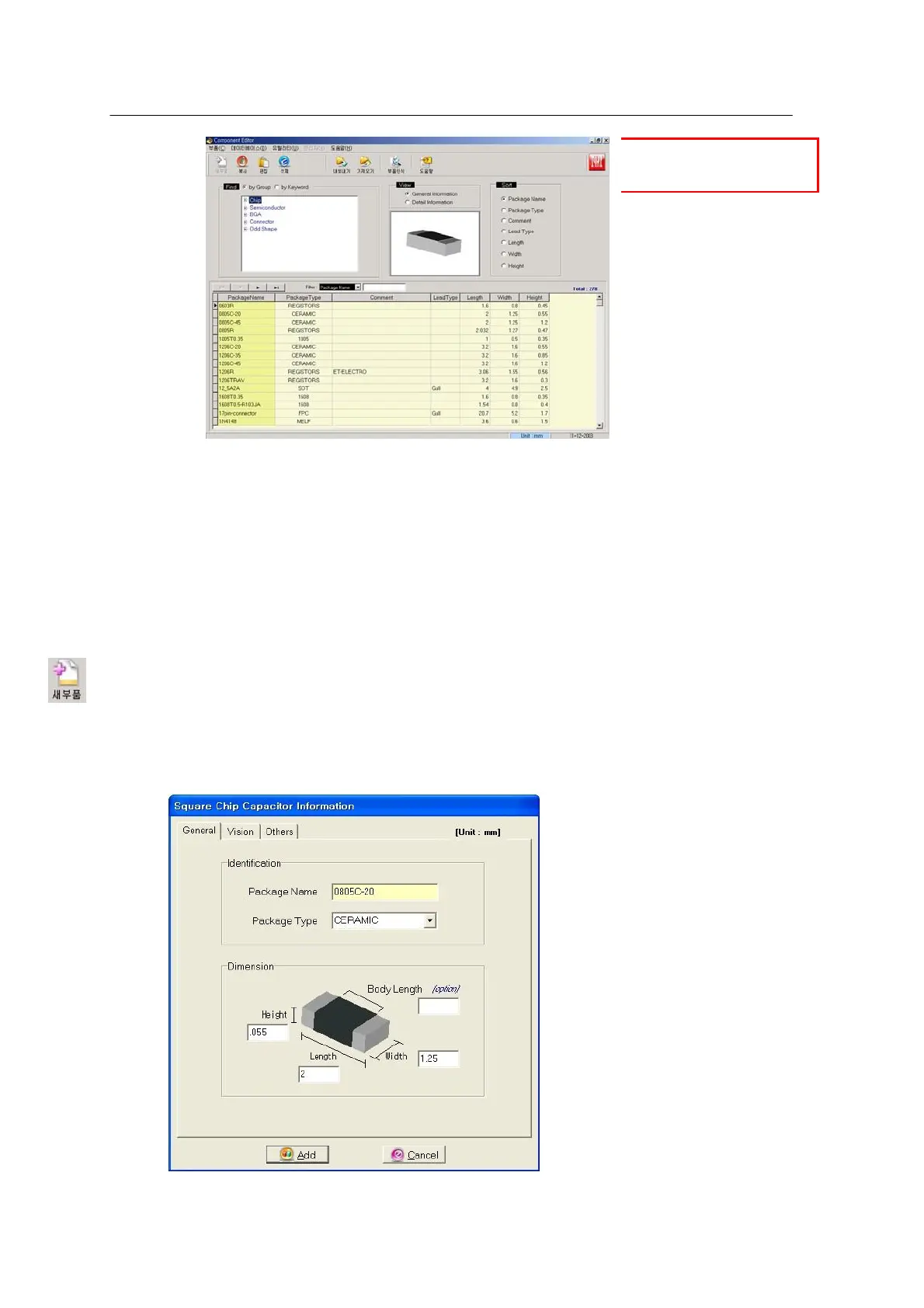
<Figure 6-28 가 Comp DB Edittor
Main window >
When the Comp DB Editor program runs, Box 1 in the main window presents 5
types of components:
• Chip: General parts (except for IC chips)
• Semiconductor: SOP, SOJ, QFP, PLCC
• BGA (Ball Grid Array): Regular, Checker, Reverse checker
• Connector: FPC, Board, Write
• Odd Shape: Special parts of QFP Odd-shapes, SOJ Odd-shapes, etc.
Choose the ‘New Part’ icon to add a new part.
[Chip components]
<Figure 6-29 가 Add a new part - chip>
The above window opens when the New Part icon is selected. Enter the following parameters and
press the Add button.



 To Next Page