6-66 Mx100/200 Series Operation Manual
machine.
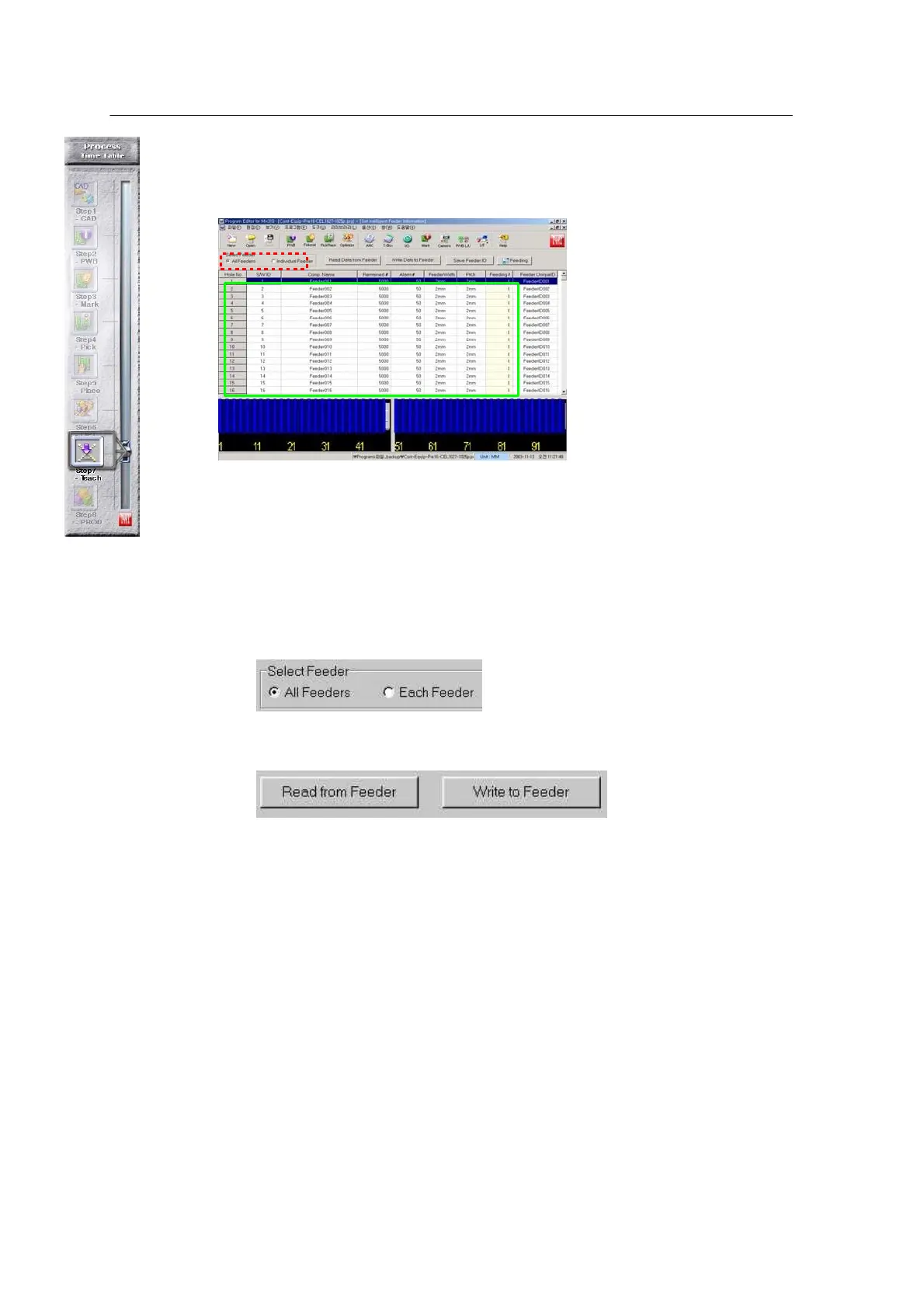
Run the Utility/ Intelligent Feeder Data menu.
Note) After mounting a feeder on the
feeder base, feeder setup should be
registered in the
machine.
[See the Intelligent Feeder
menu for registration]. 8mm ~
56mm feeders are applicable.
Select All Feeder or Each
Feeder.
• All Feeder: Displays the
data of all feeders currently connected to the feeder base.
• Each Feeder: Displays an individual feeder of the connected feeders.
The blue box is displayed when the Read From Feeder button is pressed after
selecting All Feeder.
<All Feeder , Each Feeder >
<Read from Feeder , Write to Feeder>
♣ The three items to be checked from the displayed data
• S/W ID: This value should be set equal to Hole No.
※ This applies to an alpha feeder (conventional type). S/W ID is
automatically recognized in case of C-feeder.
• Feeder Width: Feeder type connected to the selected feeder base number.
• Pitch: Pitch between parts.
(One of 2mm,4,8,12,16,24,32,44)
Modify the above items and register them in the machine through the Write to
Feeder button.



 To Next Page