6-40 Mx100/200 Series Operation Manual
• Vision Tab: Enter the parameters related to camera or illumination.
• Others Tab: Enter axial speed, Pick & Place delay and nozzle type.
When a new part is registered, the registered DB can be searched in the Part
Information/General/Package window.
Setting Other Part Information
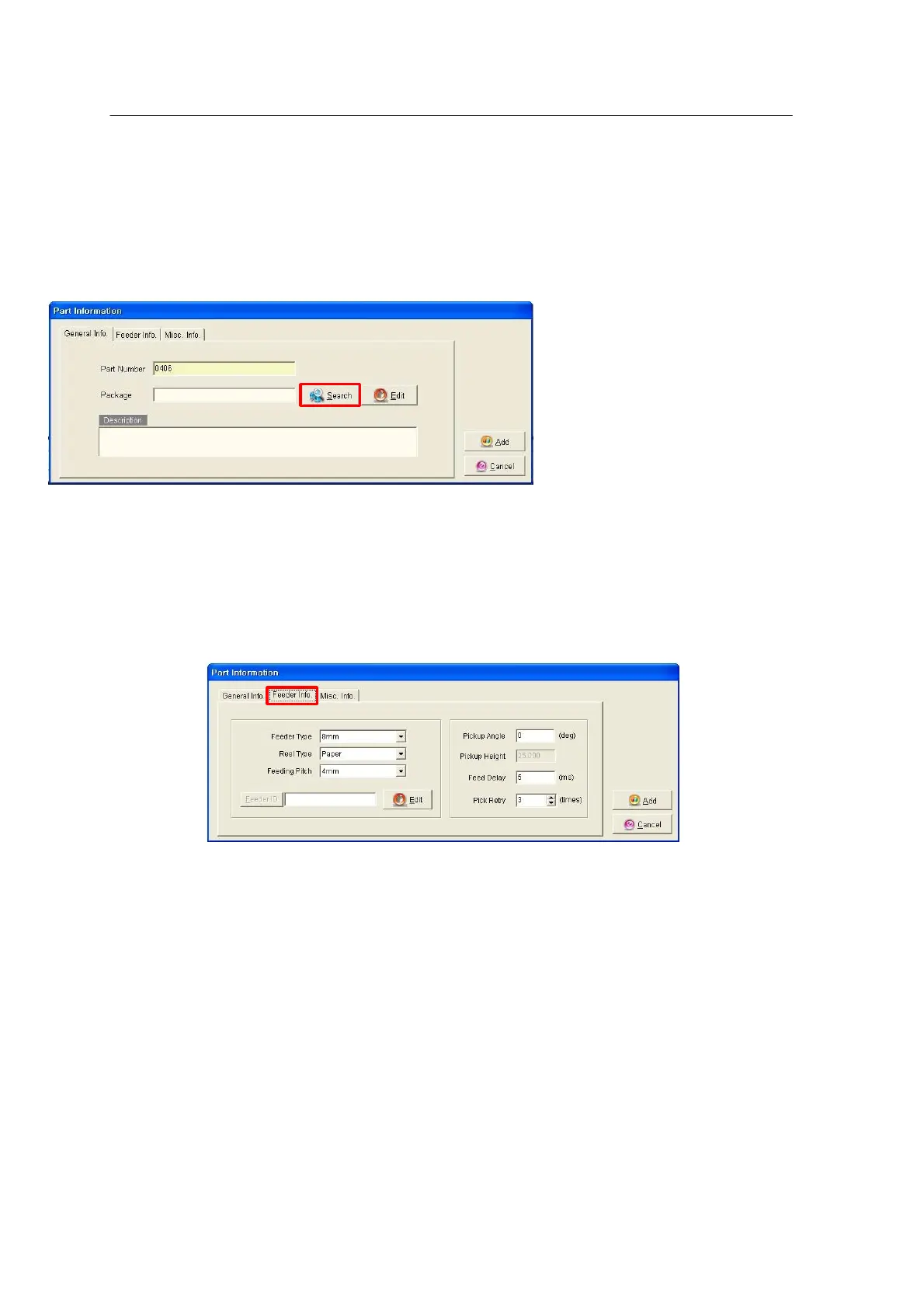
Choose the Feeder Info tab in the Part Information window.
<Figure 6-34 가 Register Feeder type, Reel type >
The above window is used to register data such as Feeder Type, Reel Type, etc. for a
registered package.
•
Feeder Type: Selects a feeder type from 8 ~ 56mm, TF and Shuttle.
•
Reel Type: Selects Paper, Embossed or Adhesive.
•
Feeder ID: Used to get pallet information for Tray, Stick and Shuttle type feeders.
•
Edit: Used to edit pallet information.
•
Pickup Angle: Sets an angle to rotate parts before moving toward the vision camera after
pickup.



 To Next Page