Chapter 6 Programming 6-51
Link Locate ID with the registered pick data selected from Part Number of the
Place Data table.
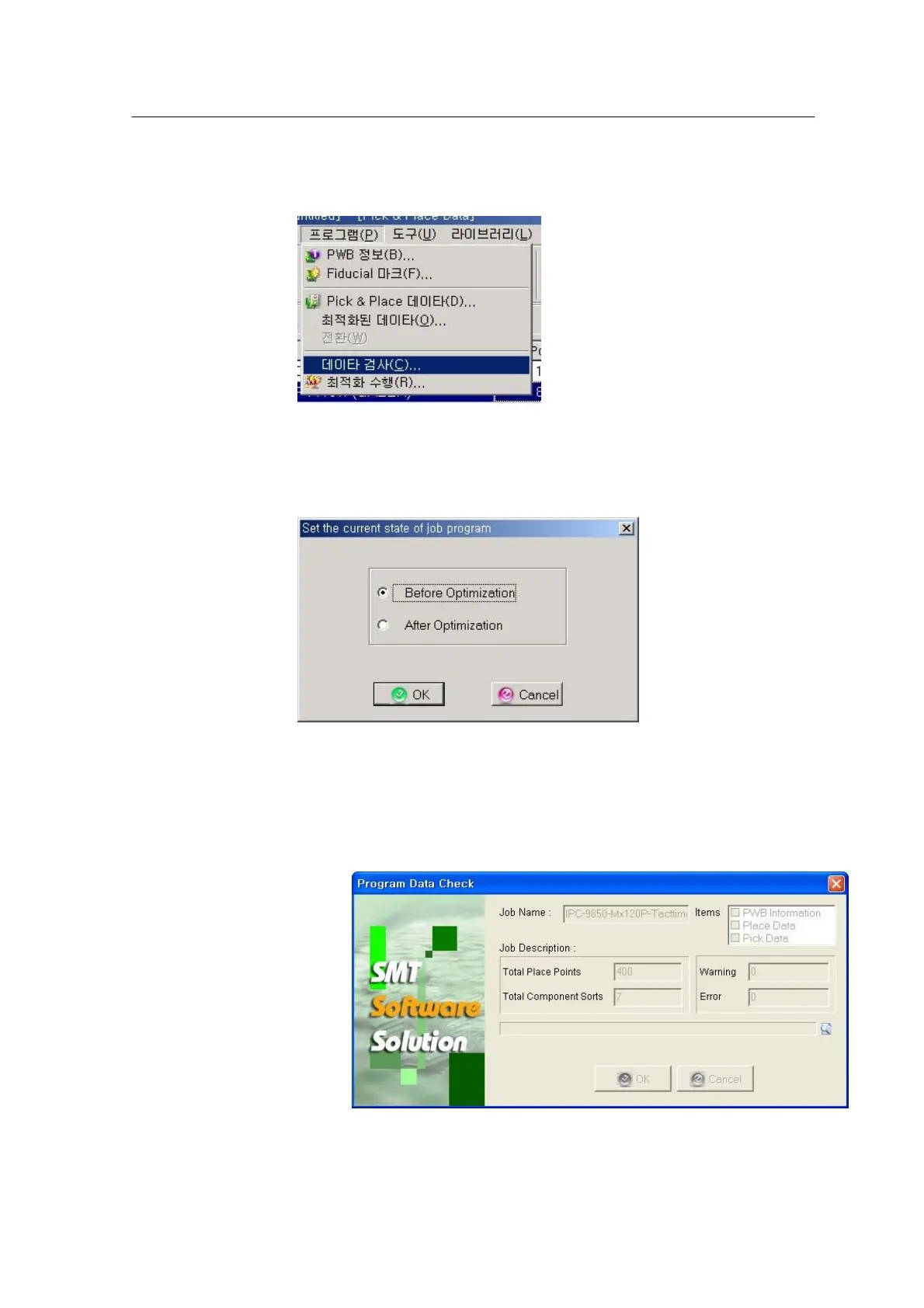
<Figure 6-42 가 Data check menu>
Check the data created by customer through Program/Data Check in the main
window.
<Figure 6-43 가 Select a data check method
>
Data check can be done in two ways:
• Before Optimization: Check data before optimization.
• After Optimization: Check data after optimization.
<Figure 6-44 가 Data check >
The result of data check can report the following messages:
• Warming: This is not a critical defect and the machine can run anyhow.
• Error: A critical defect that should be cleared to run the machine.



 To Next Page