4-16 Offline Feeder Setup Manual
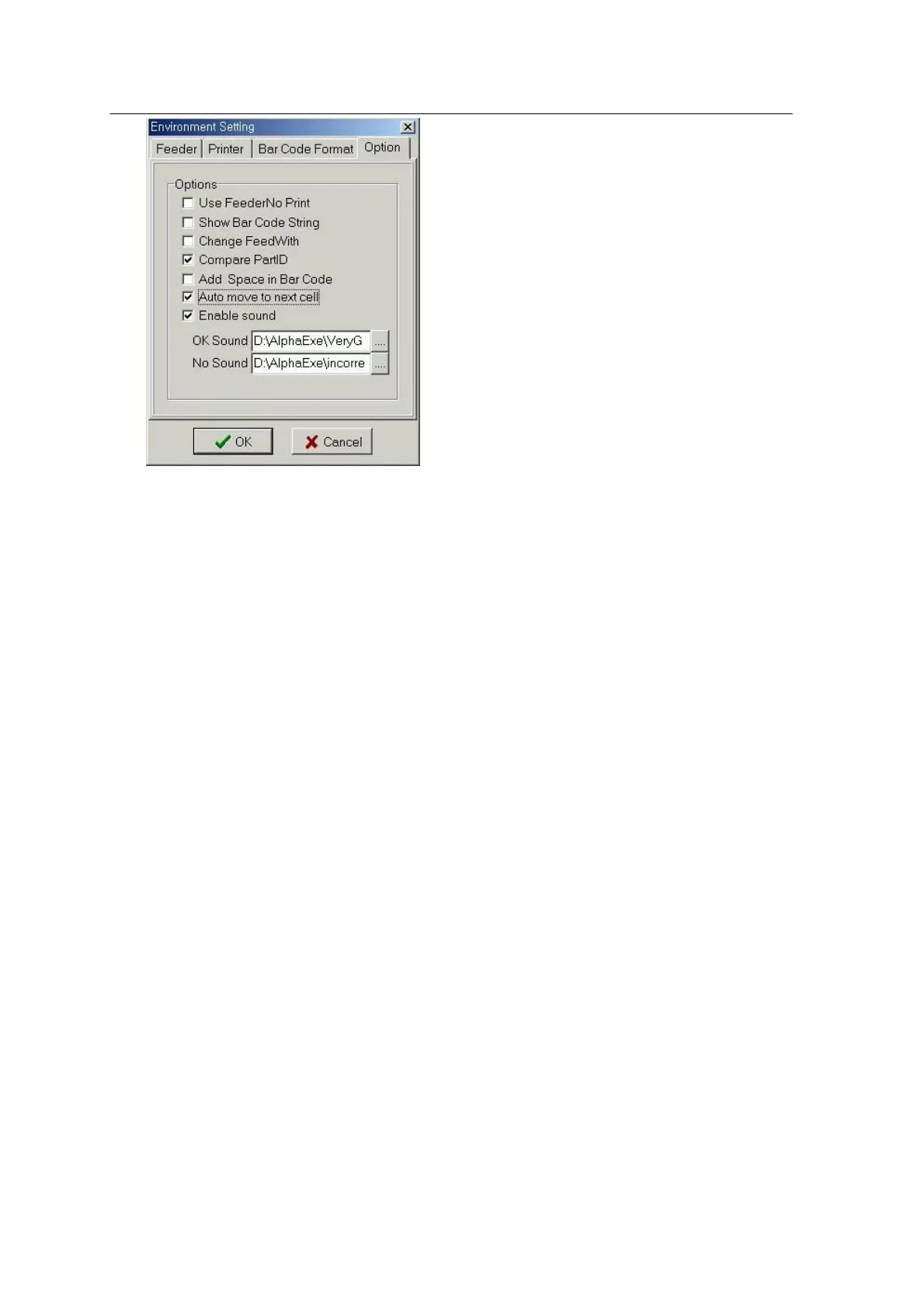
<Fig. 4-12. Set Options Page>
Use Feeder No Print
Sets whether to use the feeder number barcode printing, or not.
Show Barcode String
Sets whether to display the barcode string in the table, or not.
Change Feed Width
Sets whether to change the feeder width in the table, or not.
Compare PartID
Sets whether to compare PartID of PRG with that of Feeder.
Add Space in Barcode
Sets whether to add space at the end of the barcode when printing, or not.
Auto move to Next Cell
Sets whether to move automatically to the next cell when reading the barcode (in the table
or the barcode output form)., or not
Enable Sound
Sets whether to release the sound for the result of barcode reading , or not.
(Provided that, sound card and the driver should be installed).
OK Sound
Sets the sound to be played when the part names are matched.
No Sound



 To Next Page