To Perform a Consultative Transfer of a Filtered Call to the Executive
Use the following procedure to perform a consultative transfer of a filtered call to the Executive:
1. After answering a filtered call, press the Transfer key.
2. Enter the Executive’s phone or extension number and press the Dial key.
3. When the call is answered by the Executive press the Transfer key.
The call will be transferred normally and the filtered call will be released.
To Activate Call Forwarding of Filtered Calls
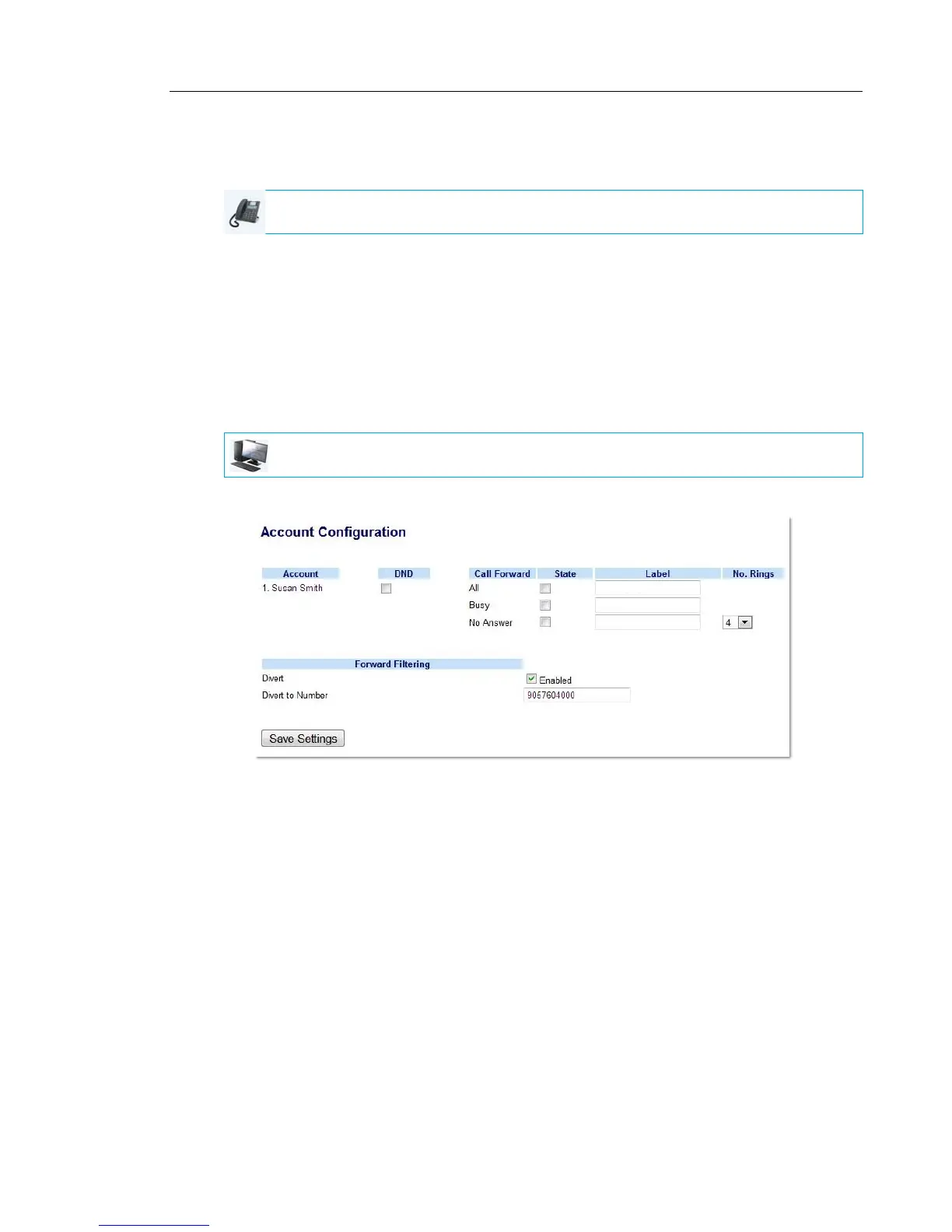
Use the following procedure to activate call forwarding of filtered calls:
1. Click on Basic Settings->Account Configuration.
2. Place a checkmark in the “Enabled” box beside the “Divert” option under “Forward
Filtering”.
3. Enter the phone number you wish to forward incoming filtered calls to in the “Divert to
Number” field.
4. Click Save Settings.
IP PHONE UI
MITEL WEB UI



 To Next Page