EasyManua.ls Logo

Mitutoyo EJ-102N - User Manual

Mitutoyo EJ-102N
82 pages
Print Icon
To Next Page IconTo Next Page
Loading...
No. 99MBC139A
Date of publication: October 1, 2020
User's Manual
- Instructions for use -
Read this document thoroughly before operating
the product. After reading, retain it close at hand for
future reference.
This English language version of the document
contains the original instructions.
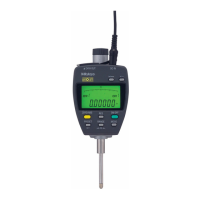
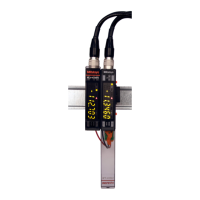
Compact Display Unit
for Linear Gage
EJ Counter
EJ-102N
EJ-102NE
*99MBC139A*

Questions and Answers

  • A
    Anna JonesAug 10, 2025
    Why is the counter value incorrect on my Mitutoyo Measuring Instruments?
    • J
      jeffreycoleAug 10, 2025
      There are several reasons why the counter value on your Mitutoyo Measuring Instruments might be incorrect: * The parameters might not be correctly set for the type of Linear Gage. To resolve this, set the correct parameters. * The peak mode might be set to maximum value, minimum value, or run-out width. If so, set the peak mode to current value display. * The HOLD signal might be input. In this case, check the external input.
  • S
    Stephen JohnsonAug 15, 2025
    How to fix power not going on for Mitutoyo EJ-102N Measuring Instruments?
    • C
      Cristina HornAug 15, 2025
      If your Mitutoyo Measuring Instruments aren't powering on, it might be due to the connector plug being improperly connected, which means power is not being supplied to the correct pins. Ensure the connector plug is correctly connected.
  • S
    Sarah BryantAug 20, 2025
    What to do if I cannot execute Zero setting on Mitutoyo EJ-102N?
    • C
      ccooperAug 20, 2025
      If you cannot execute Zero setting on your Mitutoyo Measuring Instruments, it might be because the preset value is set to something other than 0. Perform a preset with the preset value set to 0 to resolve this issue.
  • T
    Tonya RodriguezAug 25, 2025
    Why can't I connect my Linear Gage to Mitutoyo EJ-102N Measuring Instruments?
    • K
      Kevin WeberAug 26, 2025
      There are a couple of reasons why a Linear Gage might not connect to your Mitutoyo Measuring Instruments: 1. You might be trying to connect a Linear Gage with a 6-pin or 8-pin connector. Use the optional adapter cable in this case. 2. You might be trying to connect a Linear Gage that does not support differential square wave output. Note that the EJ Counter can only be connected to a Linear Gage that provides differential square wave output. Other Linear Gages can be used in combination with the EC Counter or EH Counter.
  • D
    David QuinnAug 30, 2025
    What does it mean when the tolerance indicator display continues showing a dot on Mitutoyo EJ-102N?
    • J
      Jacob FullerAug 30, 2025
      If the tolerance indicator display on your Mitutoyo Measuring Instruments continuously shows a dot, it indicates that an error has occurred. Change the display channel and clear the error to resolve this.
  • A
    amanda47Sep 4, 2025
    What does the "-.-.-.- .-.-.- -" display with flashing periods mean on Mitutoyo EJ-102N Measuring Instruments?
    • S
      sharptravisSep 4, 2025
      When the numeric display on your Mitutoyo Measuring Instruments shows "-.-.-.- .-.-.- -" with flashing periods, it means the Linear Gage is in origin detection mode, indicating the origin detection wait state. When the connected Linear Gage with origin mark is operated, the origin is acquired, and the display switches to counter display.

Mitutoyo EJ-102N Specifications

General IconGeneral
ModelEJ-102N
Measuring Instrument CategoryElectronic Balance
TypePrecision Balance
Measuring Range/Capacity102 g
Resolution/Readability0.001 g
Accuracy/Linearity±0.002 g
Repeatability (σ)0.001 g
DisplayLCD
WeightApprox. 1.5 kg
Stabilization TimeApprox. 3 seconds
Operating Temperature5°C to 40°C
Power SupplyAC adapter
Battery TypeAA batteries
Body MaterialPlastic

Related product manuals